
Improving Chat
Organization and History Management in ChatGPT
Introduction
We’ve all been there: as chat history grows, it becomes harder to organize past conversations, return to useful context, continue unfinished work, and reuse what we’ve already done.
This is the problem we set out to solve. We redesigned ChatGPT’s desktop experience to better support how people organize conversations, retrieve useful context, and reuse what they’ve already done
My Role
I developed this self-initiated UX concept through a six-week private mentorship program, focusing on problem framing, research synthesis, user needs, key flows, interaction patterns, and shaping the selected direction into a high-fidelity UX/UI concept.
Team & Scope
2 UX/UI Designers
Mentor: Marzie Nadali
6 weeks (Remote) - 2026
Tools
Figma, Google Forms,
Illustrator, Zoom,
Gemini, Perplexity and GPT
Research & Evaluation Methods
Desk research
Market and competitive analysis
Heuristic evaluation
User survey
User Interviews
User Persona
Storyboard
Impact-effort matrix
User feedback
Problem Discovery
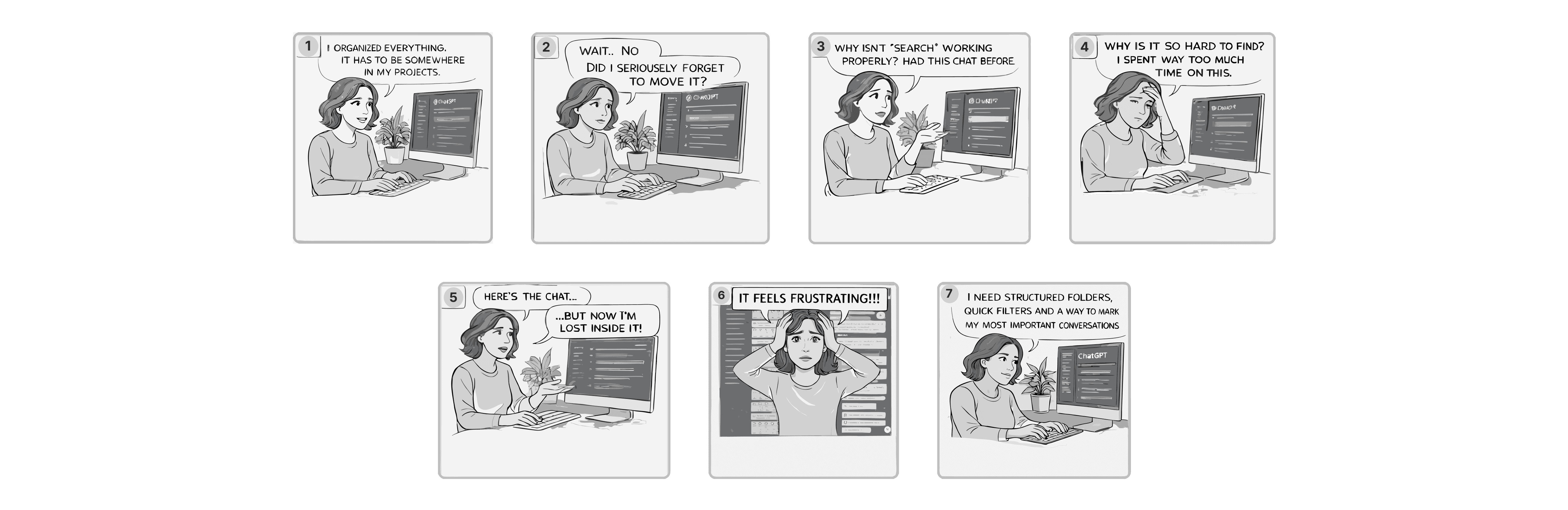
As chat volume grows, users lose visibility, control, and confidence in ChatGPT’s history system. Research shows that users struggle to recognize, locate, and manage past conversations, especially across multiple chats, creating frustration, repeated work, and broken workflows. This revealed a need to better organize conversations, reuse valuable content, and retrieve past work faster.
Solution Overview
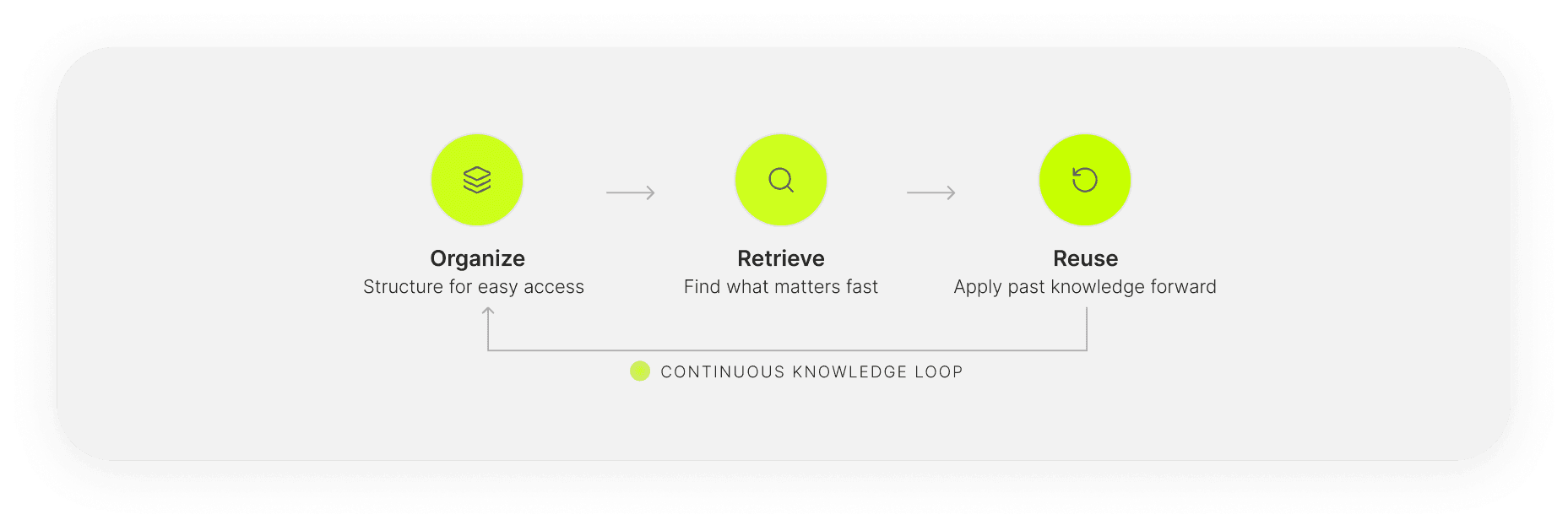
We redesigned ChatGPT’s conversation history around three connected goals: Organize, Retrieve, and Reuse. The redesign helps users structure chats in the sidebar and within long conversations, find past work faster through content tabs and improved search and save and reconnect valuable content across chats. Together, these changes turn chat history from a growing list into a system users can revisit, build on, and act on with confidence.
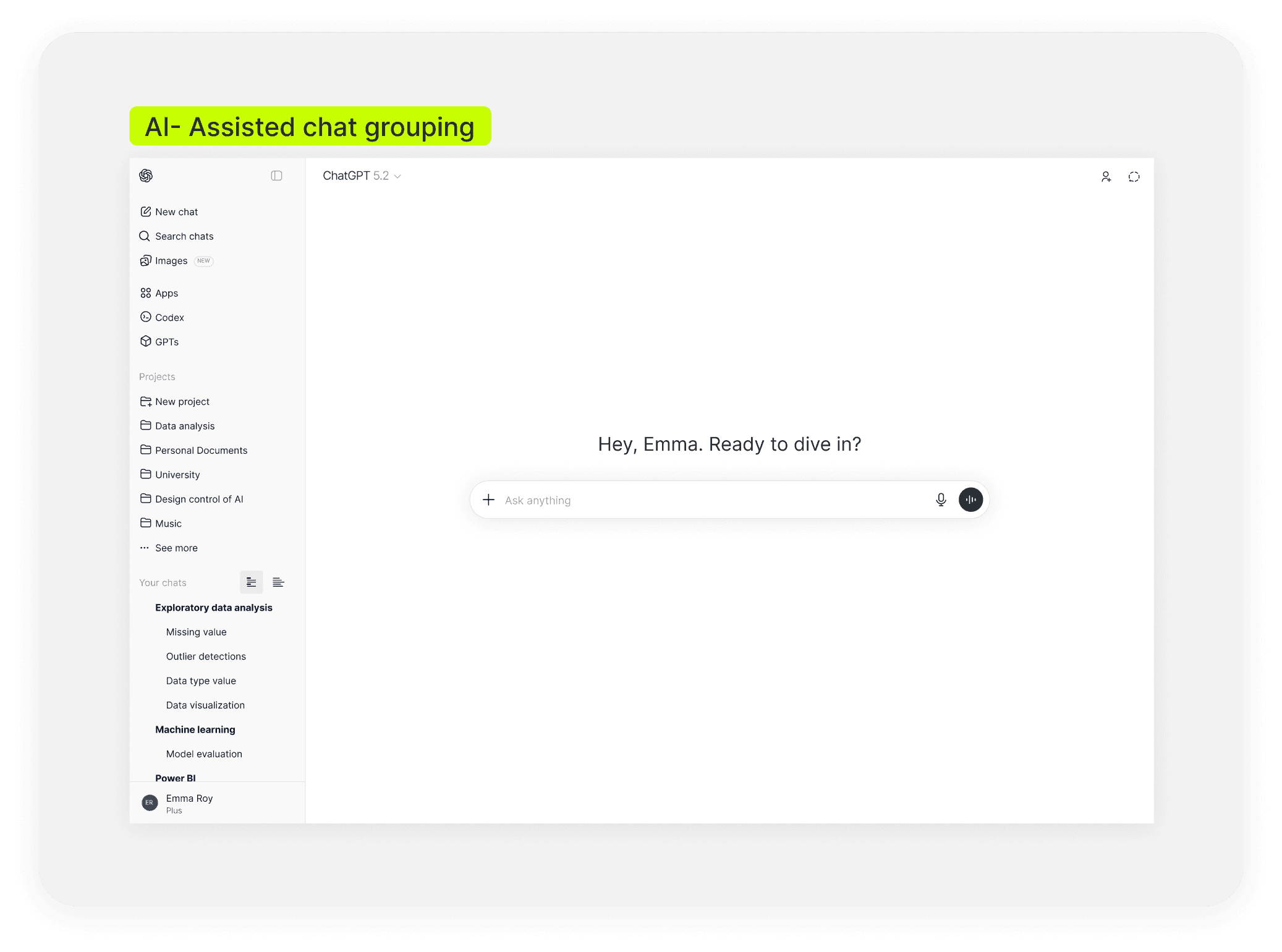
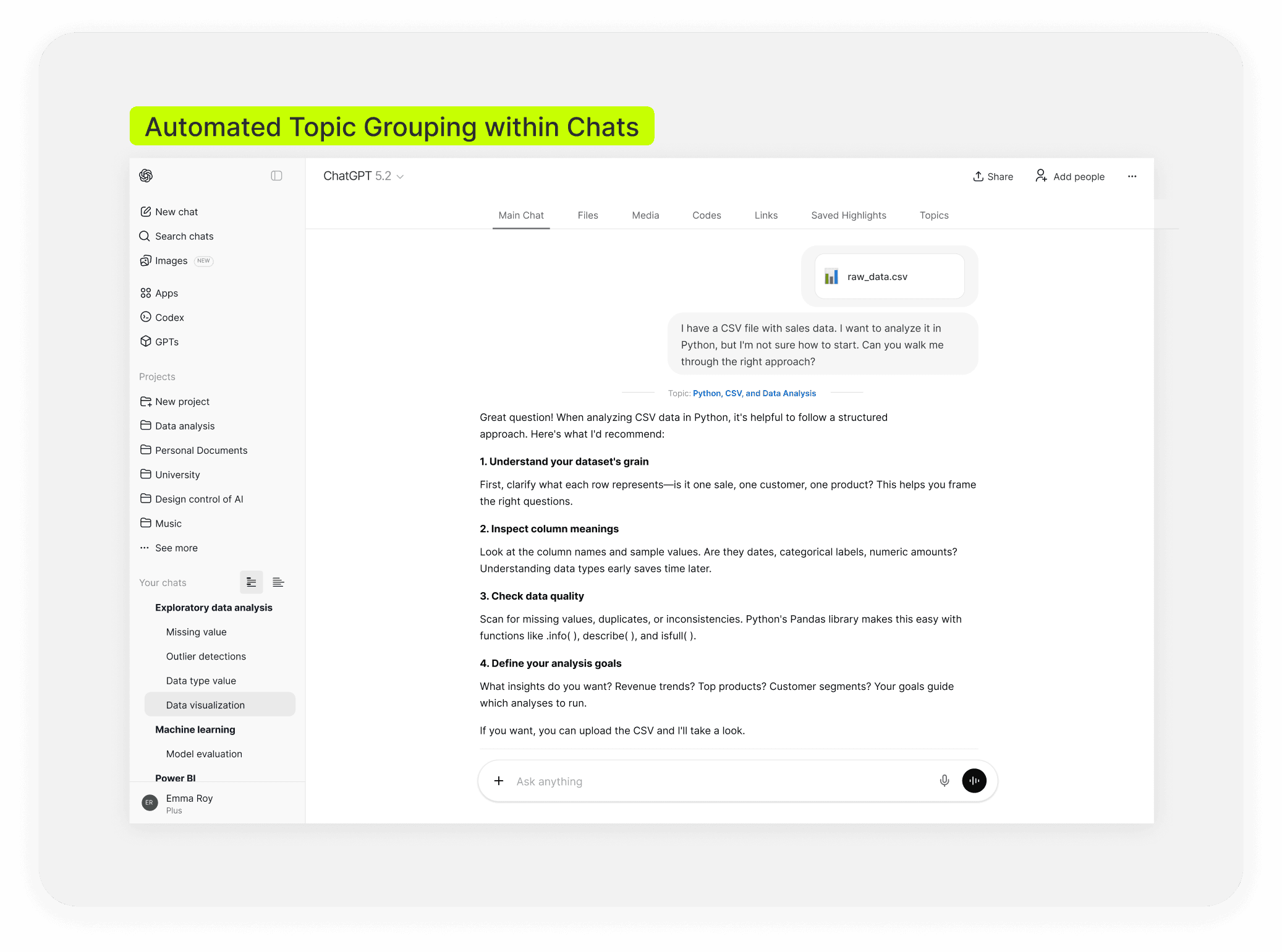
Structure conversations at both the sidebar and in-chat level, so growing history stays easier to scan and manage. This includes AI-assisted chat grouping in the sidebar and automated topic grouping within chats.
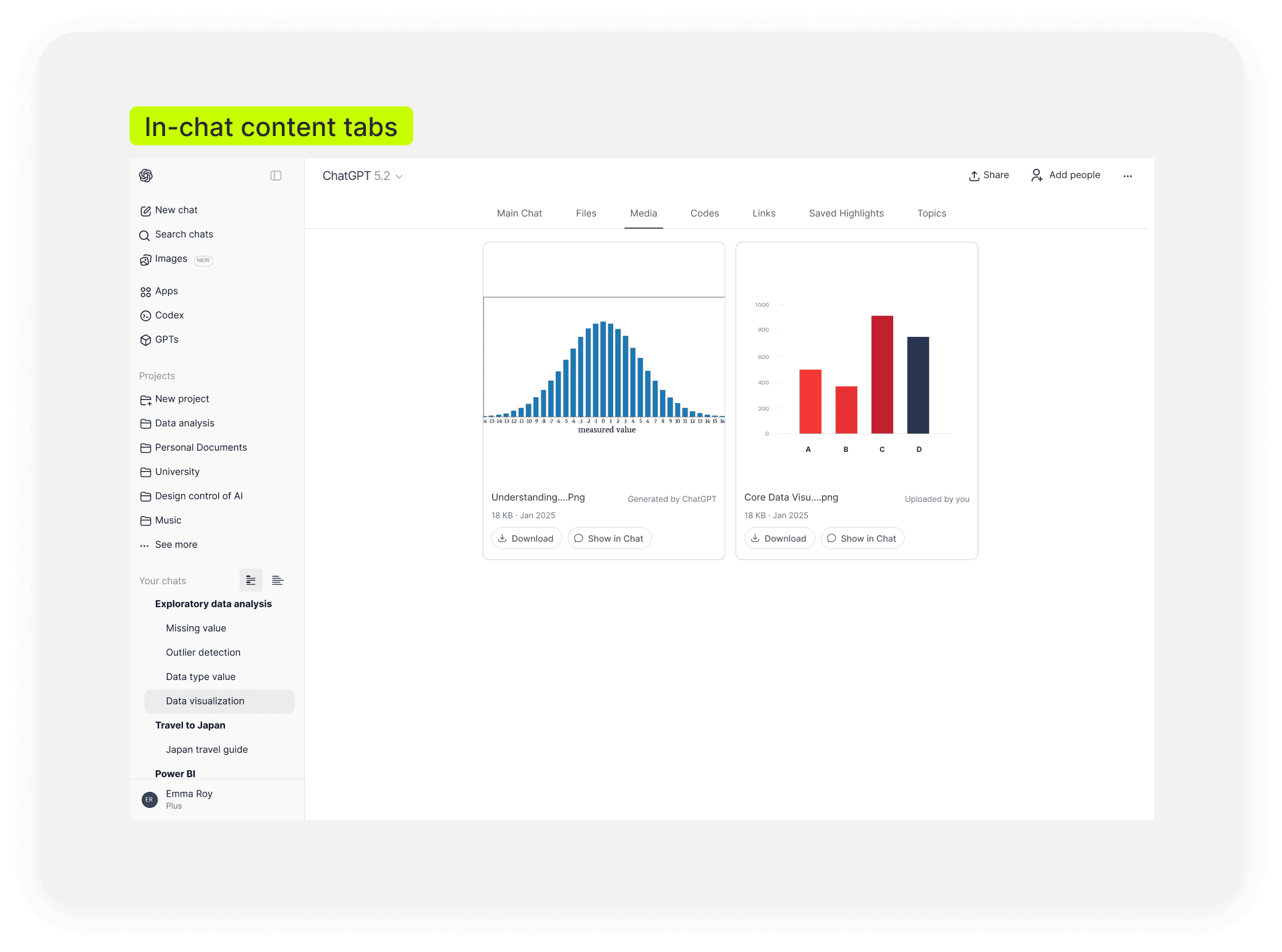
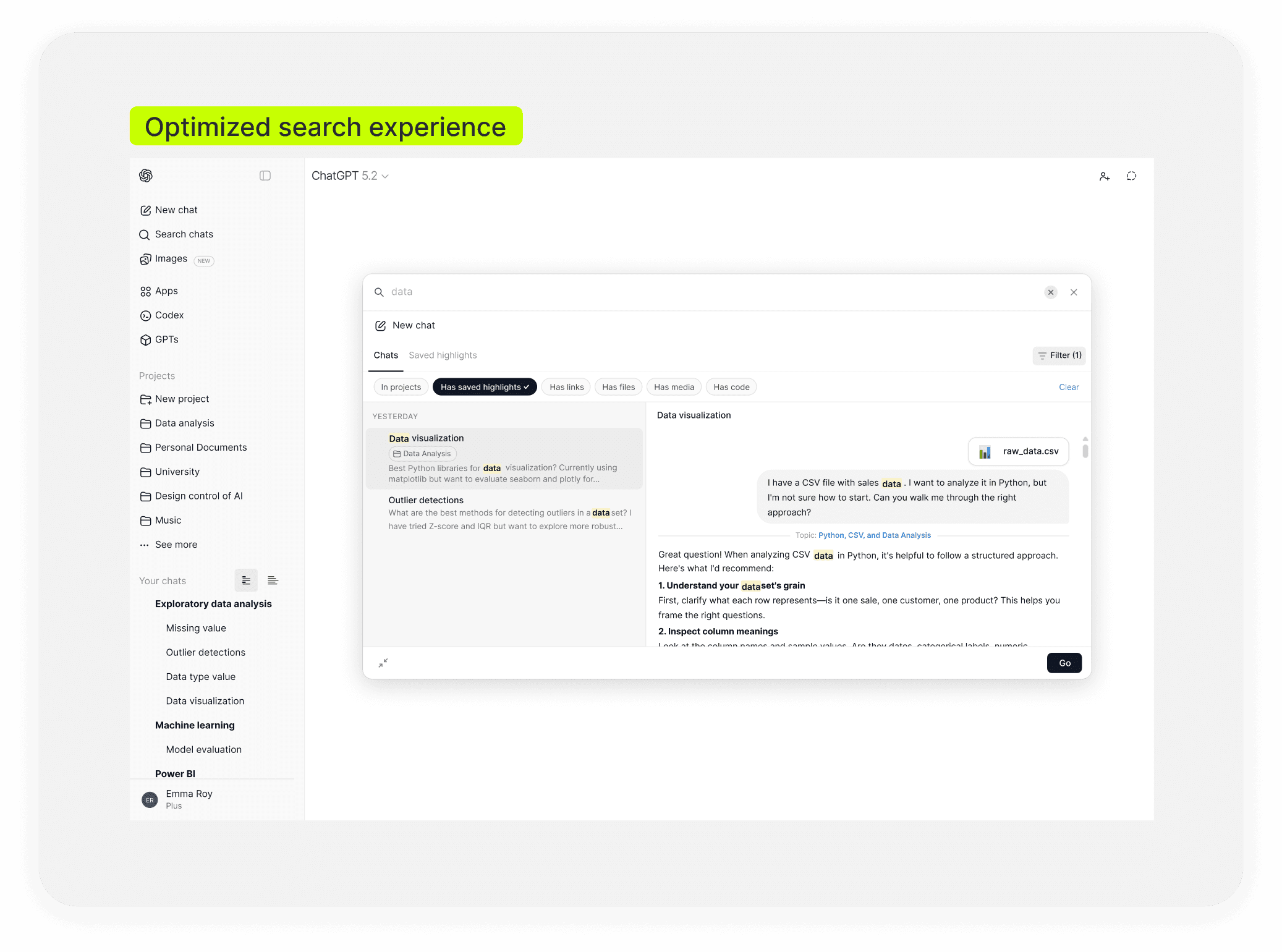
Help users find the right content faster across and within conversations, so past work is easier to access and act on. This includes In-chat content tabs and an Optimized search experience.
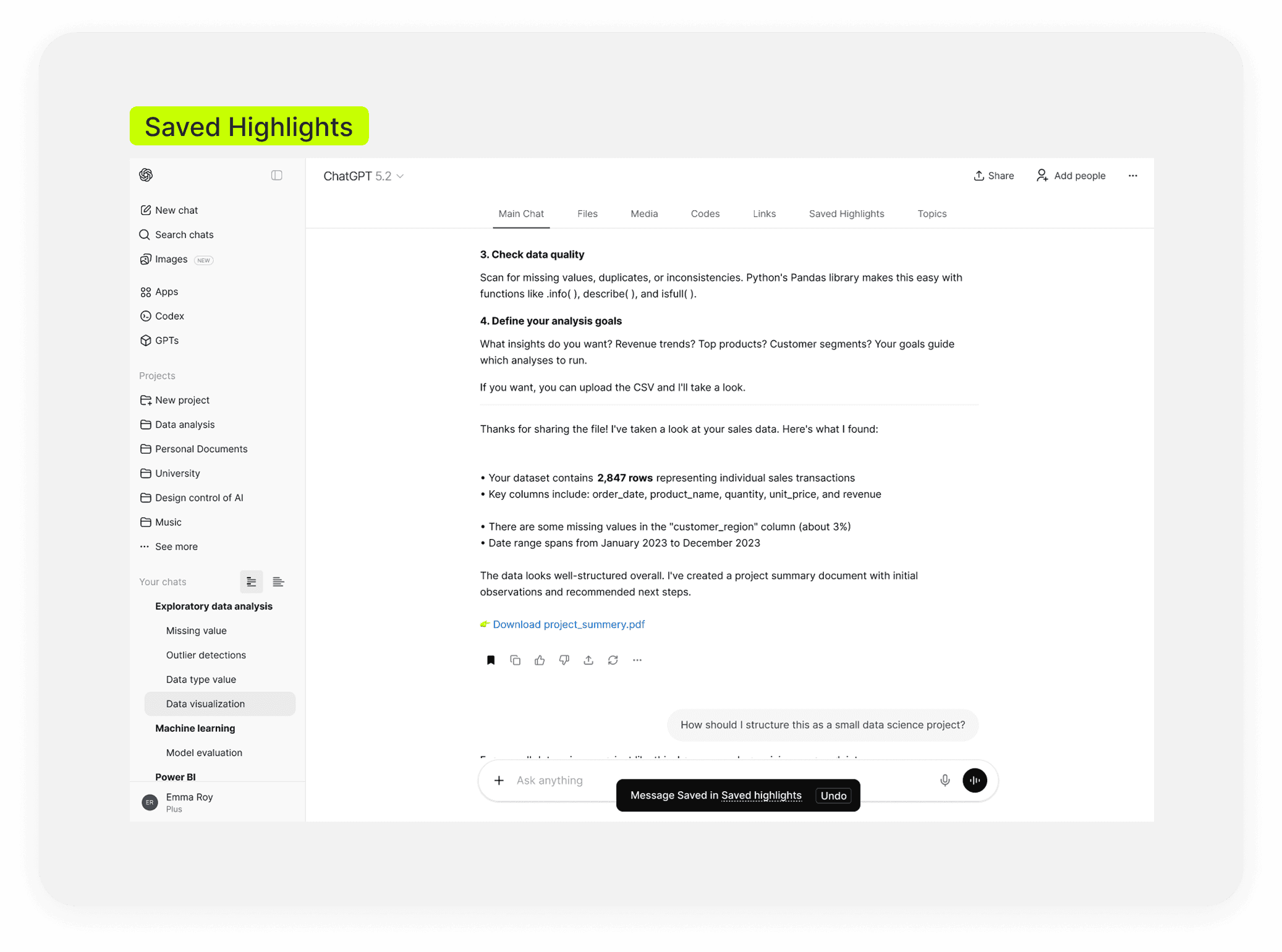
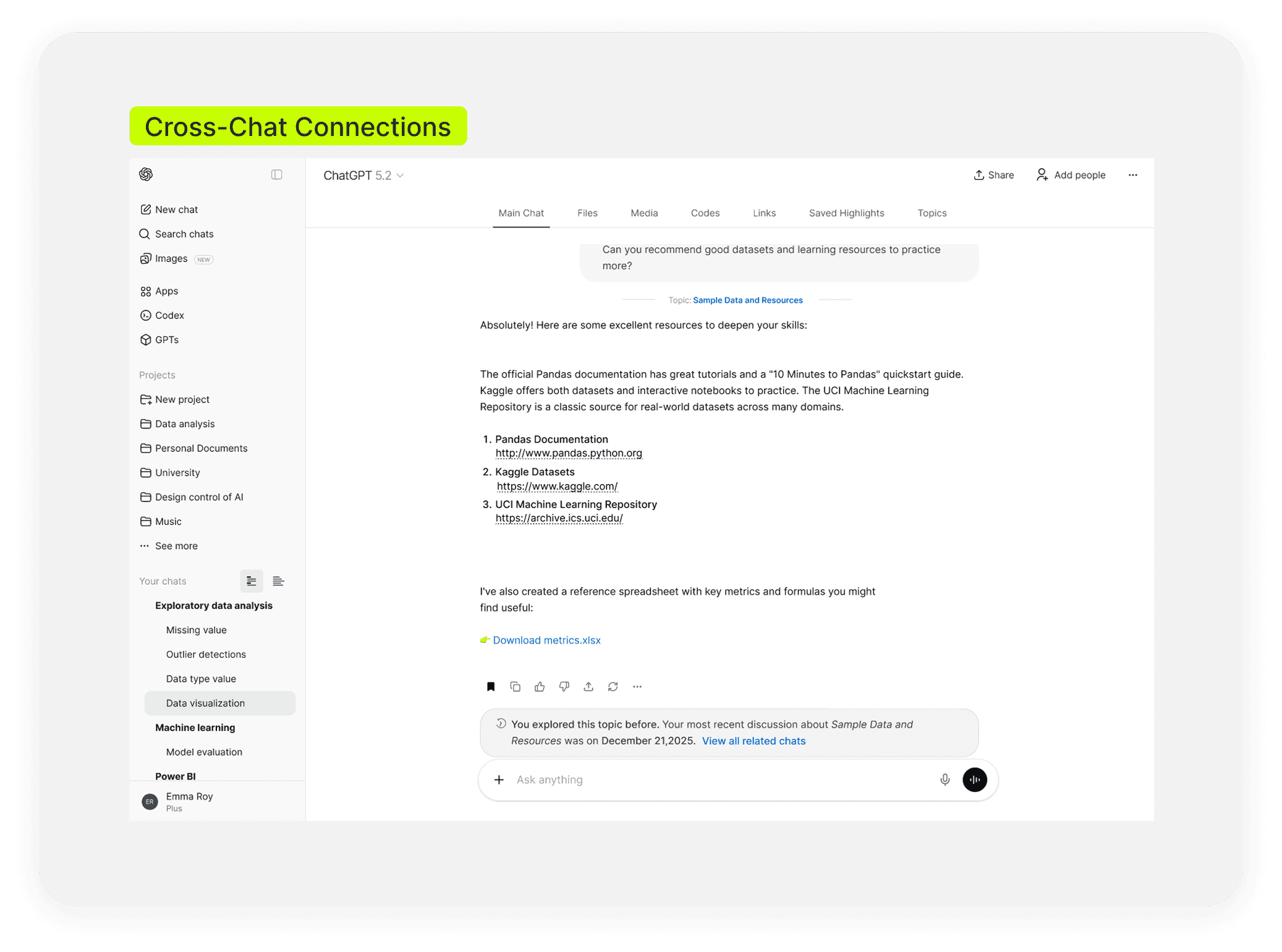
Save useful outputs and reconnect related conversations, so valuable work is easier to revisit and build on over time. This includes Saved highlights and cross-chat connections.
The Process
Desk Reasearch
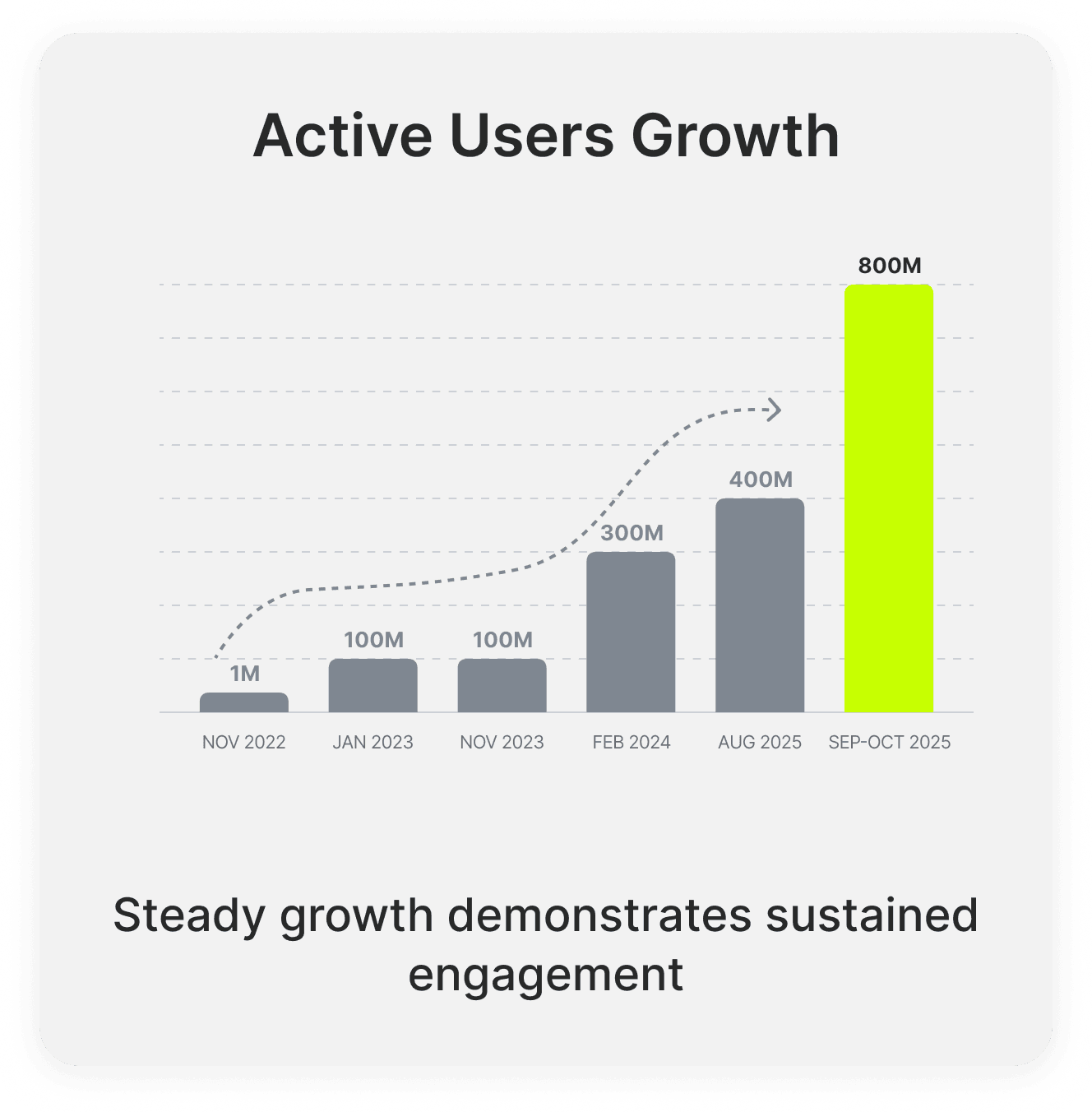
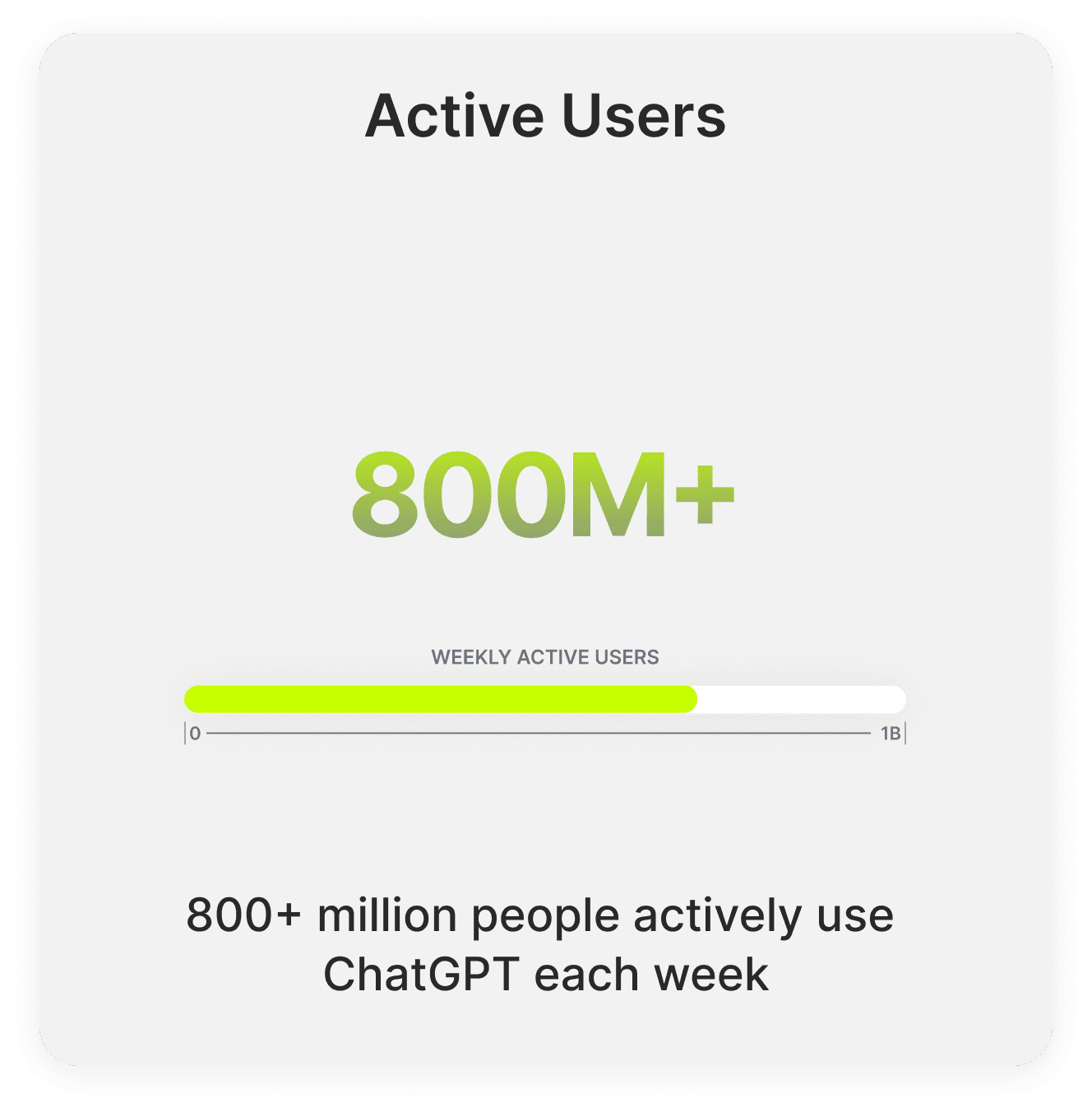
ChatGPT’s rapid growth signals a shift in how people use the product: not just for quick questions, but for ongoing work and thinking. Yet as conversations accumulate, the current history model remains difficult to scan, organize, and return to over time.
Across reviews, forums, and social platforms, users repeatedly described similar frustrations:
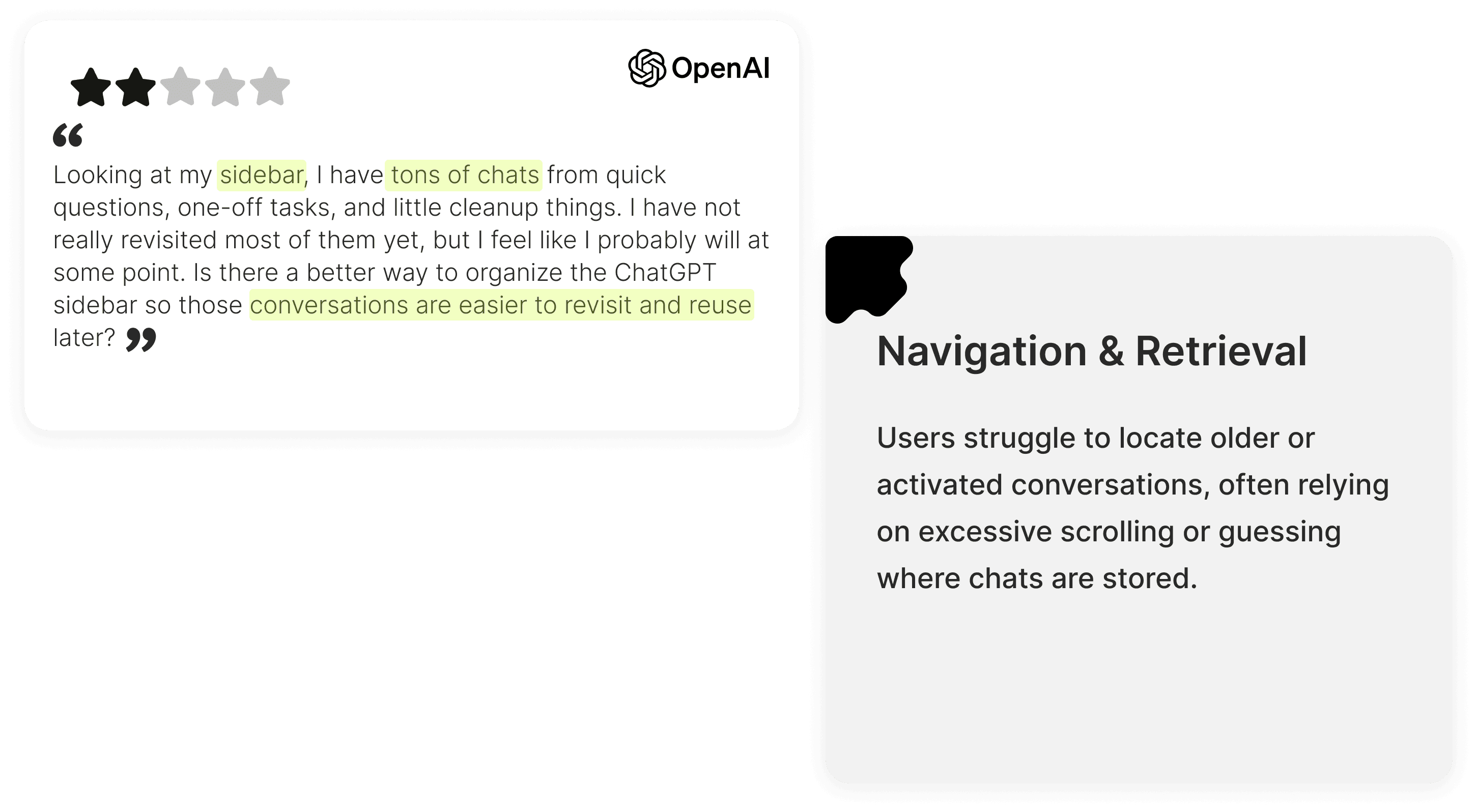
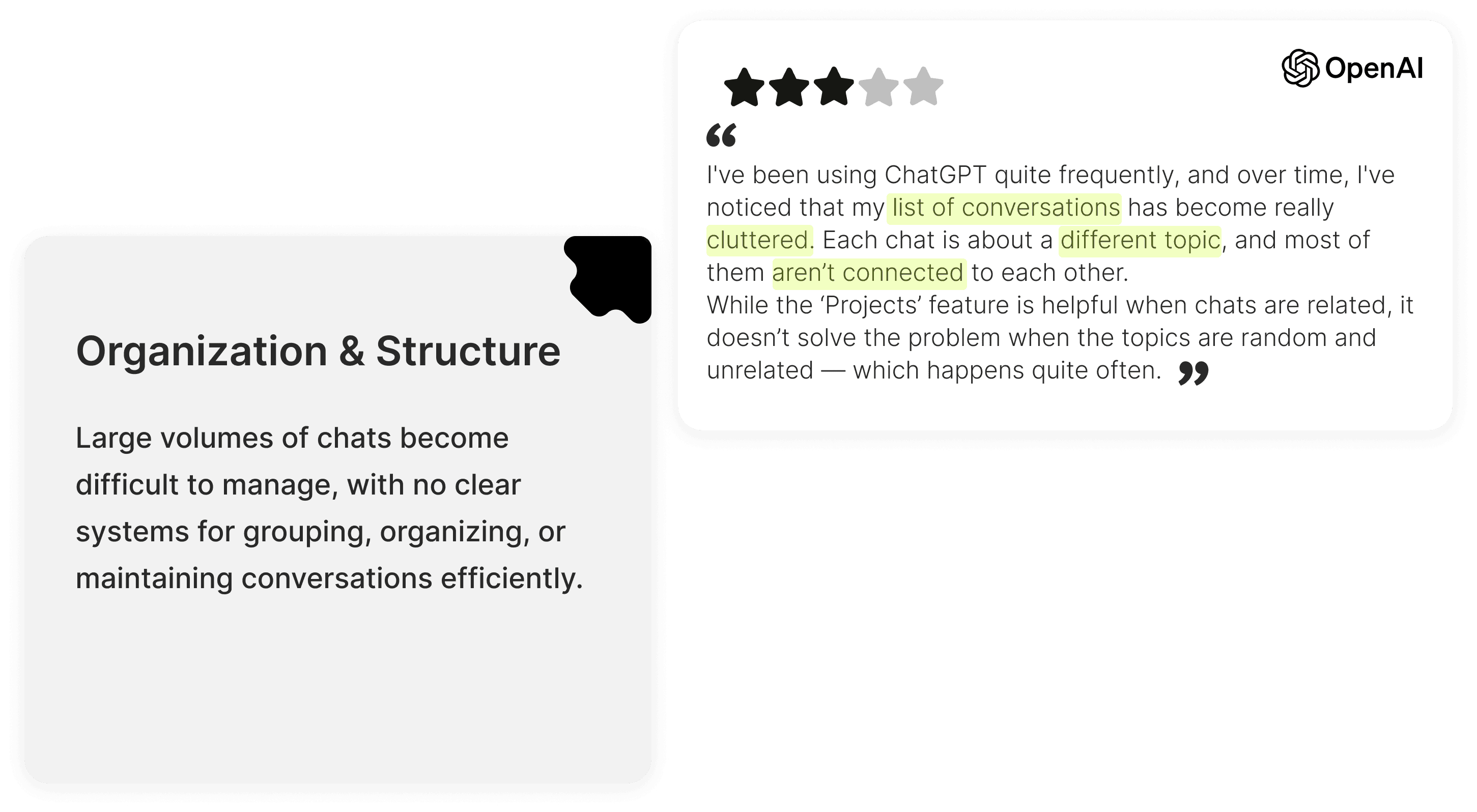
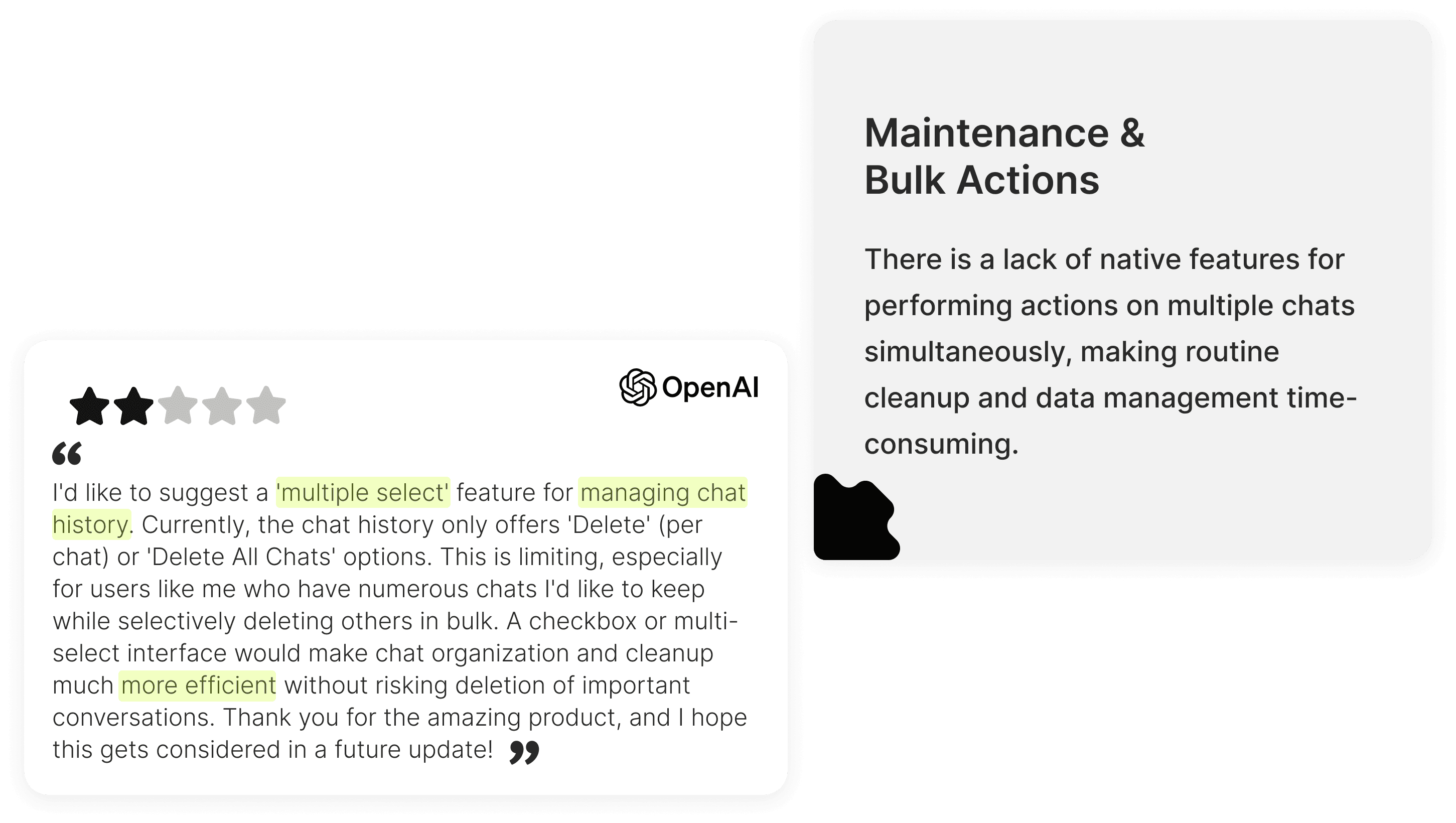
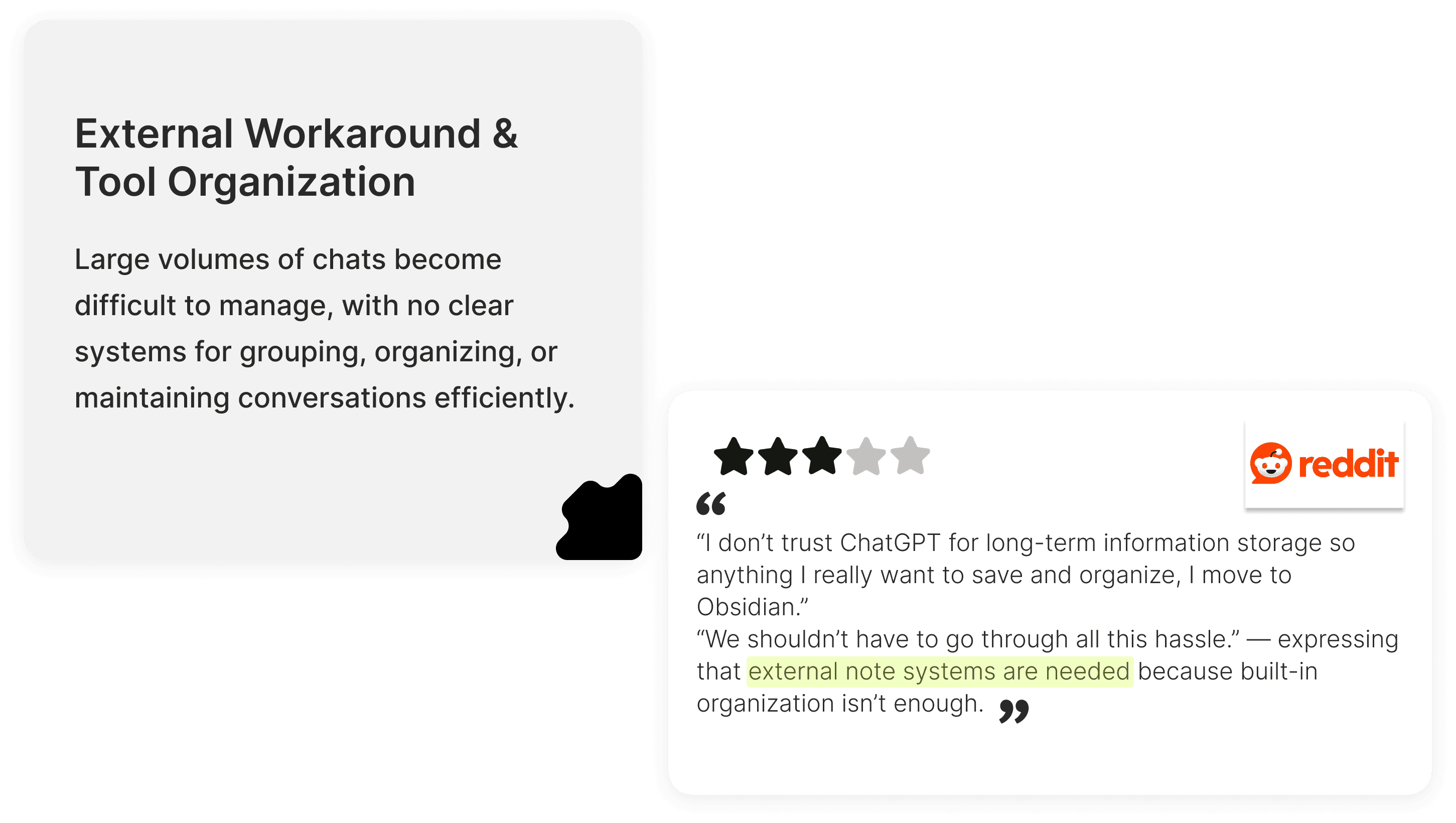
Desk research made one thing clear: as ChatGPT scales, users need better ways to organize, reuse, and retrieve past conversations over time.
Heuristic Evaluation
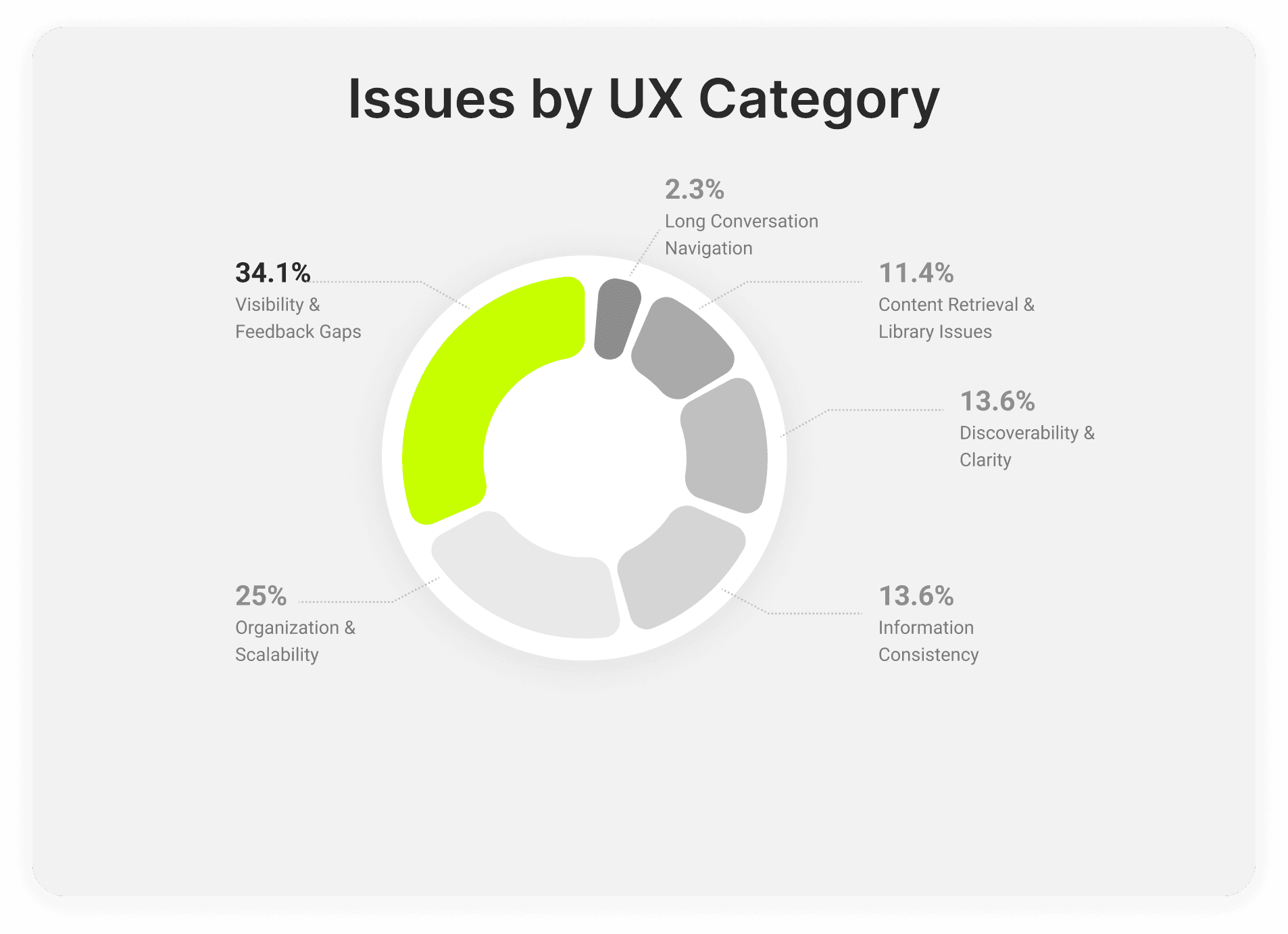
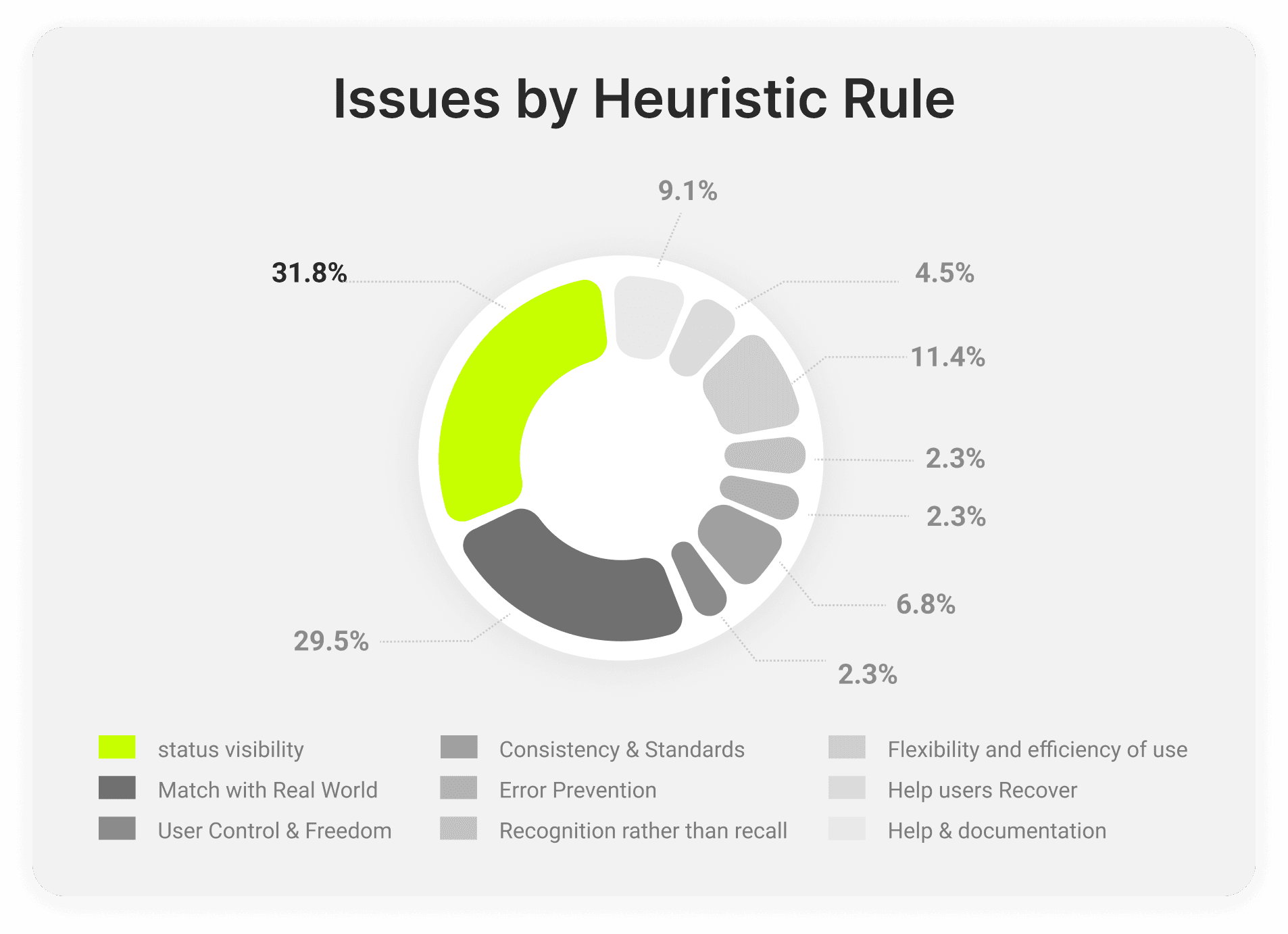
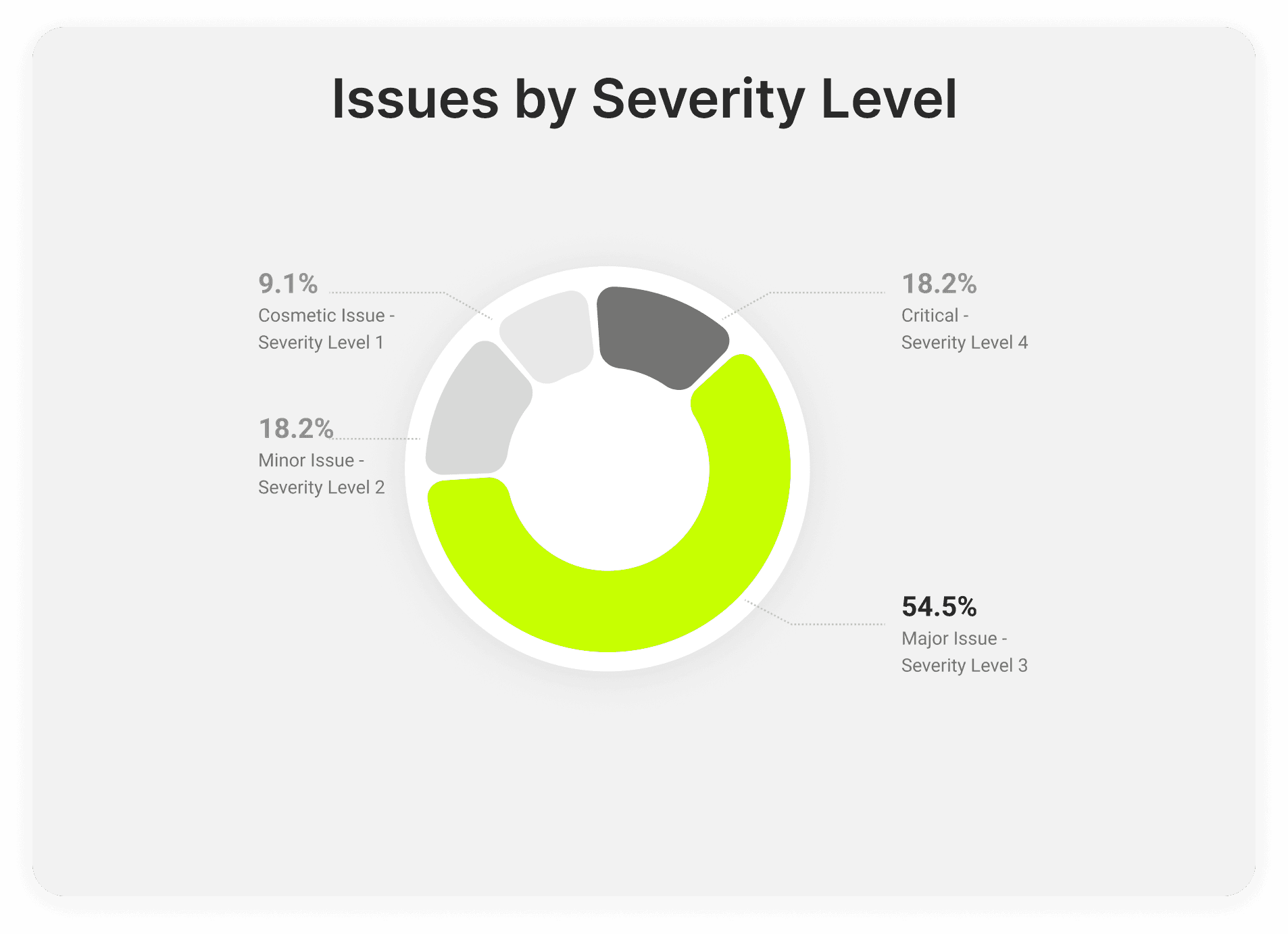
Our heuristic evaluation showed that most of the identified violations were major or critical. The largest concentration of issues fell under visibility and feedback gaps, with organization and scalability emerging as the second most significant UX category. This indicates that although organization is not ChatGPT’s primary pain point, it is still a substantial challenge especially as chat histories grow and become harder to manage over time.
Survey
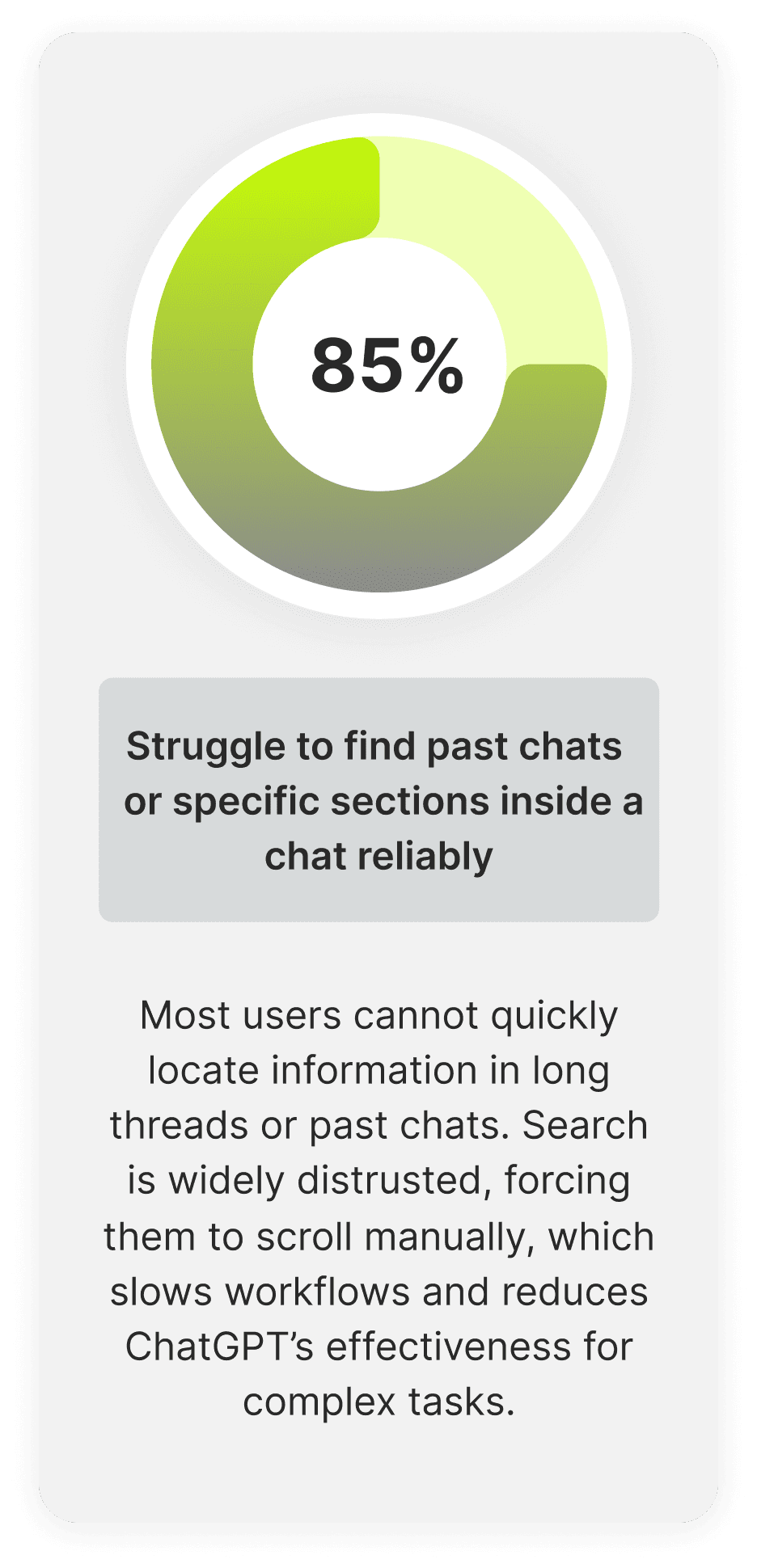
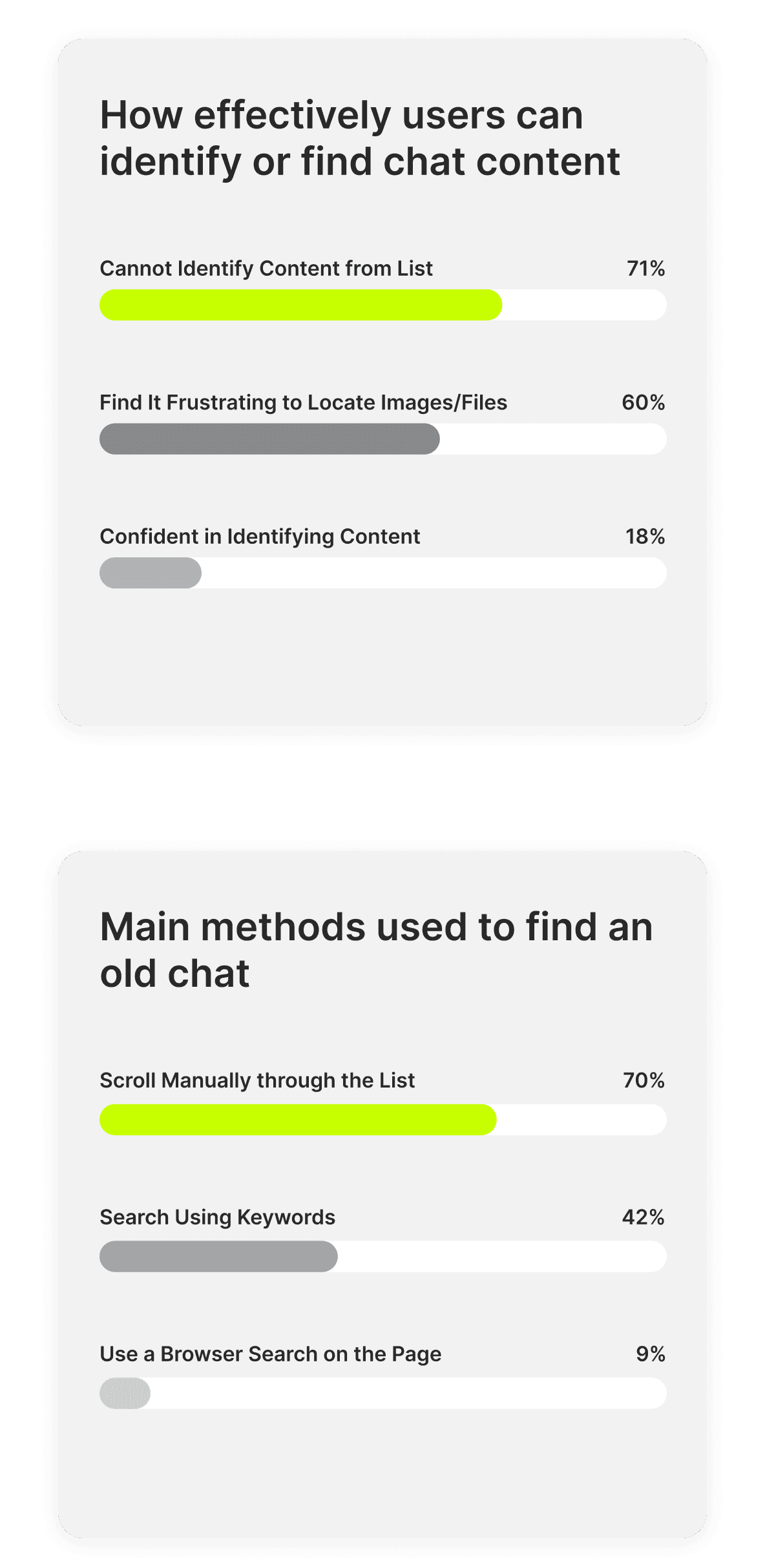
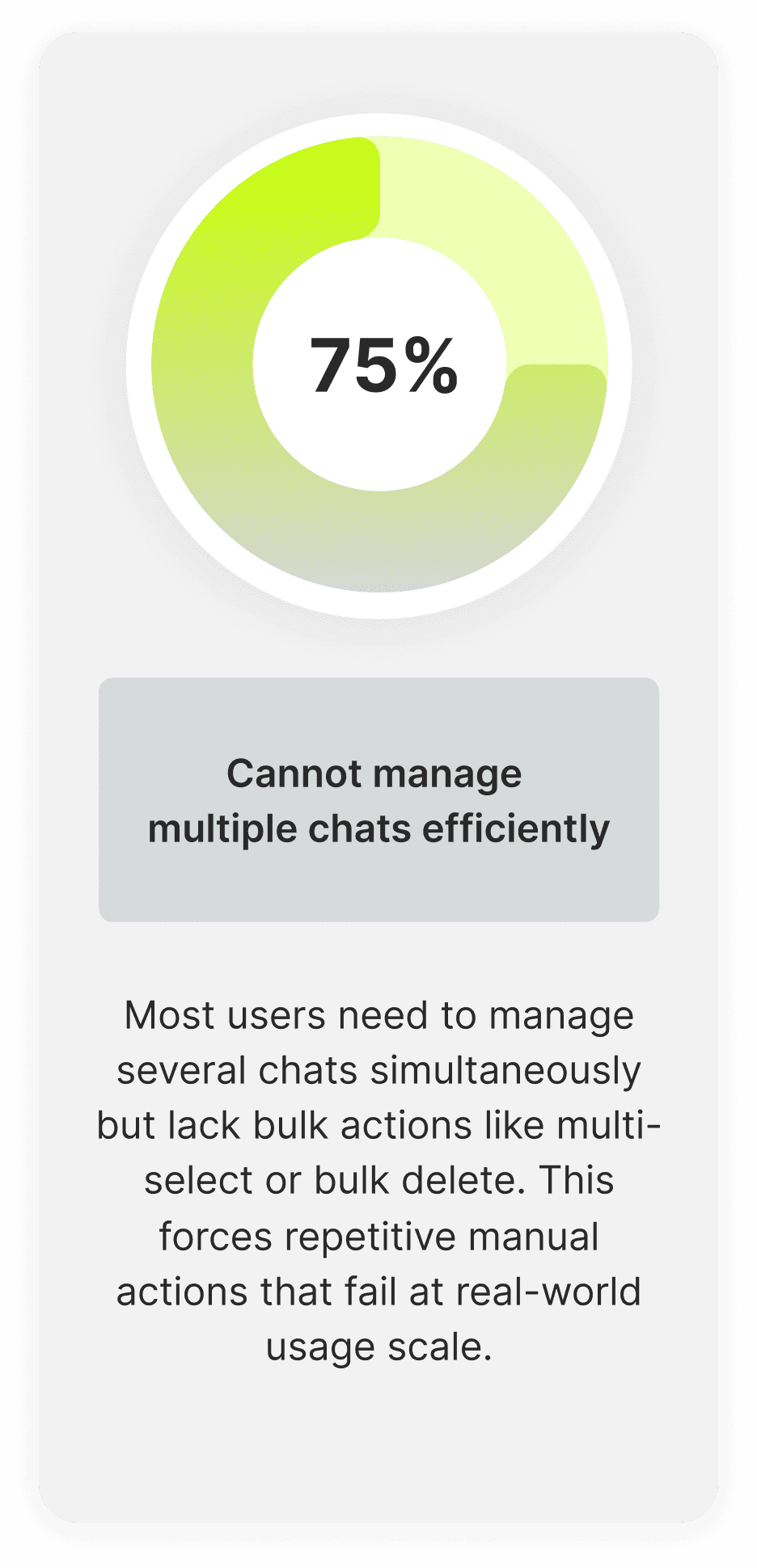
Survey results from 100+ ChatGPT users showed that retrieving past chats still depends heavily on manual scrolling. Rather than using a scalable system for revisiting previous conversations, most users rely on slow, fragile methods like scrolling through history or basic search making past content harder to access, manage, and reuse over time.


Interviews
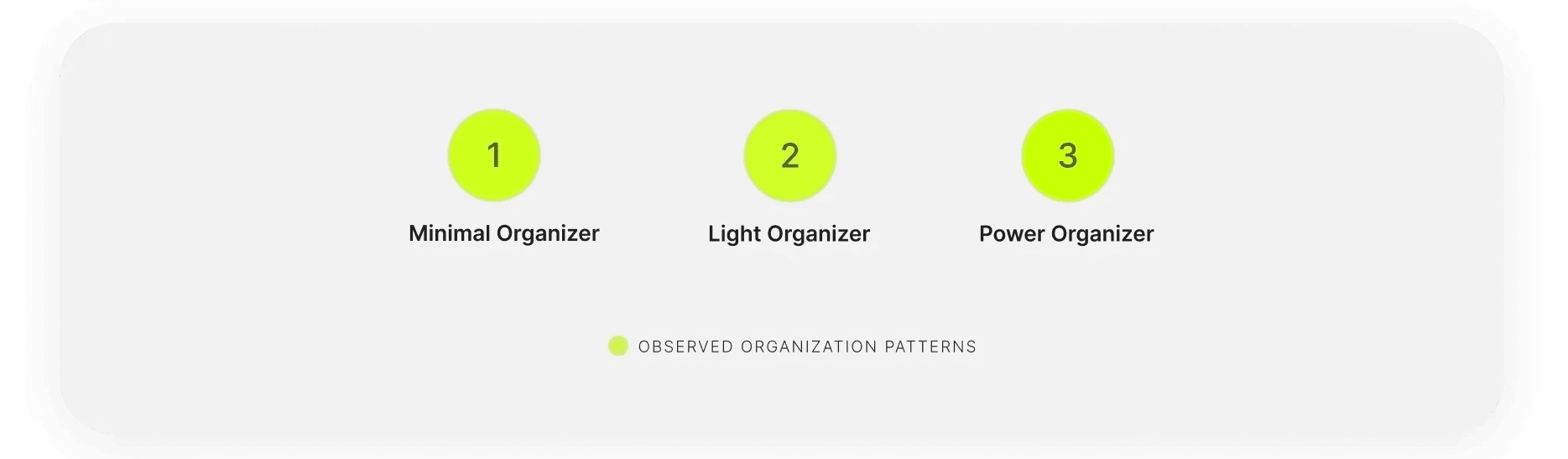
Users share the same underlying concern - losing important information - but differ in how they organize and revisit chat history. Interviews revealed three main patterns, ranging from relying on memory and scrolling to using limited search, personal workarounds, and external tools. These behaviors point to a growing need for better visibility, control, and scalable support as chat usage increases.
Who we designed for?
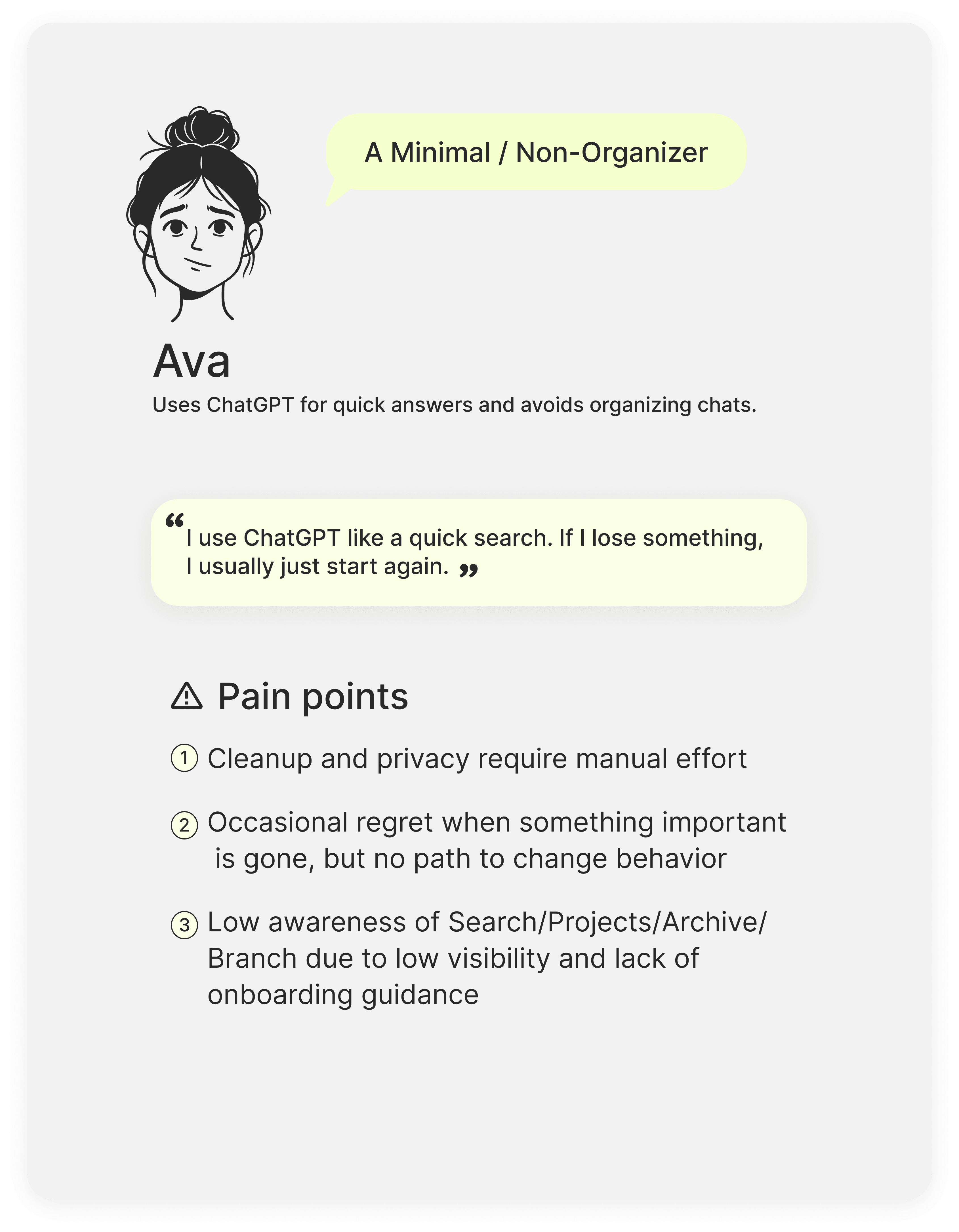
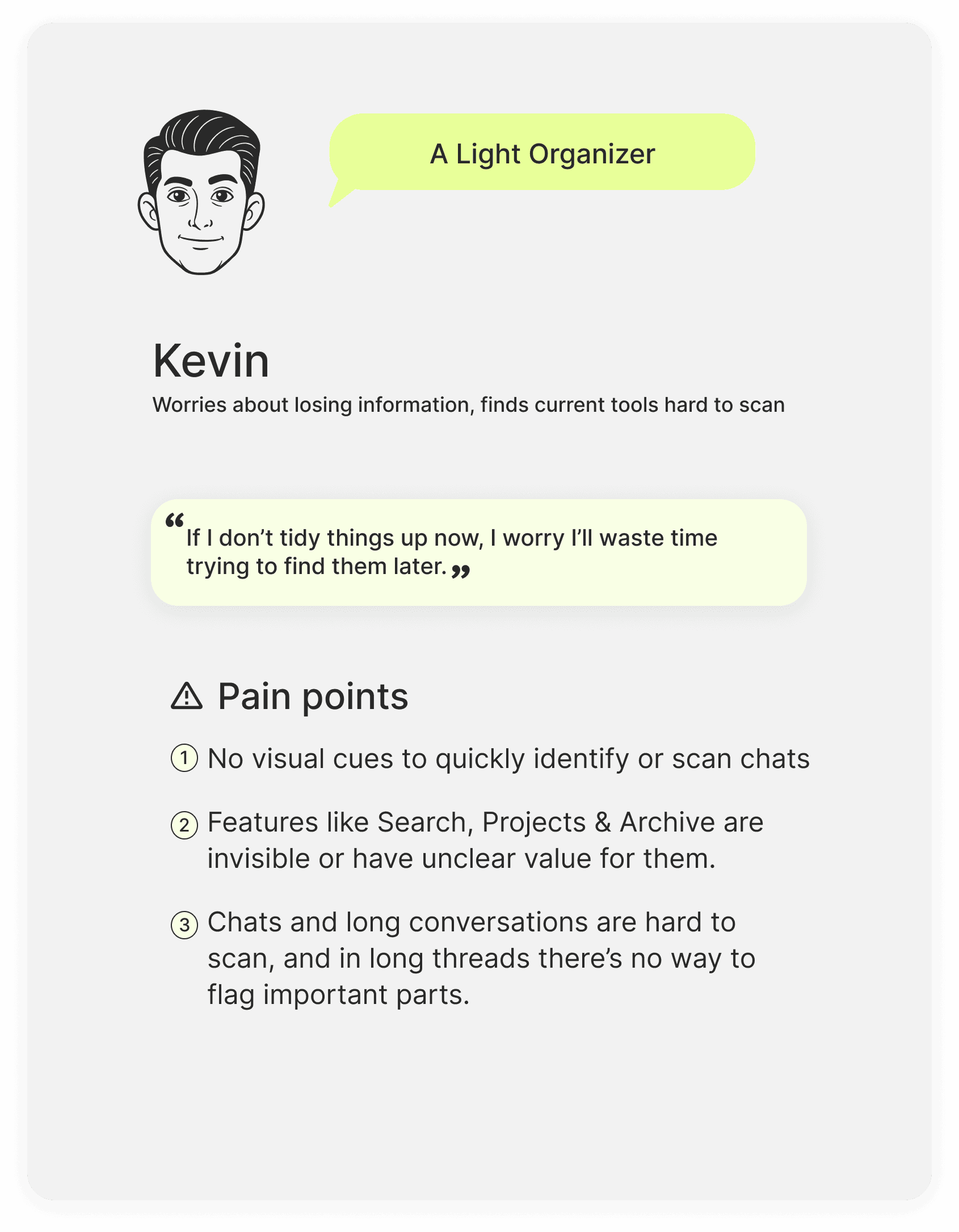
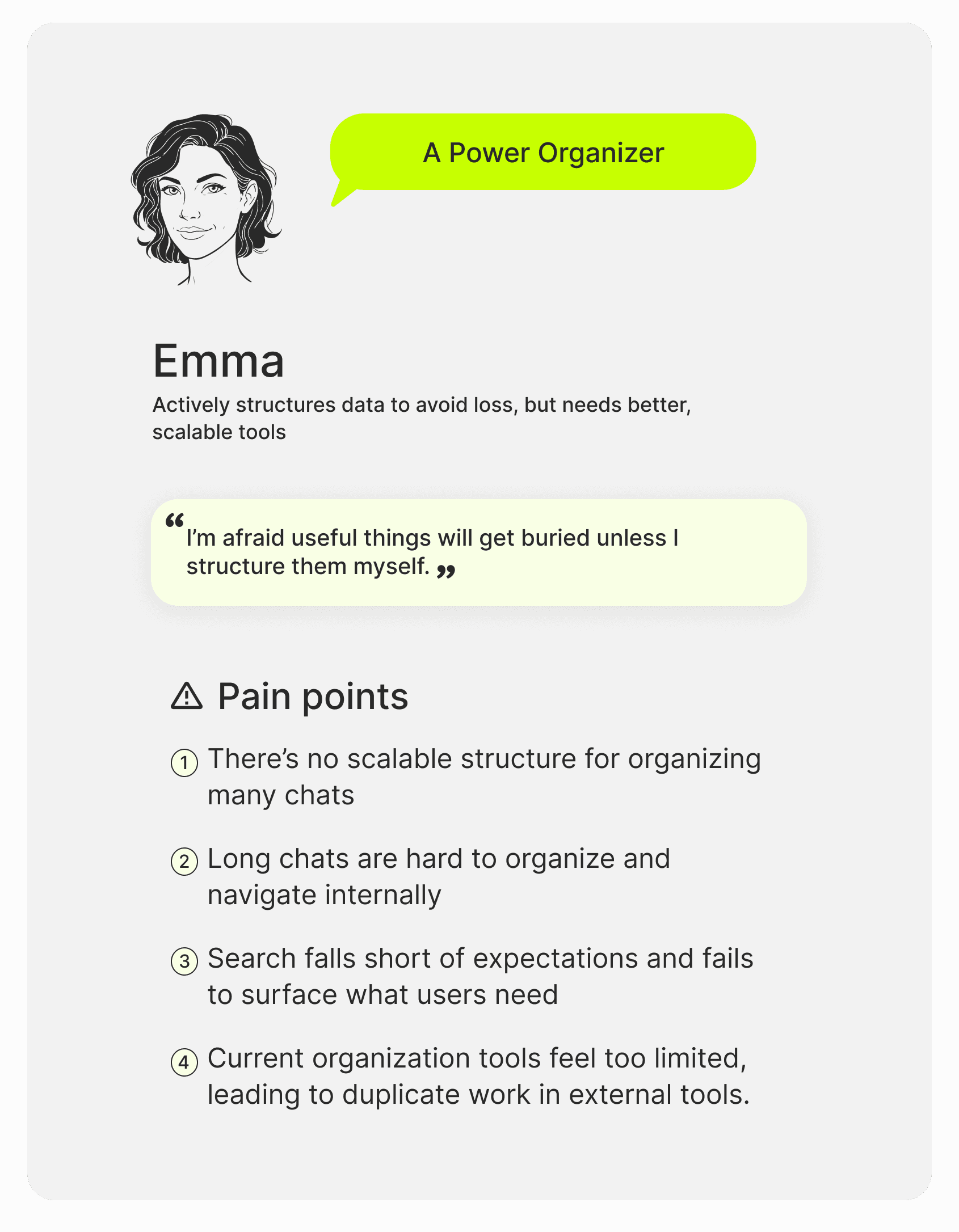

Key Takeaway
As users shift into more advanced ChatGPT users, their fear of losing important information tends to grow.
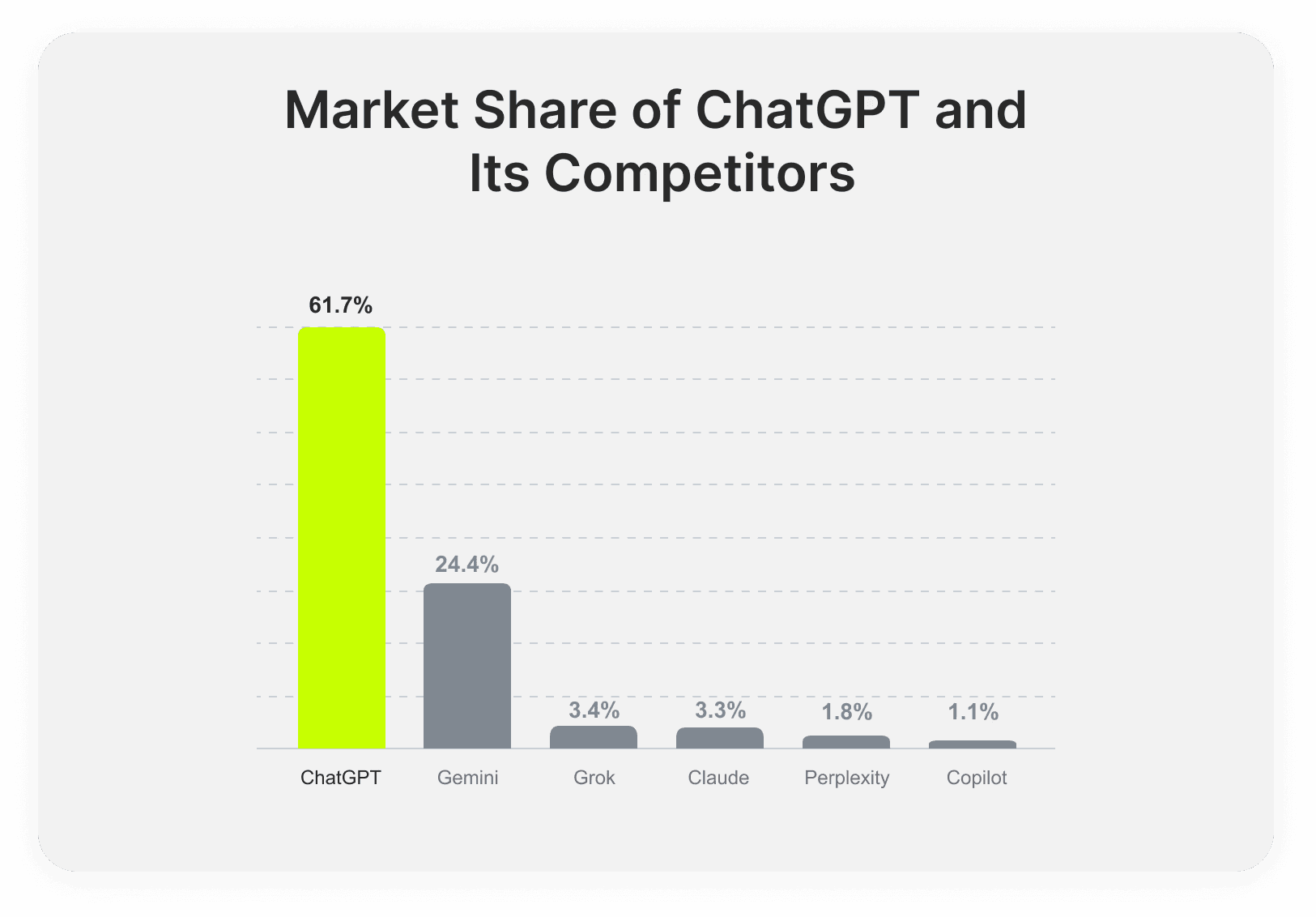
Competitive Analysis
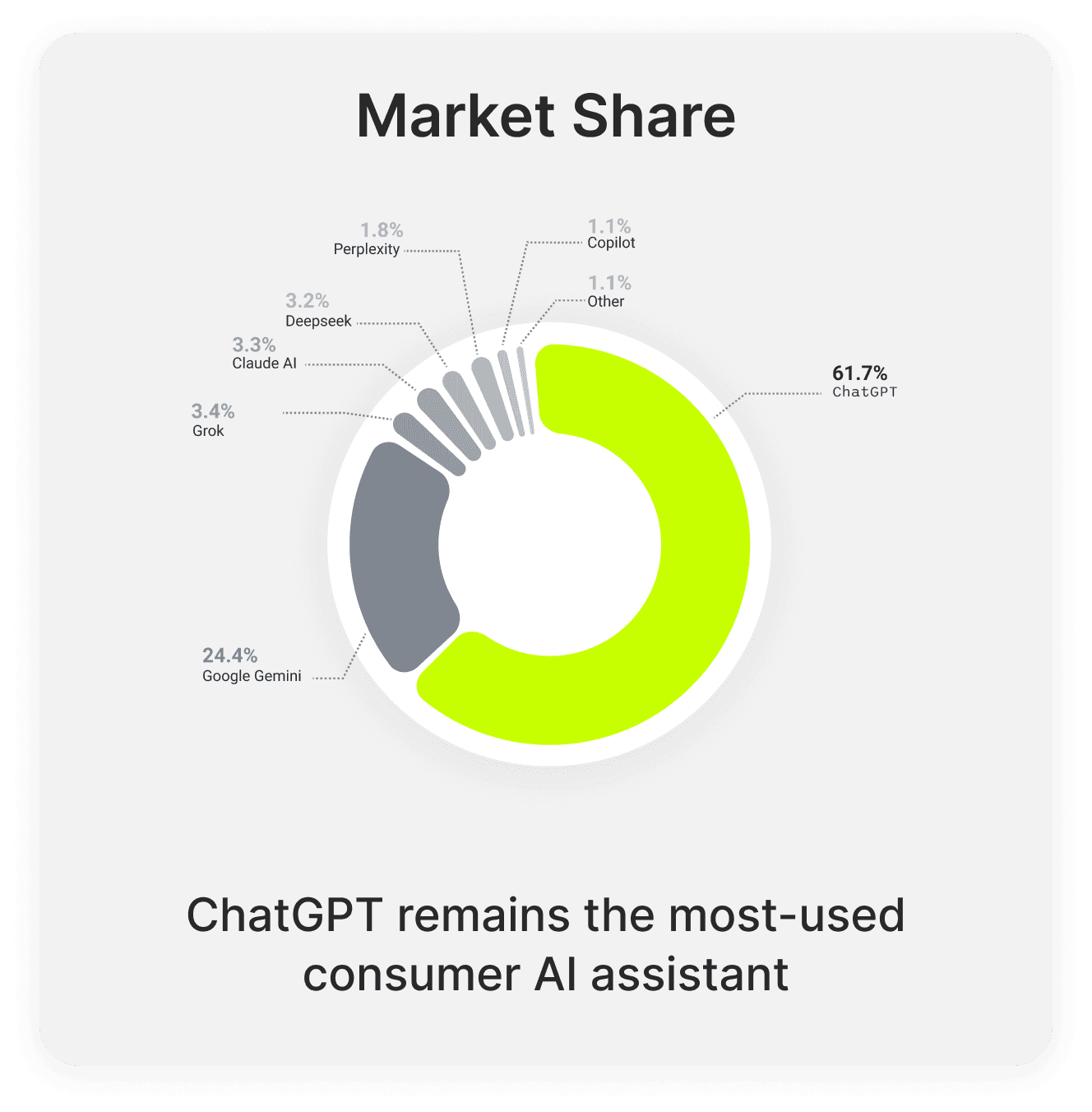
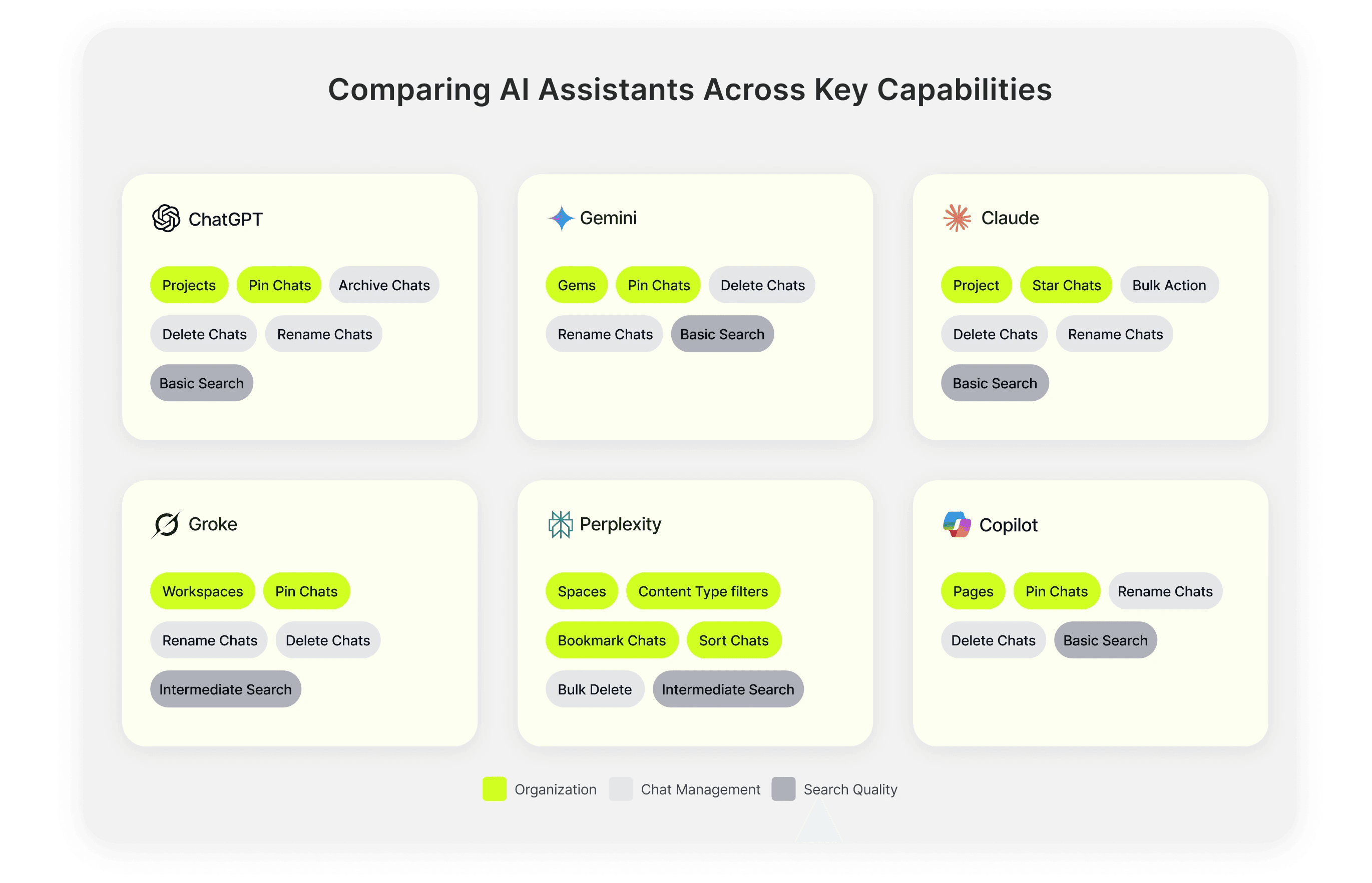
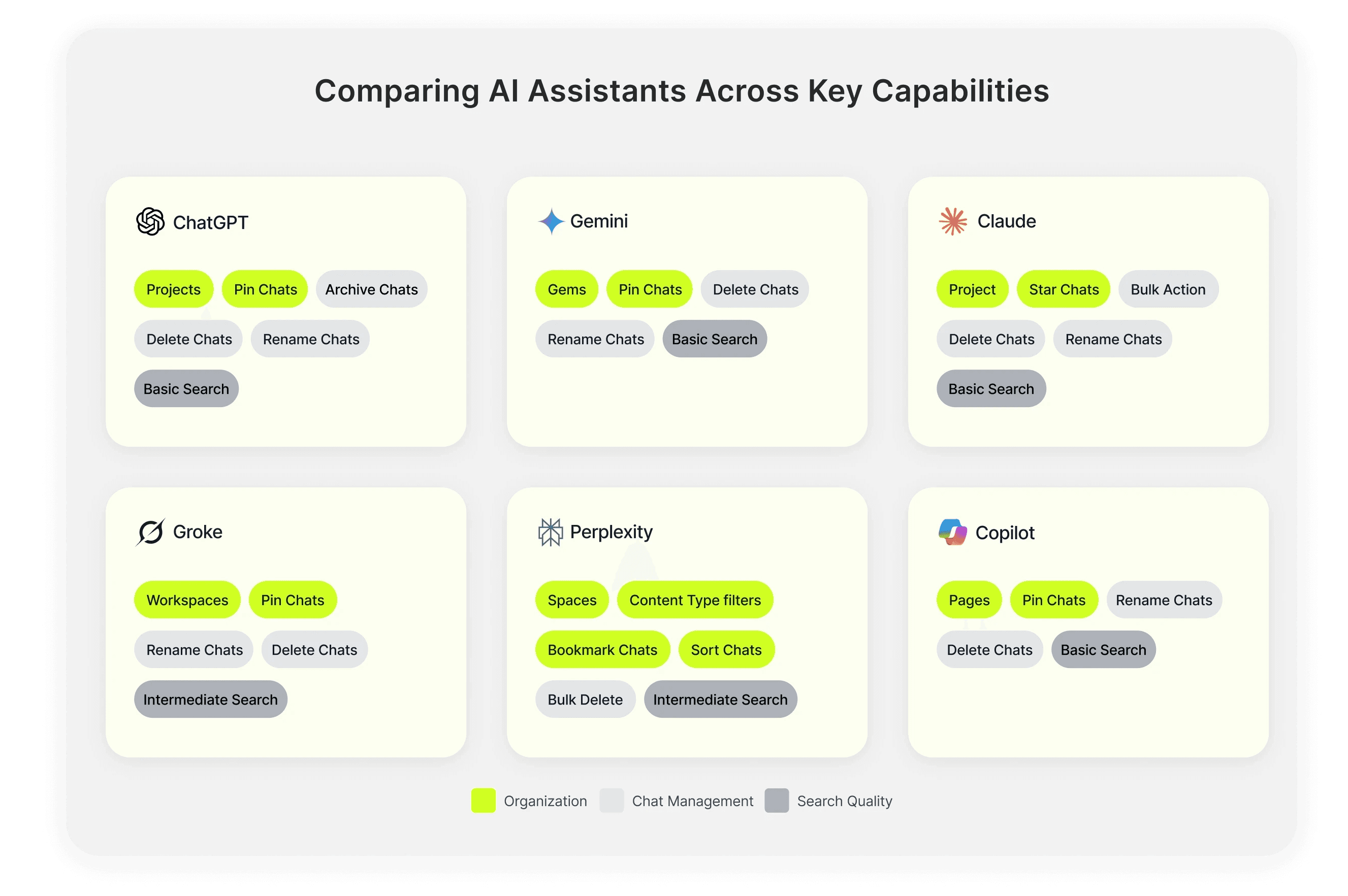
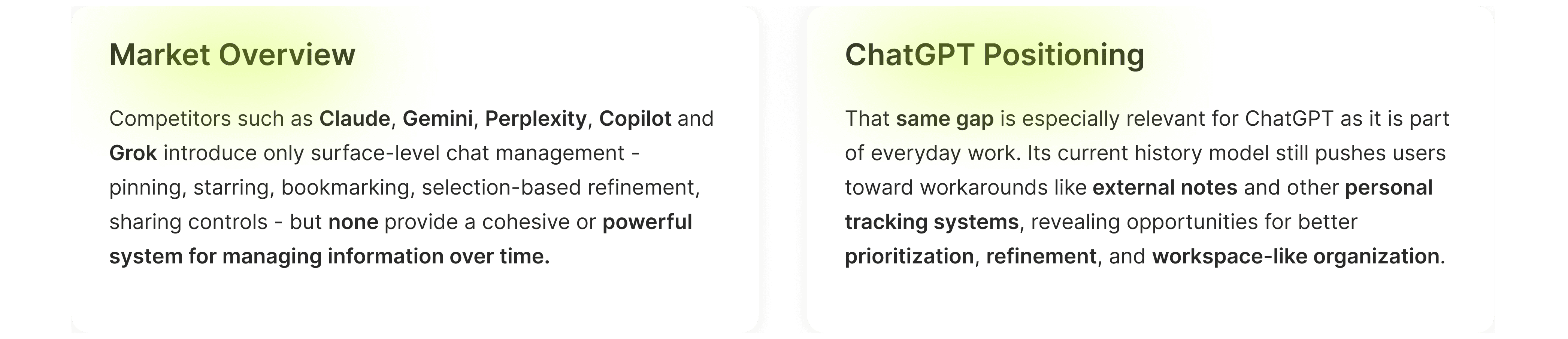
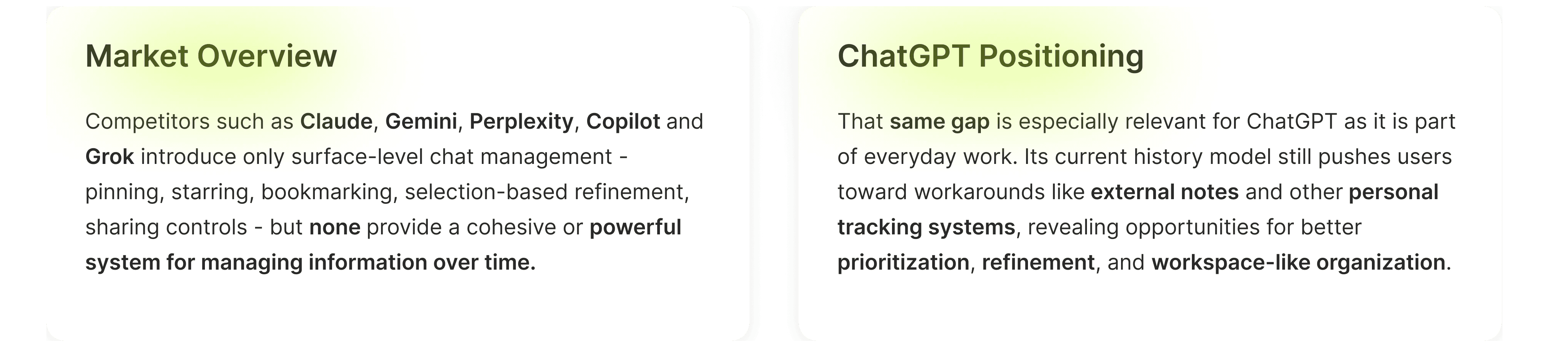
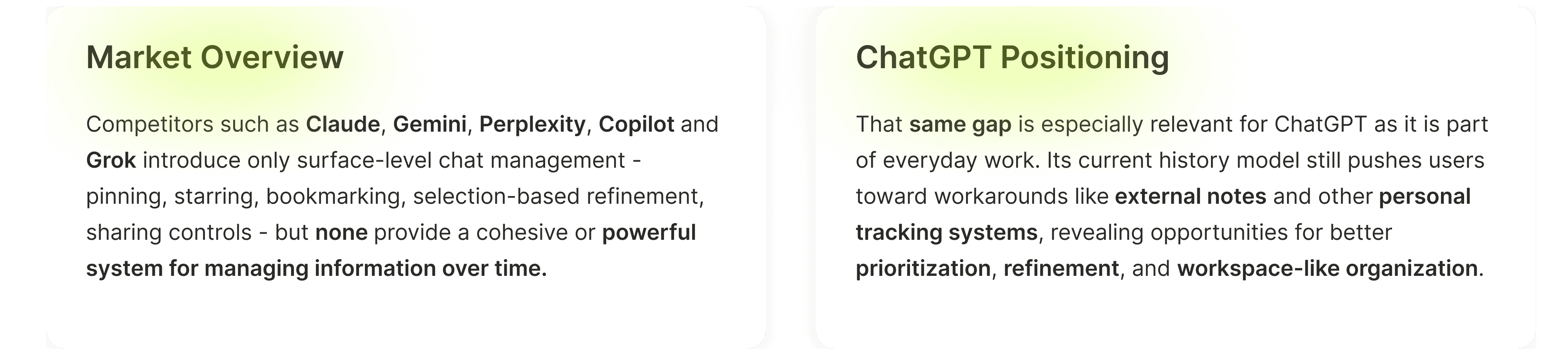
Most AI assistants offer small features like pinning or bookmarking, but few address the larger challenge of managing information over time. This leaves ChatGPT well positioned to fill this gap by making valuable information easier to find, revisit, and reuse.



Ideation & Prioritization
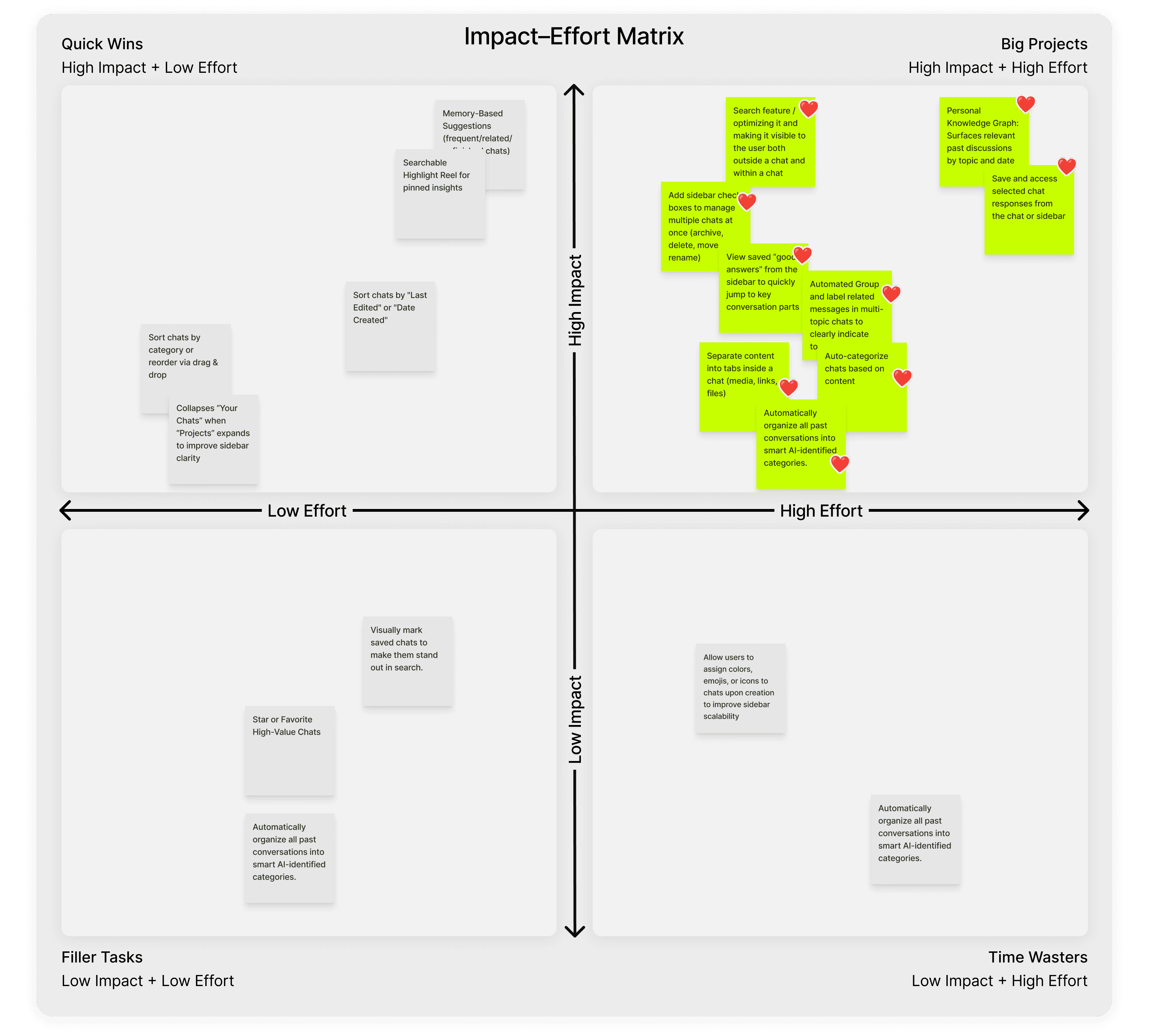
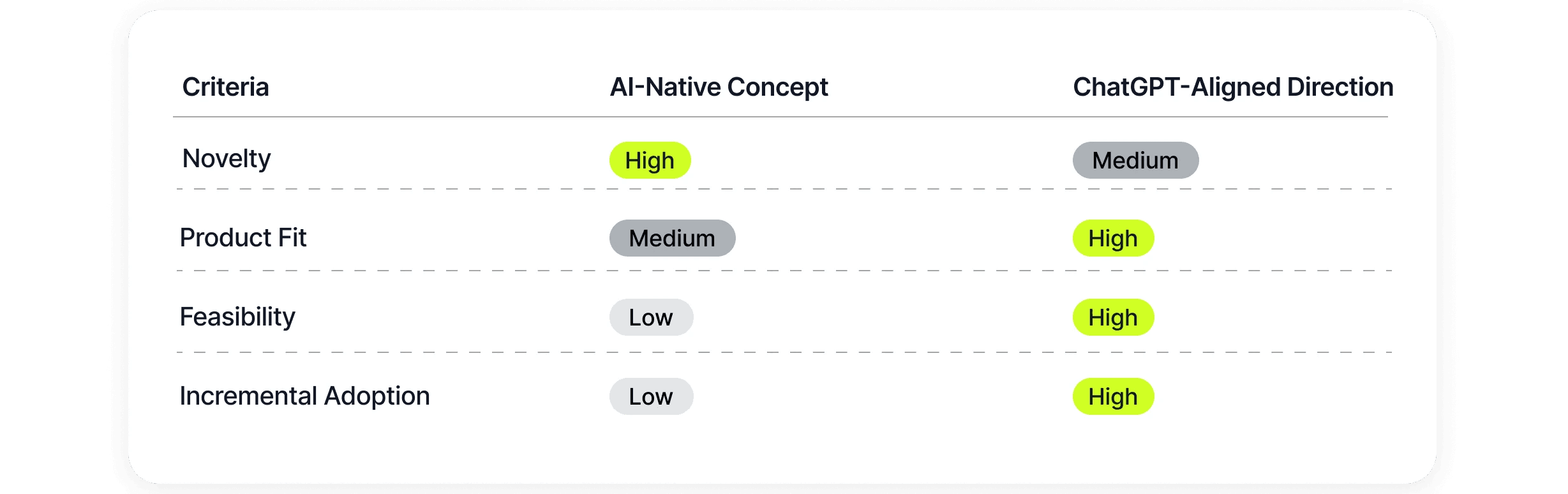
Using an impact–effort matrix and a desirability, viability, and feasibility evaluation, we prioritized solutions that solve real user pain points and differentiate ChatGPT within the AI assistant landscape.
How might we transform ChatGPT’s growing chat history into a structured, scalable knowledge space that remains easy to navigate as usage increases?
Exploring Design Decisions
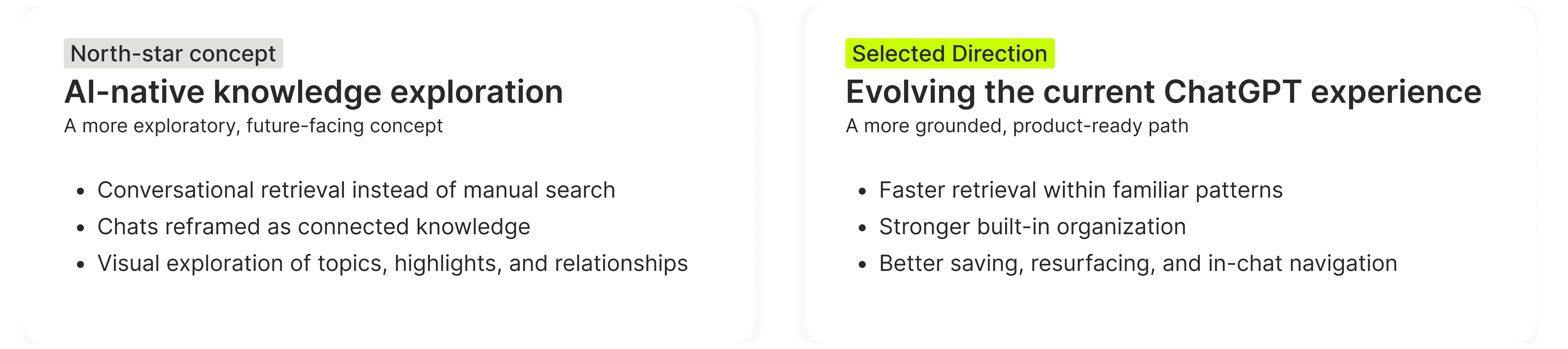
After identifying the opportunity areas, two possible directions were explored. One was a more ambitious AI-native concept that reimagined conversations as a connected knowledge system. The other focused on evolving the current ChatGPT experience in a more grounded, product-ready way.
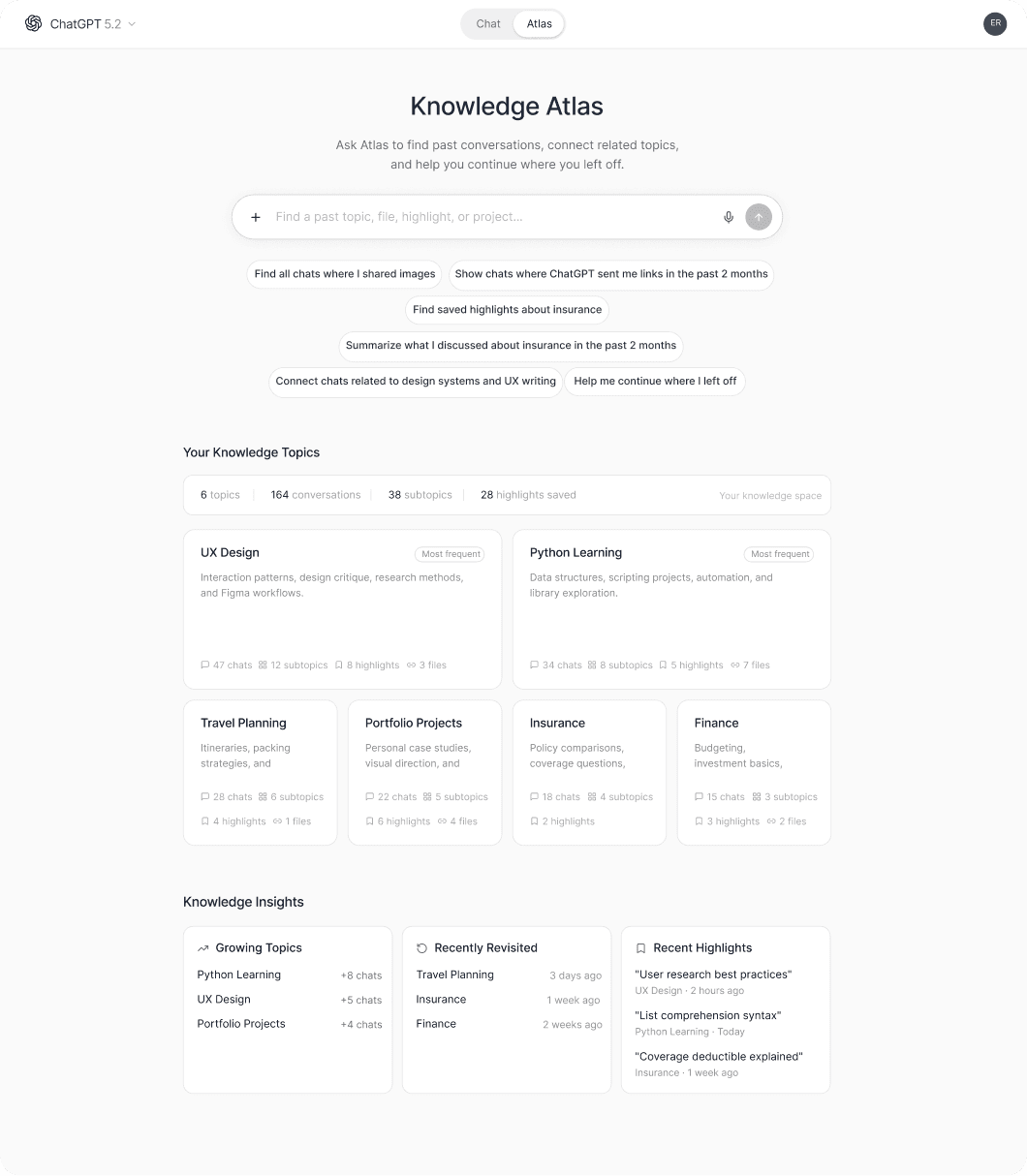
A north-star concept exploring how ChatGPT could shift from chat history to a connected knowledge system.
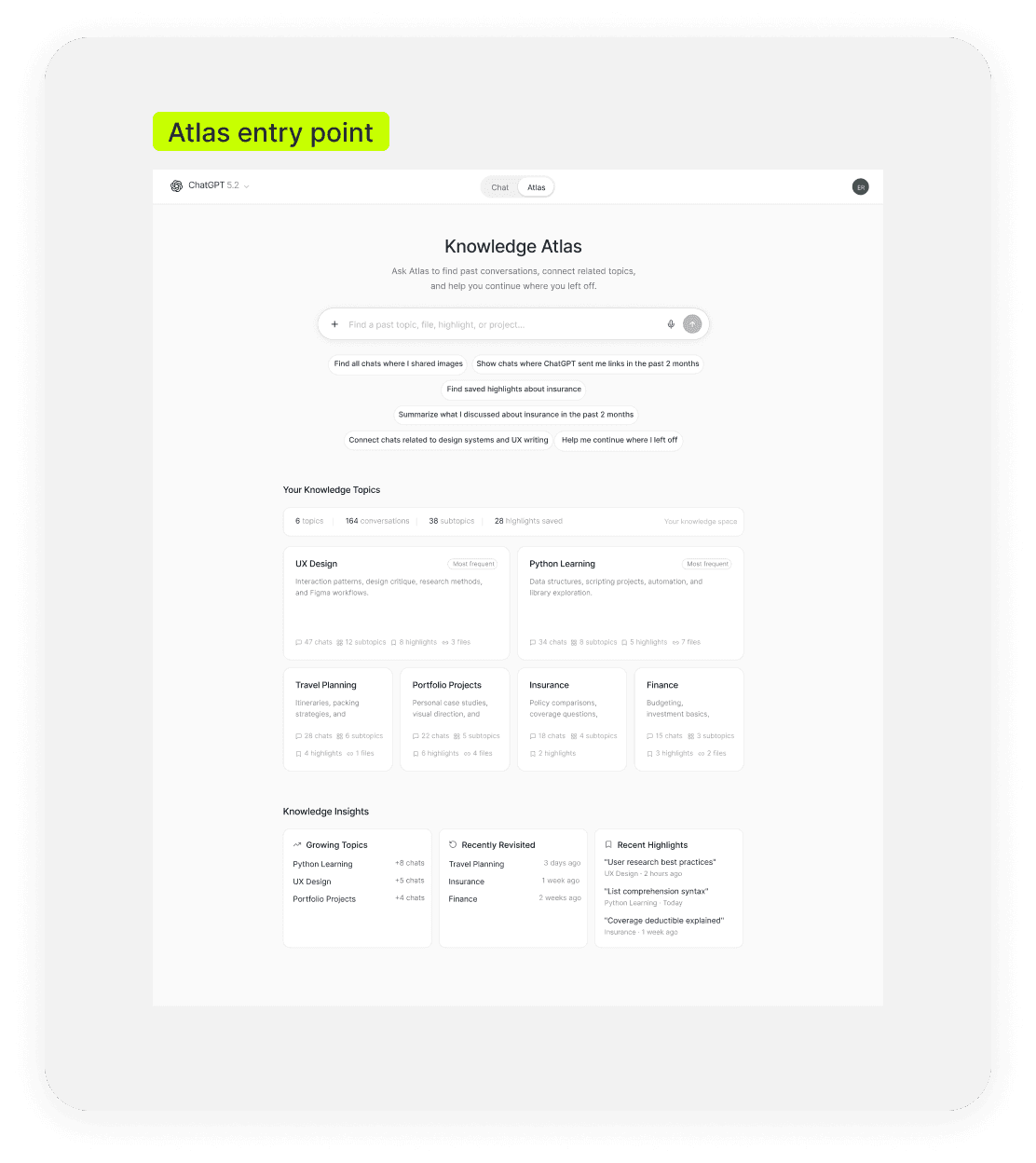
A conversational starting point where users could retrieve past knowledge, refine requests in natural language, and jump into related topics from suggested prompts
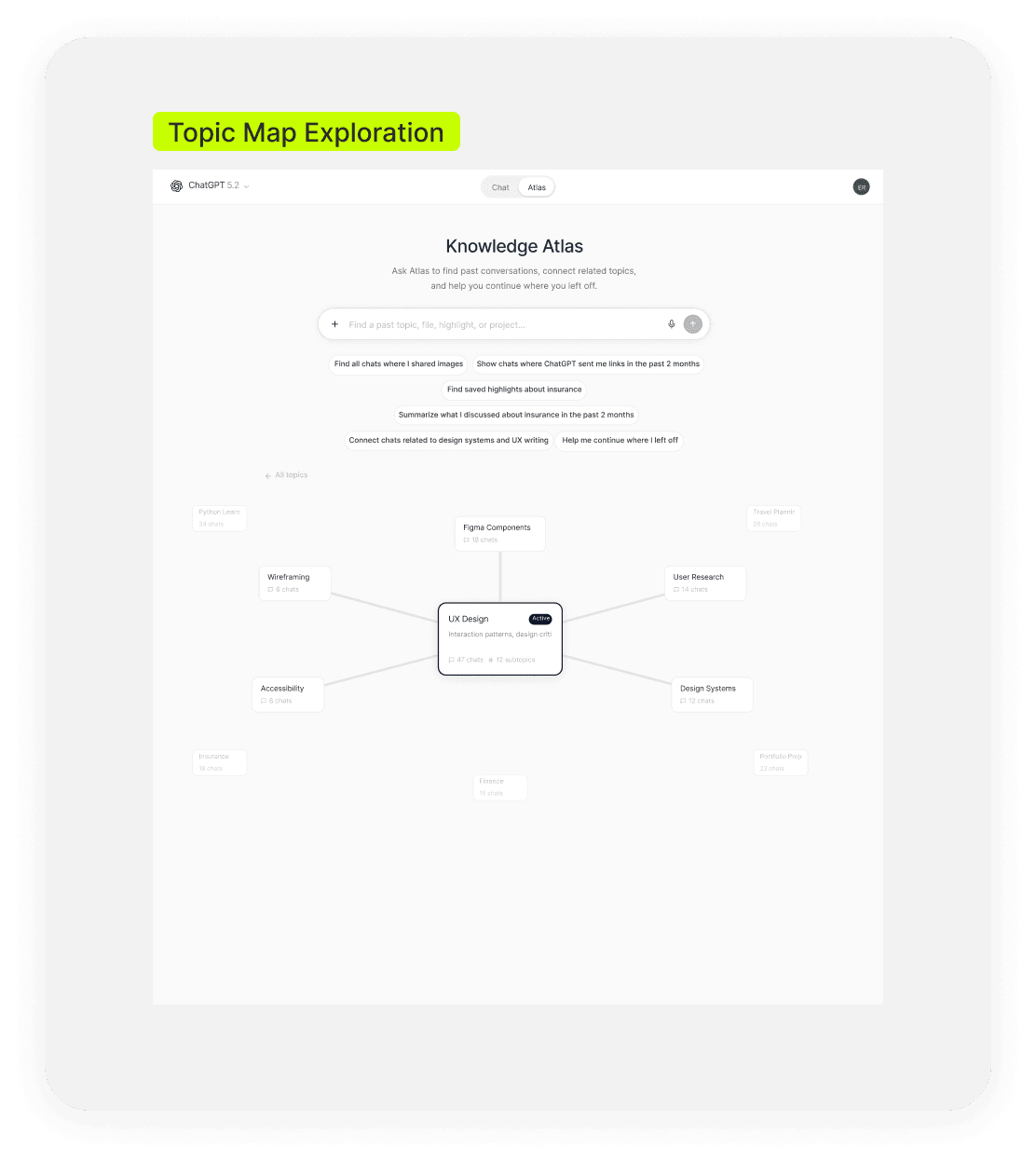
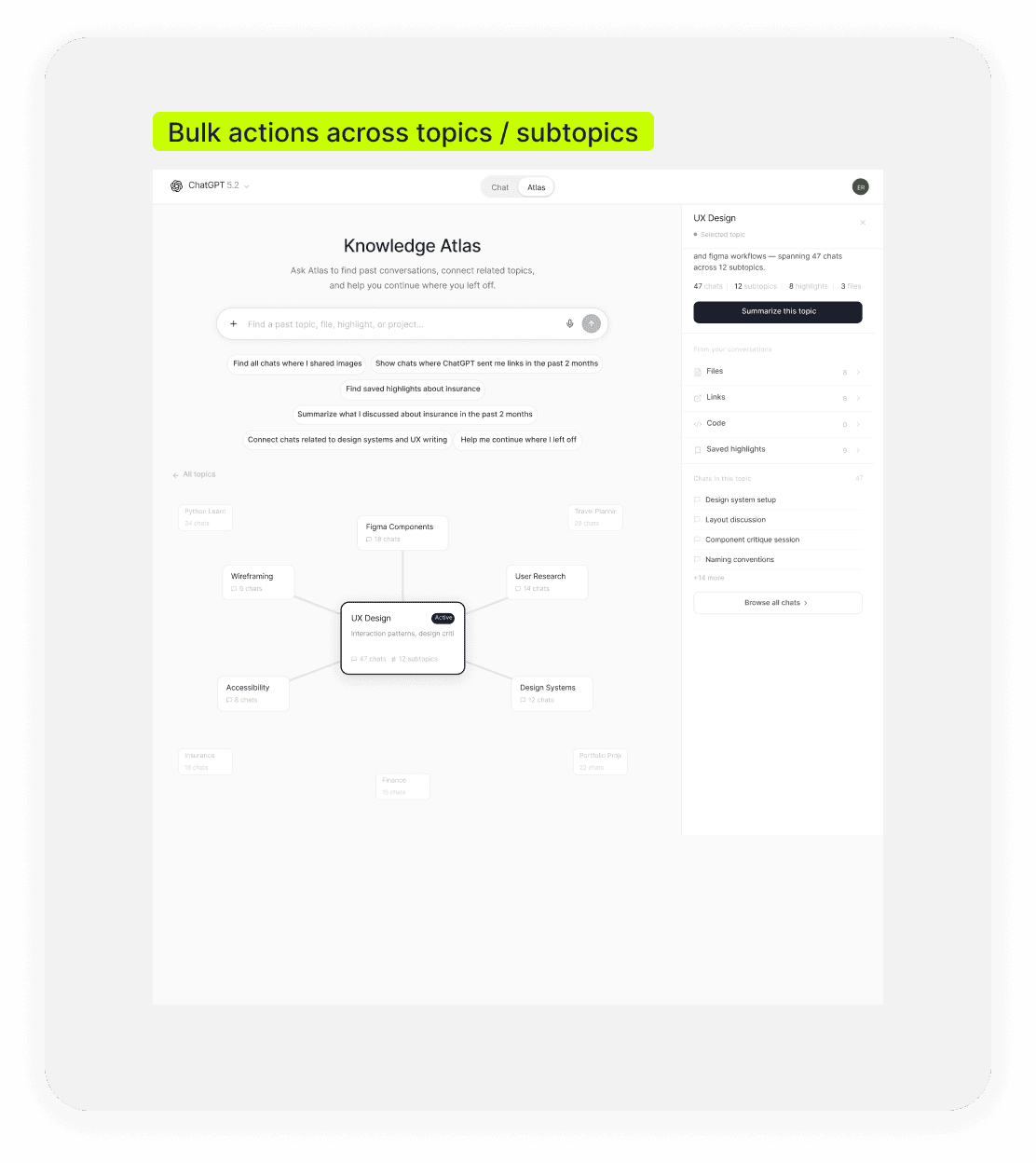
Selecting a topic surfaced summaries, related content, and follow-up actions—making it easier to review files, links, highlights, and connected conversations in context.
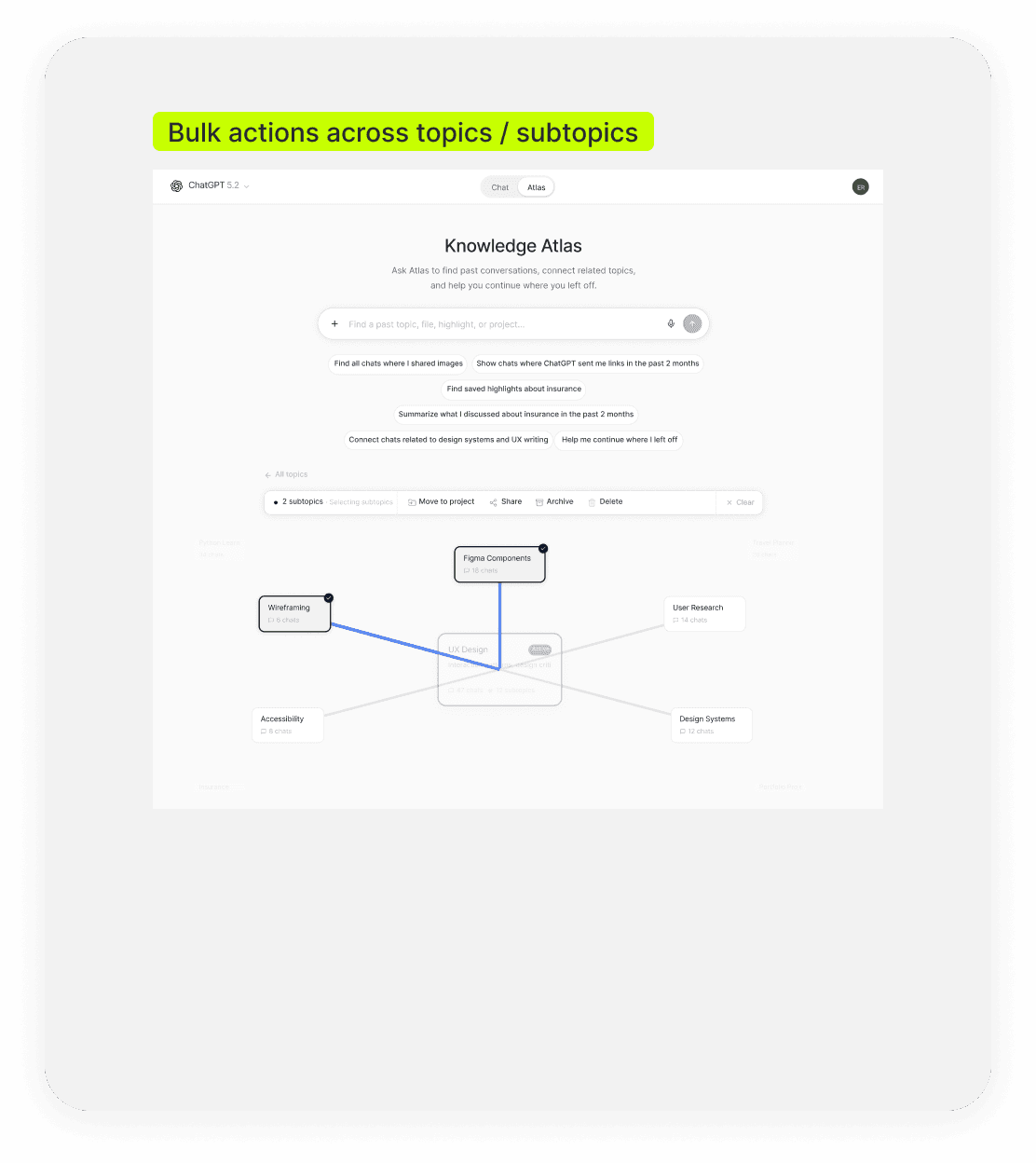
Users could select multiple subtopics / topics and take action in one step, supporting higher-volume workflows such as moving, sharing, archiving, or deleting related content.
The following solution walkthrough shows how these design principles translated into the final product decisions:
Solution Walkthrough
Helps users organize chat history with AI-generated groups they can rename, switch views quickly, and take action on multiple chats without breaking flow.

Lets users save useful answers inside the conversation and return to them later without losing context with the option to undo if they change their mind.

Keeps saved highlights connected to where they came from and makes topic shifts easier to follow within and across chats.

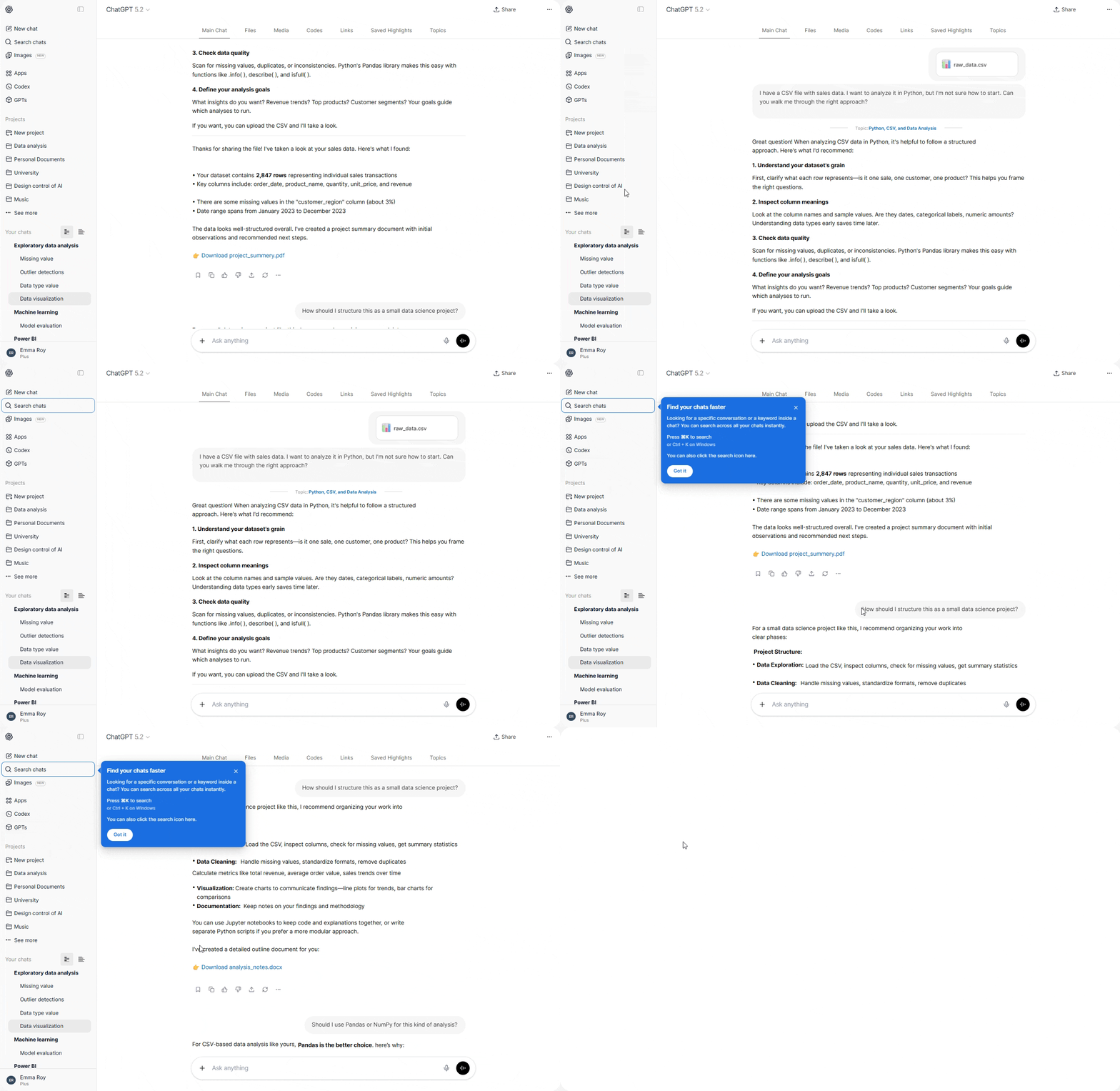
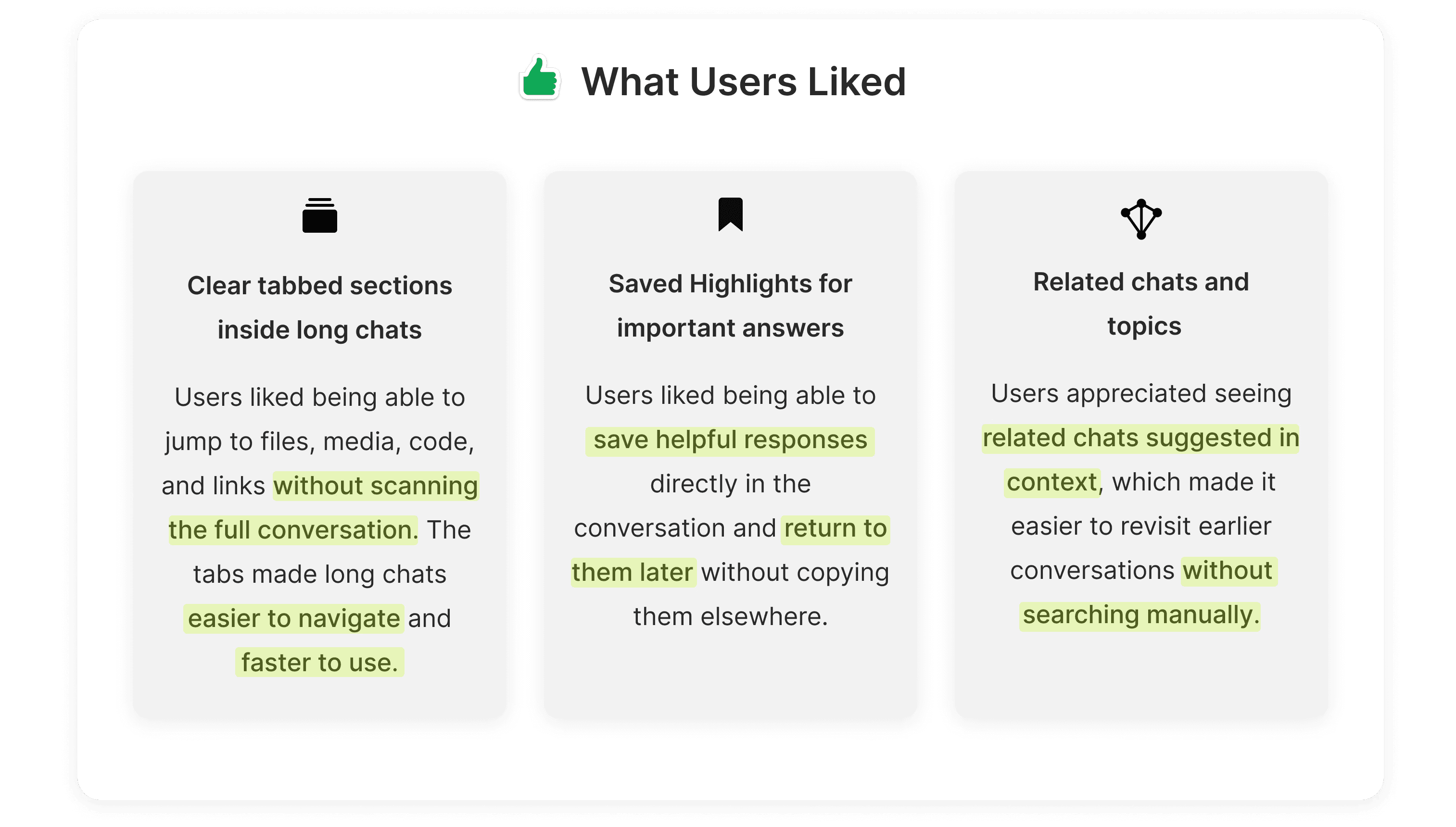
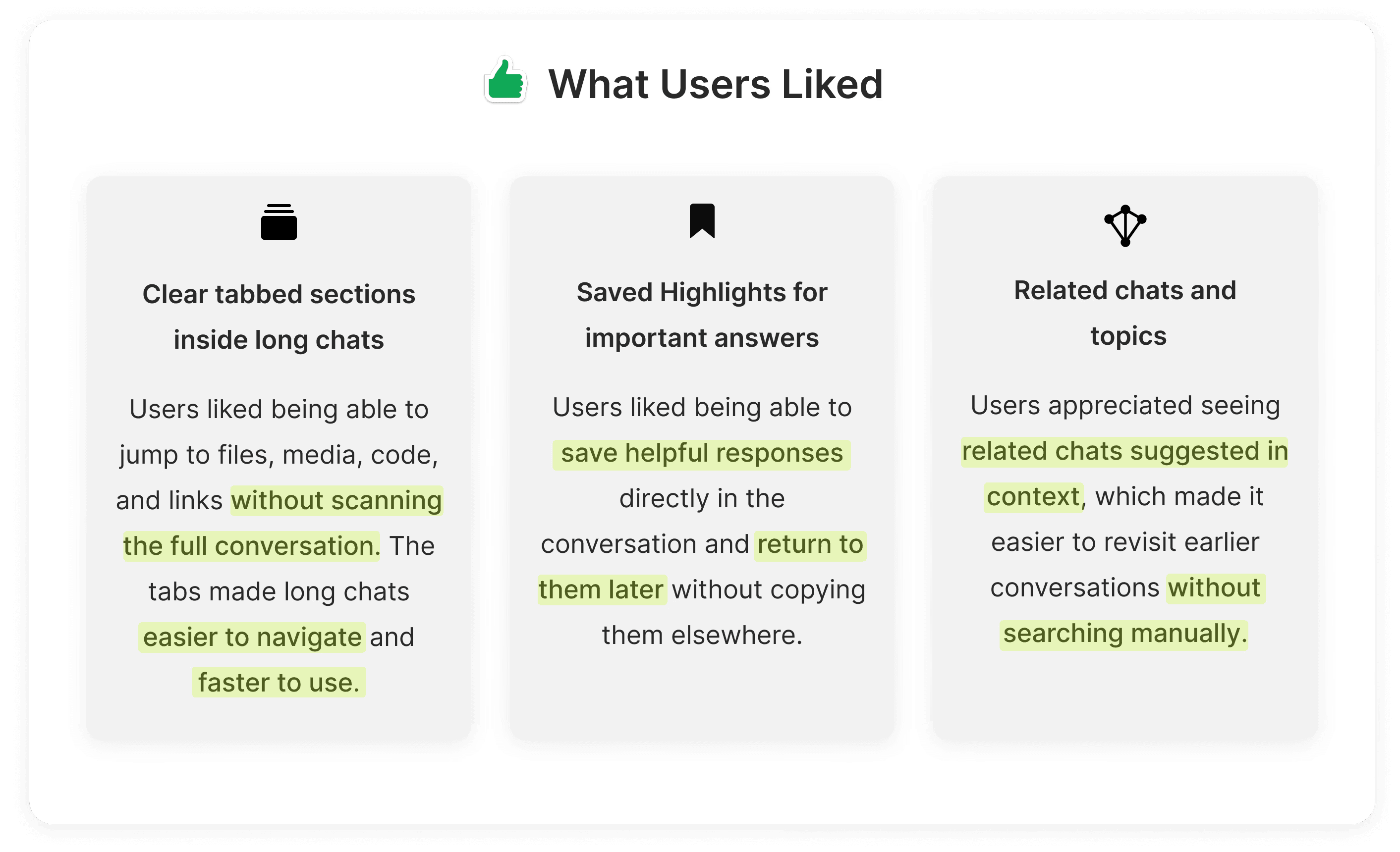
Tabs separate content types so users can jump to files, links, code, highlights, or topics without scanning the full conversation.

Improves retrieval across chat titles, full content, and saved highlights with flexible views, filters, and in-place actions. Users can scan results quickly, preview context, and manage chats directly from search, while contextual guidance helps surface it when needed.

User Feedback
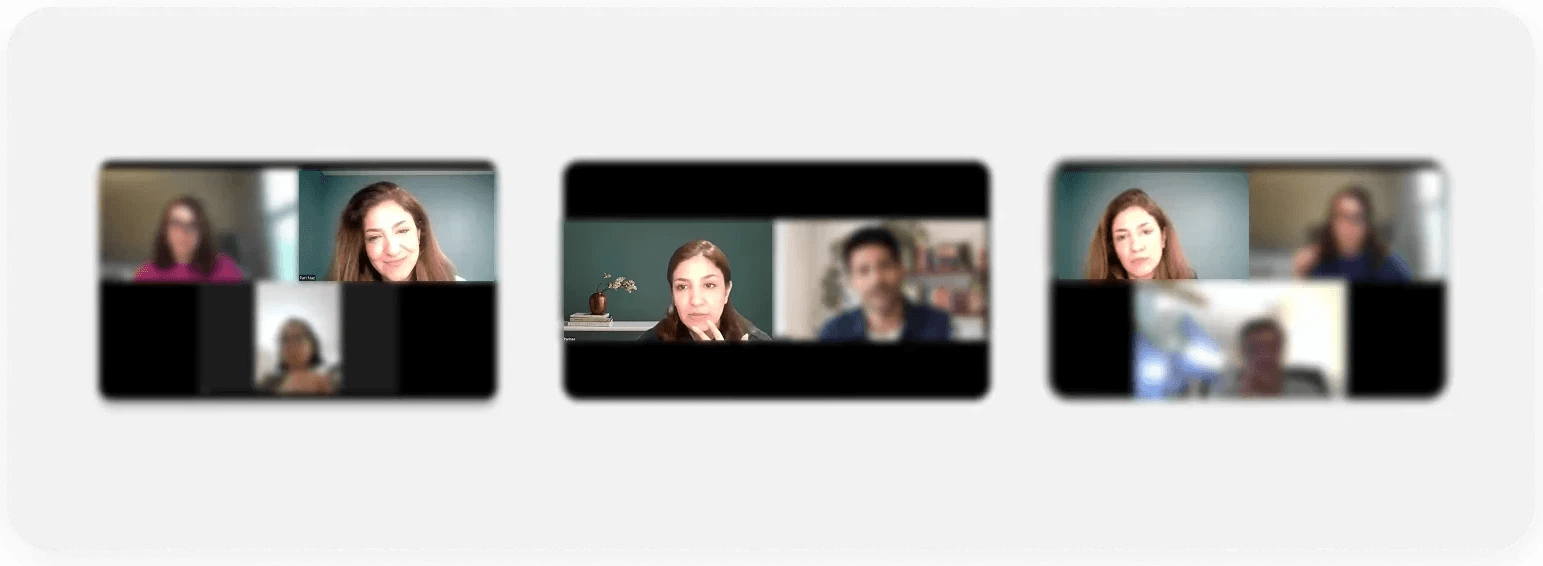
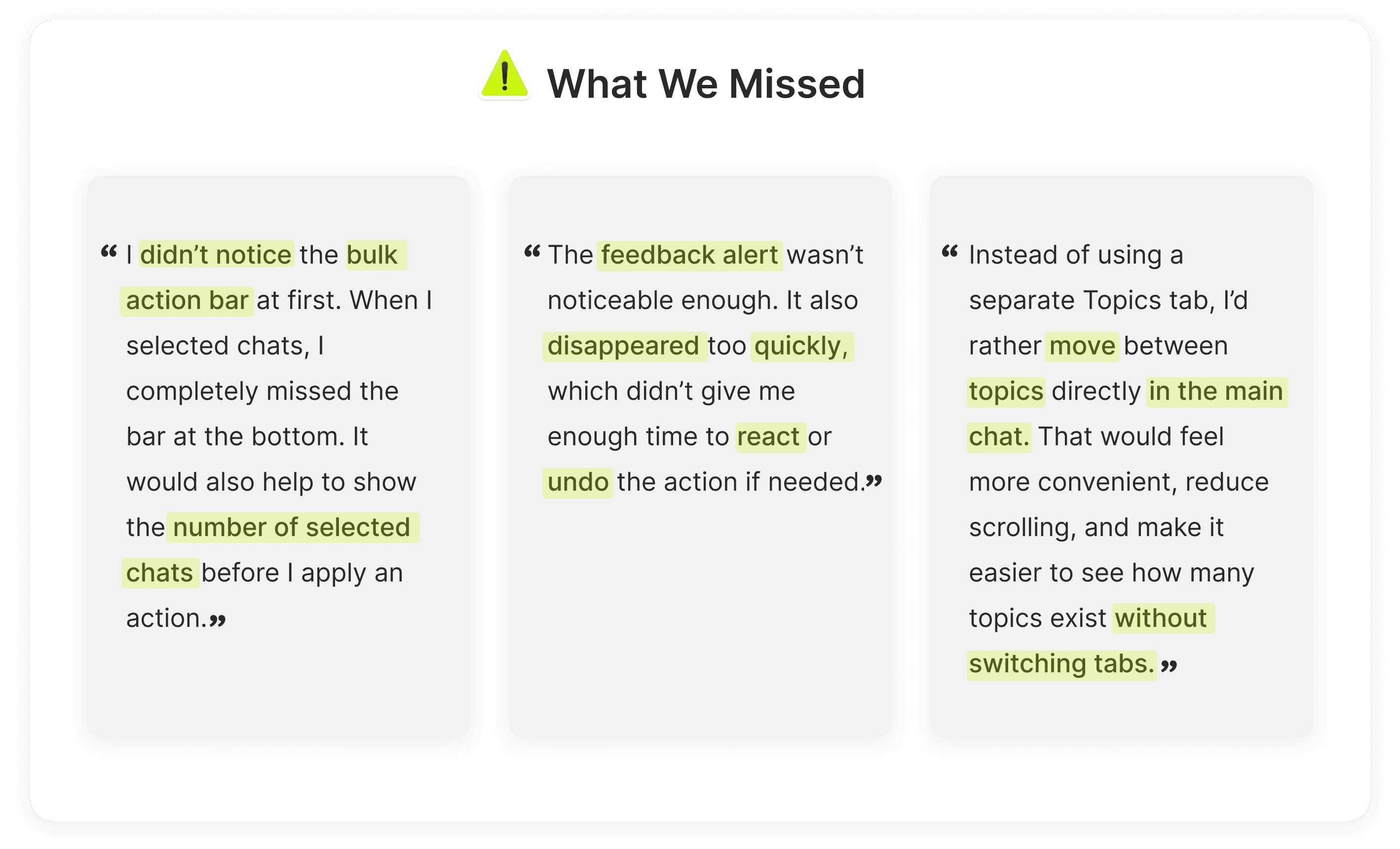
After identifying user pain points and their underlying causes through interviews, we shared the resulting design with some of the same participants to validate what worked and uncover opportunities to improve clarity and usability.
Design Refinements
Following user validation, we refined key parts of the experience to address usability gaps, improve clarity, and better align with user expectations. The sections below highlight the most impactful changes informed directly by user feedback. Together, these refinements formed the final proposed experience.
Focus Area 01
Bulk Action Bar
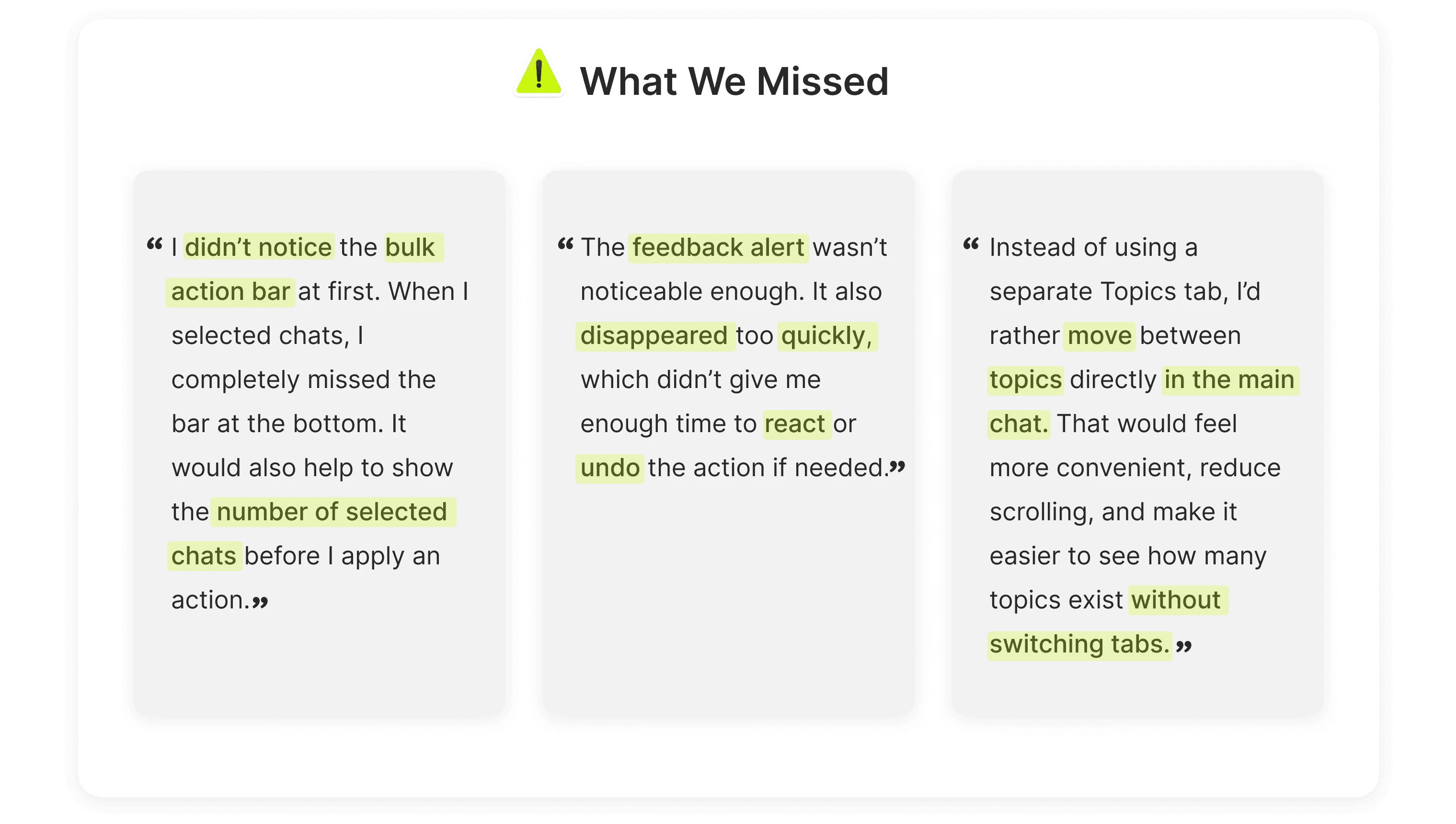
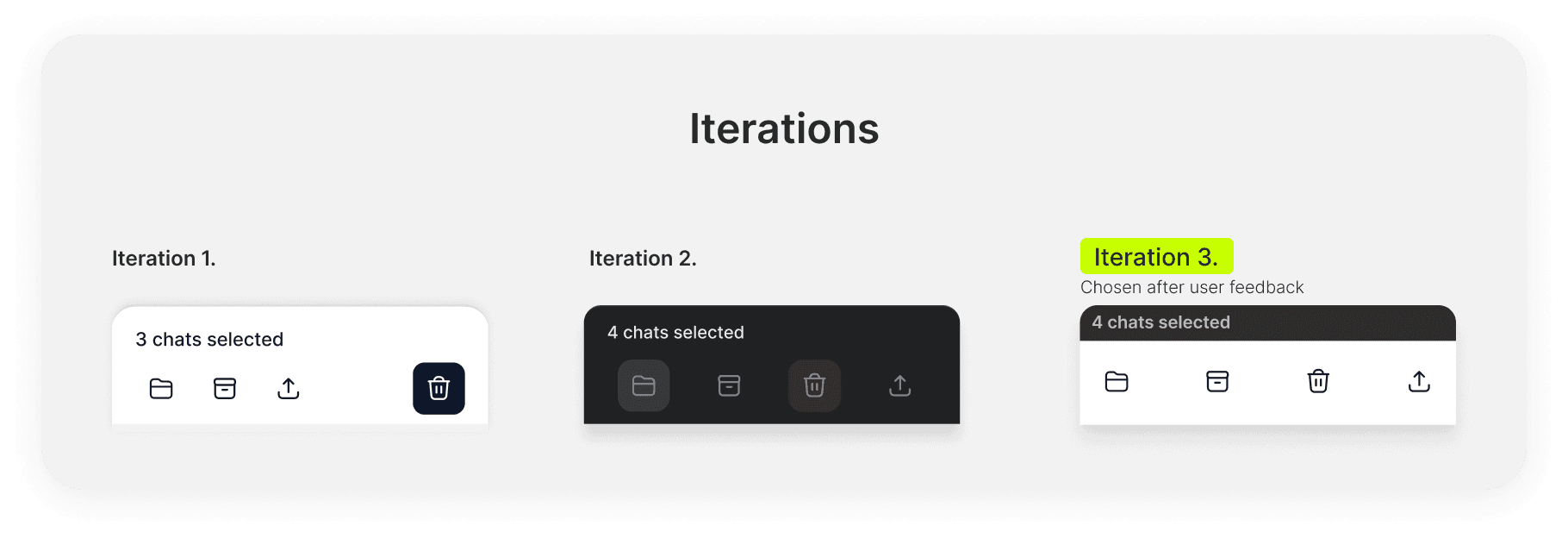
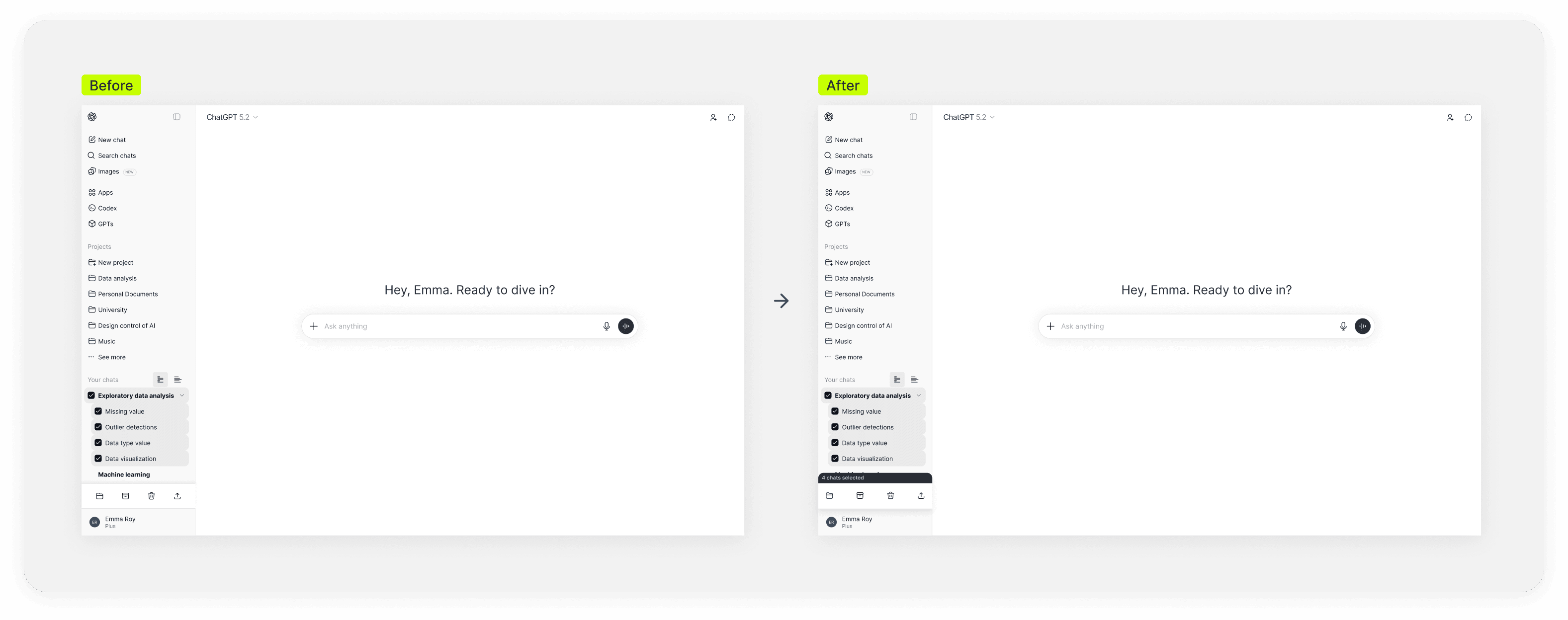
Users often missed the bulk action bar after selecting multiple chats and wanted clearer visibility into how many items were selected before taking action. We explored three variations, and the third was selected because users responded to it most positively and found both the selection count and available actions easier to notice.
Below is a before-and-after view of the final bulk action bar design.
Focus Area 02
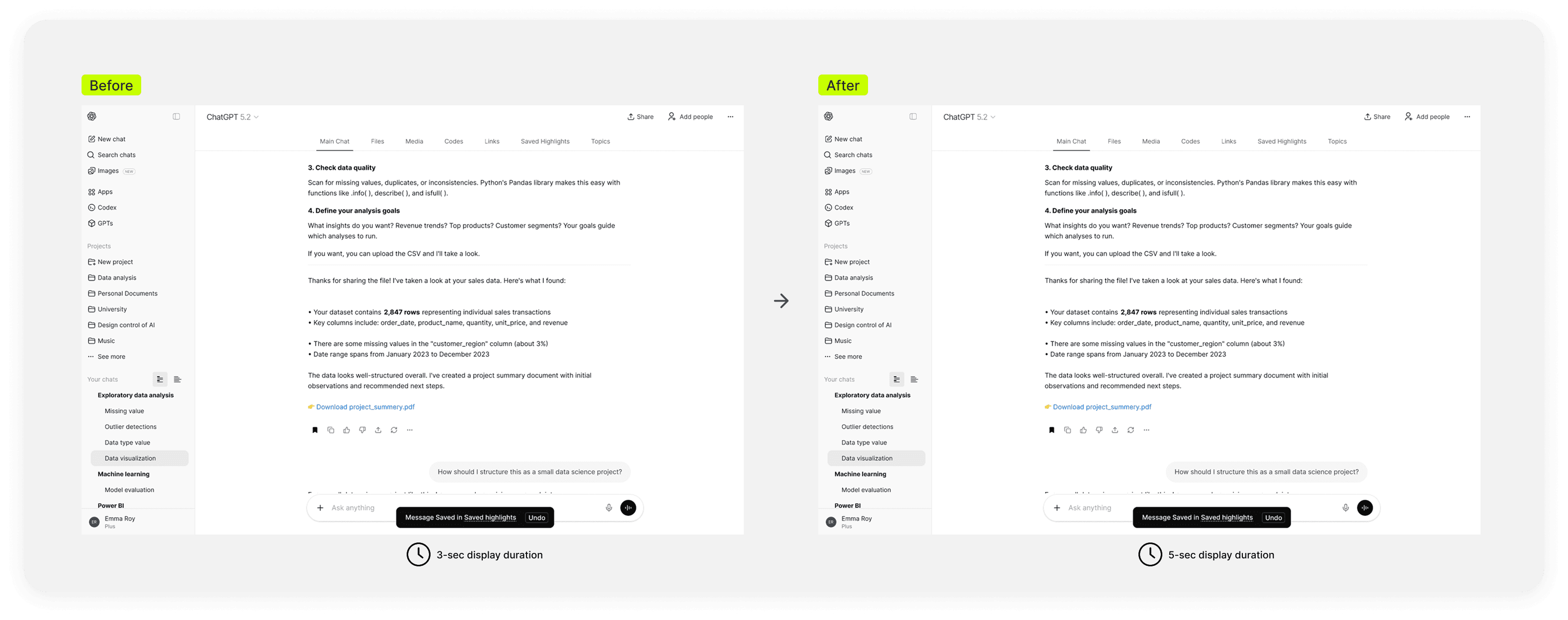
Users said feedback messages after bulk actions disappeared too quickly. We extended their visibility to about five seconds so people had more time to review the result and respond if needed.
Focus Area 03
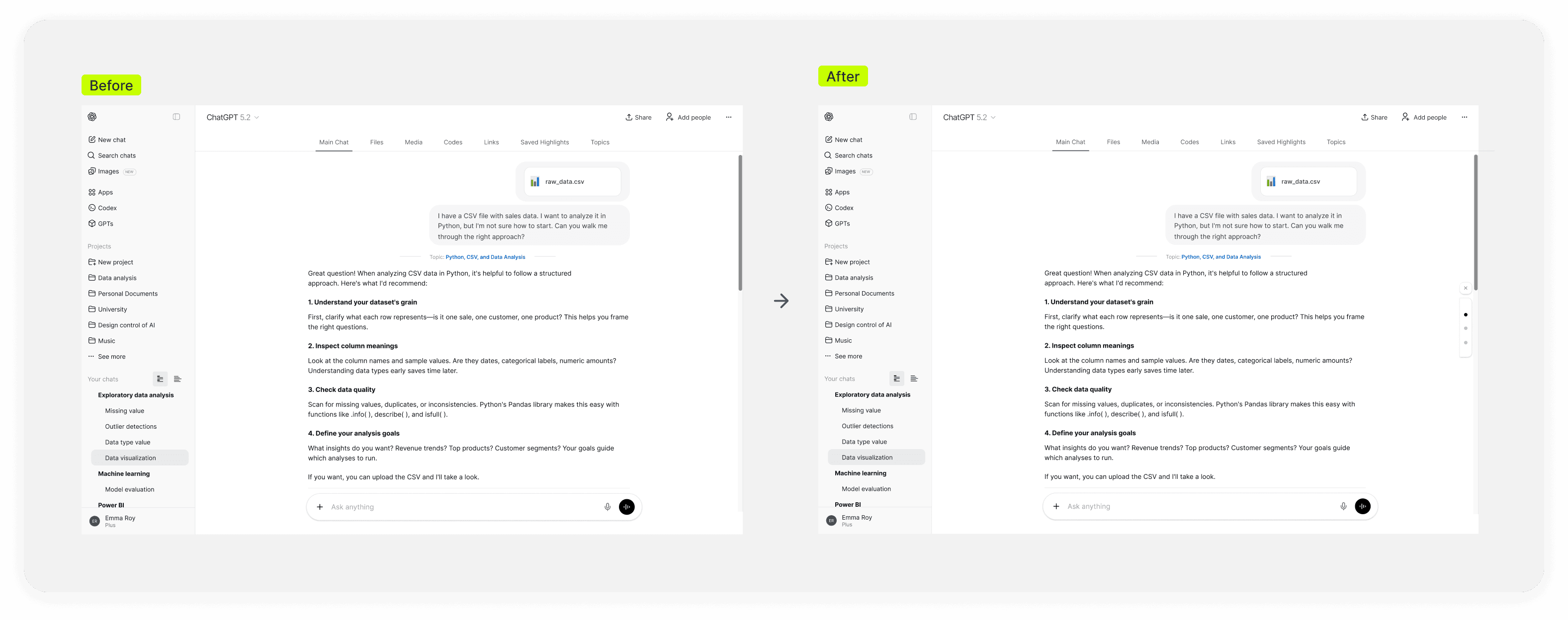
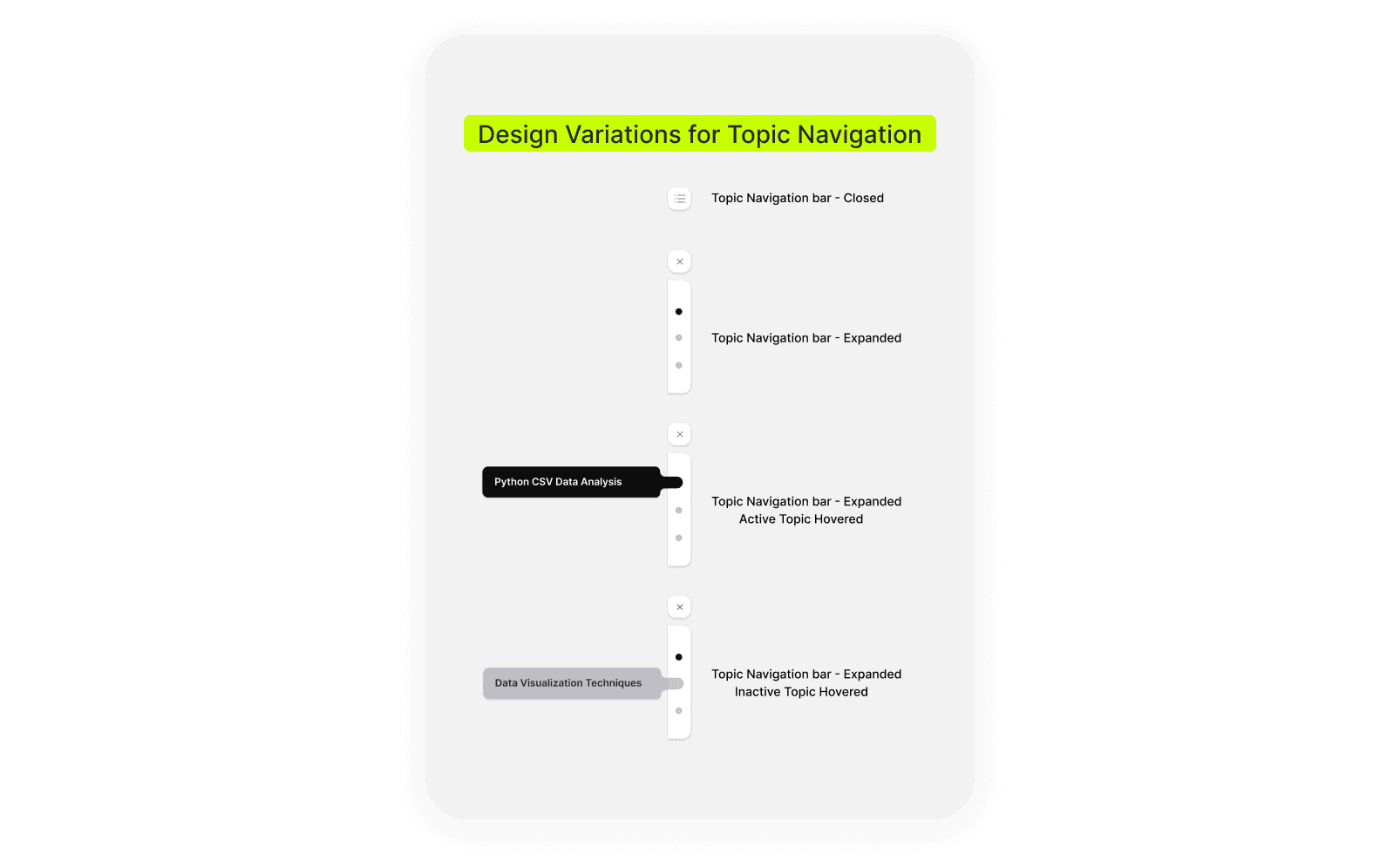
Users wanted to move between topics directly inside the main chat without switching tabs. In response, we added a lightweight in-chat navigation bar that can be hidden or opened on demand, stays subtle by default, reveals topic names on hover, jumps to the exact section on click, and updates as users scroll.
Project Takeaways
As AI is part of everyday thinking and work, users expect more than instant answers. They expect continuity, speed, and ease of use they can rely on over time.
In a market full of alternatives, where switching costs are relatively low, even small friction points can make users more likely to switch.
This project showed that small improvements at key points of friction, such as organization and retrieval, can make the experience feel more valuable, more dependable, and easier to return to. In a competitive market, paying attention to these seemingly minor issues is critical, because even small breakdowns in continuity can weaken retention and cost product market share.
Next Steps
This redesign focused on incremental changes that improved usability and made it easier for users to organize, retrieve, and reuse their work in ChatGPT. Looking ahead, the larger opportunity is not simply to introduce more organization or retrieval features, but to position ChatGPT itself as a more intelligent, prompt-based system for self-organization. Instead of depending primarily on manual tools, users could shape how their work is organized and retrieved through conversation, enabling a more flexible, adaptive, and scalable experience.