

Case Study Overview
The onboarding redesign, in brief


Full Case Study
Behind the onboarding redesign
A closer look at the research, design decisions, challenges, and outcomes
A note on confidentiality: This case study reflects work I led at Raistone, a B2B fintech company. To protect proprietary information, specific data, internal terminology, branding, and product-level details have been generalized, anonymized, omitted, or redacted throughout. The brand color palette shown in the original design screens has been intentionally modified and does not represent the actual brand identity.
Introduction
It All Started With the Onboarding Team’s Frustration
The onboarding team used an internal portal to onboard and configure different client organizations and counterparties involved in the company's financial workflows.
The process had become frustrating and time-consuming because users had to fill out a large amount of information without a clear structure. Missing or incomplete data could block them from finishing the process, while limited progress visibility made it unclear where they were or what still needed attention.
This frustration became the starting point for digging deeper into the team’s real pain points and understanding what needed to change in the redesign.


My Role
During a four-week redesign sprint, I worked on the end-to-end redesign of an internal system used for company onboarding and configuration.
My work covered the full UX process: evaluating the existing system, identifying where users were getting blocked, reorganizing complex information, designing a flexible progress-tracking flow, prototyping the redesigned experience, and testing it with users to validate usability improvements.
Team & Scope
UX Designer - me
Product Manager
Development Team
Onboarding Team - End users
4 weeks (Remote)
Tools
Figma, Lucidspark, Loom,
Microsoft Teams, Microsoft
Loop, Copilot, and ChatGPT
Research & Evaluation Methods
Usability Test
User Interview
Heuristic Evaluation
Efficiency-Feasibility Matrix
User Feedback
Problem
User Interview
Users were gathering information across different moments, but the system forced them into a rigid, one-sitting flow. They needed to pause, save, return, and understand what was happening, what was missing, and where to fix it without losing confidence or progress.
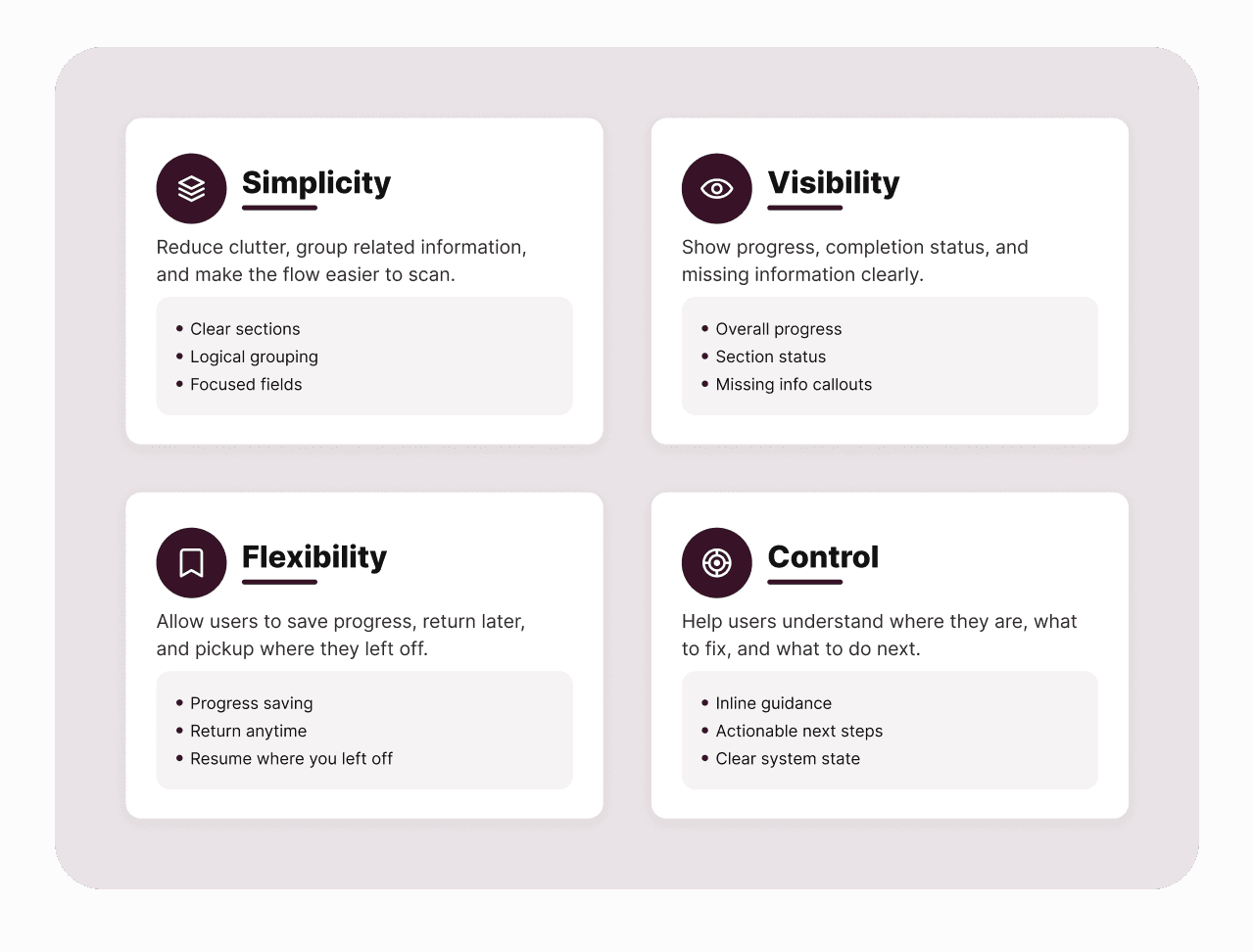
Below you can find the problem break-down:

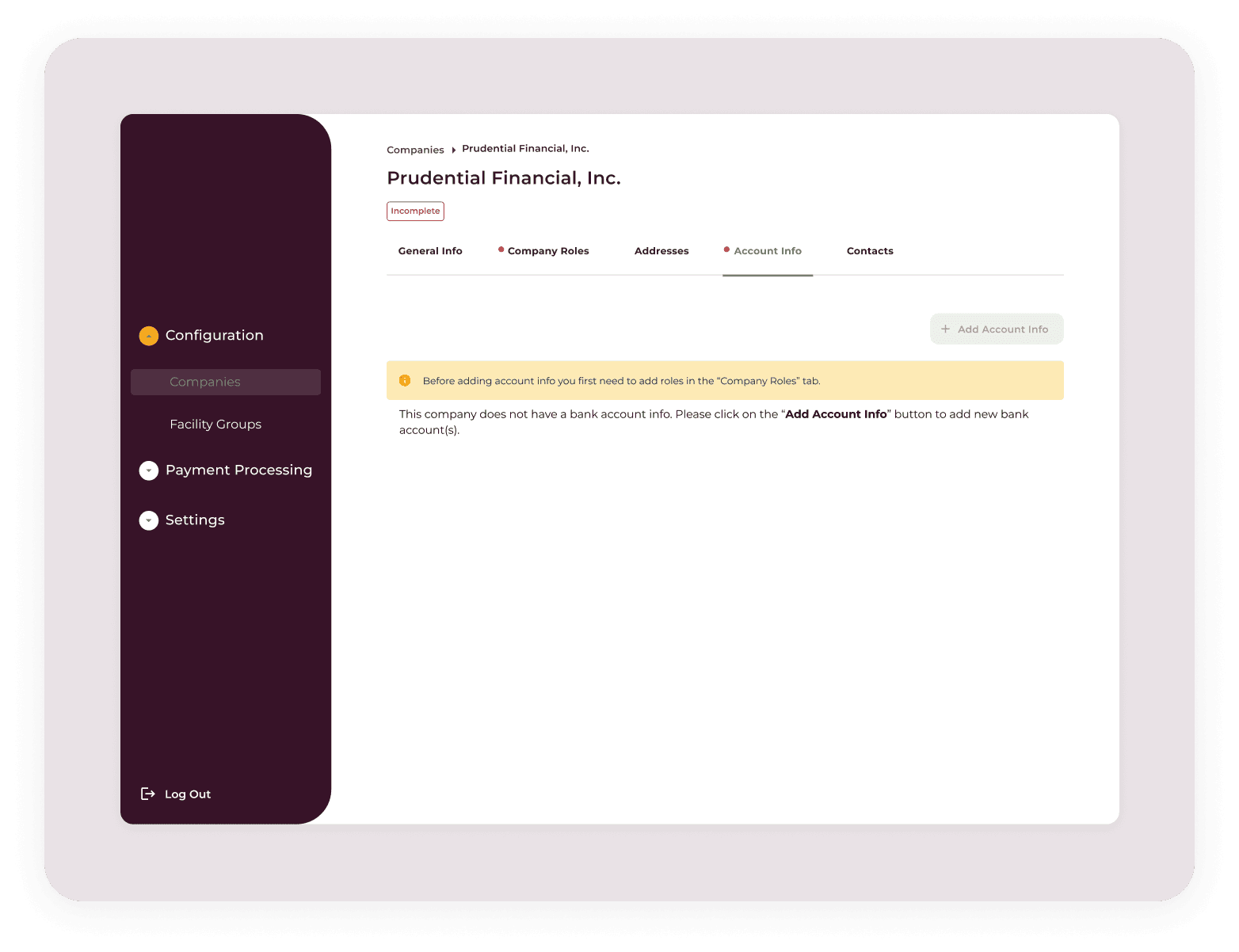
The original onboarding flow lived on a single screen, with multiple sections hidden inside accordions and one Save button for the entire process.
Because users had to complete a large amount of information before they could save, missing or incorrect data in any section could block the entire process. With little visibility into what was complete, missing, or incorrect, users often had to search through each accordion to find the issue. When they couldn’t, they had to cancel the process and return later which made the experience feel frustrating and discouraging.

With too many data fields hidden inside different accordions, users could not quickly identify which sections were complete, which still needed attention, or which contained errors.
The error messages also lacked enough context. Generic feedback like “Incorrect data type” or “Data incomplete” left users unsure what the actual issue was or how to fix it.

Without meaningful grouping, users had to interpret how each piece of information related to the process before they could confidently complete it.

The system did not show users where they were in the onboarding process, how much they had completed, or what was still left to do. This made the workflow feel longer, more uncertain, and harder to manage.

Heuristic Evaluation
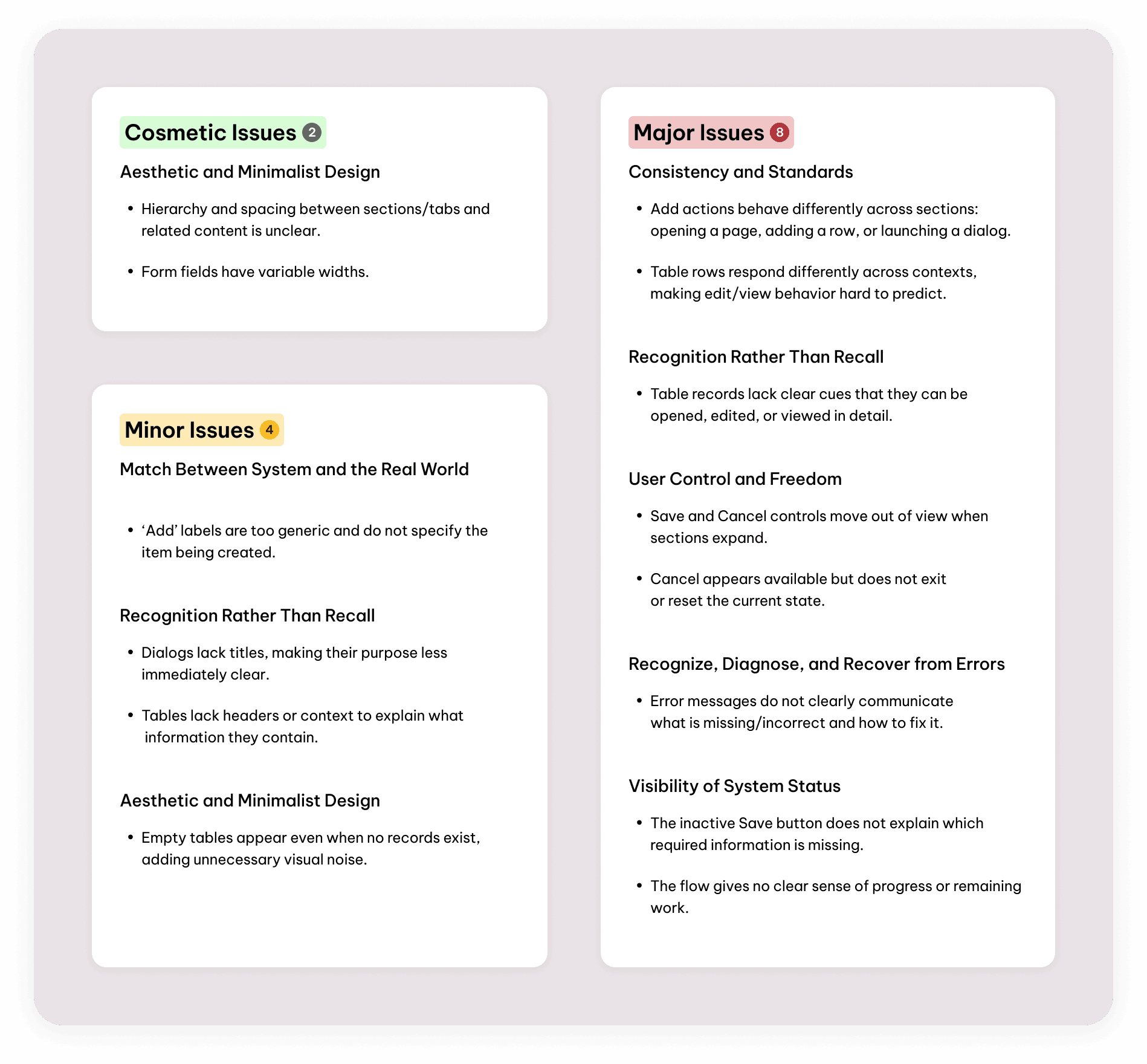
While visual and aesthetic design issues were among the most frequent findings, they did not tell the full usability story. A large share of the issues was also tied to inconsistent behavior, unclear actions, weak feedback, limited user control, and poor system visibility. This explains why 42.1% of the findings were rated as major issues: users could still complete the onboarding process, but they were likely to experience confusion, frustration, extra effort, and uncertainty along the way.
Feasibility-Efficiency Matrix
Prioritizing what to design
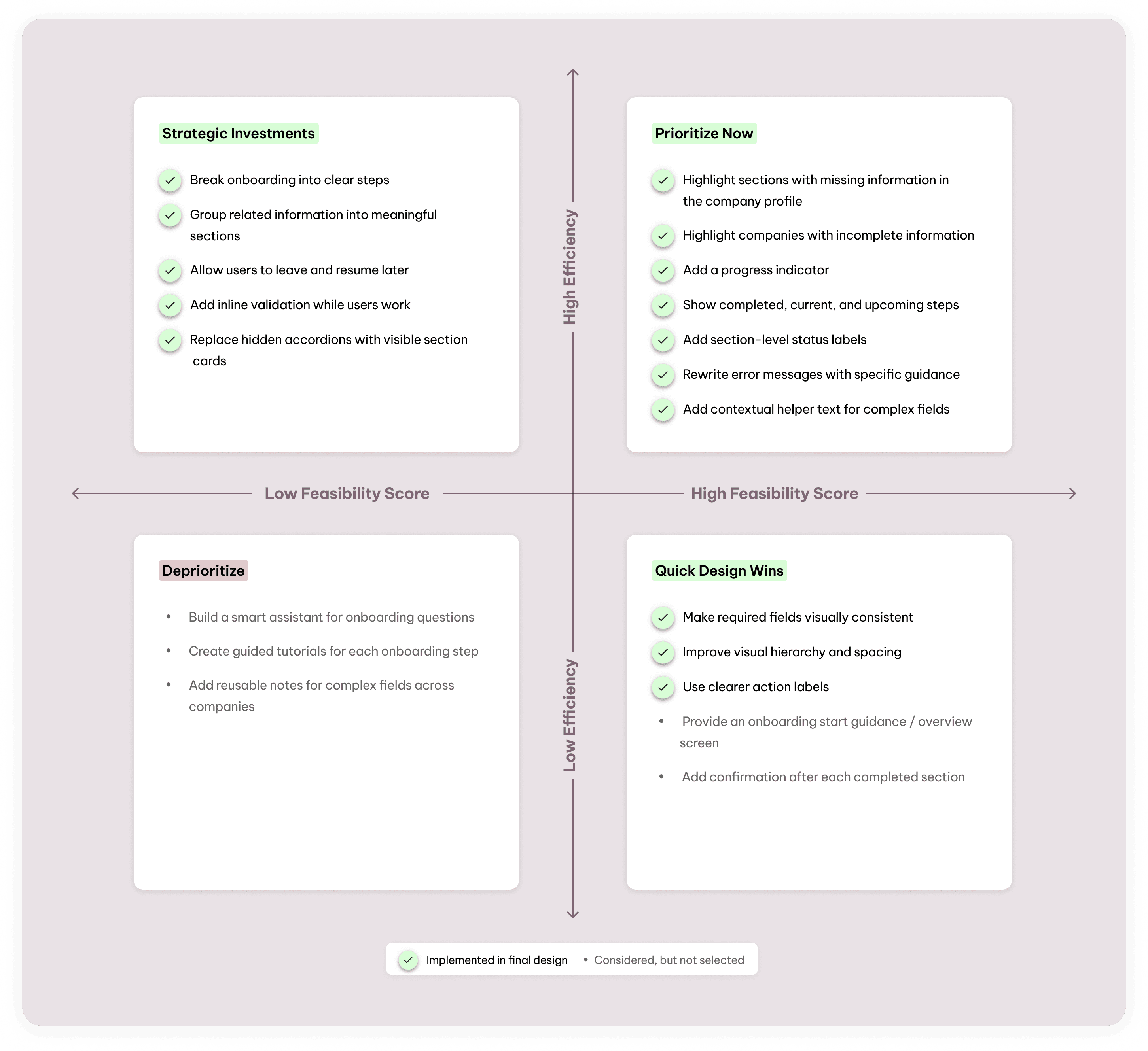
After generating a broad set of solution ideas, we evaluated them with the PM and developers using a Feasibility-Efficiency matrix. This helped us identify which ideas could create the most value for the onboarding team while staying realistic within the four-week sprint.
Rather than trying to redesign everything at once, we focused on the opportunities that directly addressed the biggest usability issues: unclear progress, dense information architecture, inconsistent actions, and weak feedback. This prioritization helped us narrow the design direction and move forward with solutions that were both meaningful for users and feasible for the team to implement.
Flow Structure Iterations
After grouping the data fields, we explored different multi-step flow structures to review with stakeholders.
The goal was to understand whether the proposed steps made sense, if any step needed to be split or combined, and whether the information in each step matched the onboarding team’s real workflow.
We shared the flow iterations with the stakeholders to gather feedback, compare the different structures, and identify the flow that best supported their needs.
In this version, we combined Hierarchy and Common Fields into one larger step called Company Setup. The goal was to reduce the number of steps and make the onboarding process feel shorter.
Although this made the flow feel shorter, the first step became too dense. Users had to define the company structure and enter detailed company information at the same time, which made the section feel heavier.

In this version, we separated Common Fields into two smaller steps: Basic Company Info and Addresses. The goal was to make each step feel more focused and less overwhelming.
This made the individual steps lighter, but the overall flow started to feel longer than necessary. Users understood addresses as part of the company’s general information, so separating them created an extra step without adding enough value.

The final version balanced both directions. We kept Hierarchy separate because it defines the company structure, but we kept basic company information and addresses together under Common Fields to avoid making the flow feel too long.
Users preferred this iteration because it provided a clearer, more balanced path through the onboarding flow without adding unnecessary steps or making any individual step feel overwhelming.


Final Design Decisions
With stakeholder feedback incorporated, we refined the final onboarding experience around the moments that mattered most: grouping related fields, showing progress, allowing users to save and return, and making errors easier to recover from.
The focus was on making each step feel clear, connected, and manageable for users.
Organizing scattered fields into meaningful sections so users understand what each piece of information is related to.


The onboarding process was divided into smaller, focused steps to reduce overwhelm and make the experience easier to navigate. Clear progress indicators helped users understand their current step, completed steps, remaining steps, and the next action needed to move forward.

This solution gives users more control over the onboarding process by allowing them to pause, save completed information, skip unavailable details, and continue later without starting over.


Showing users exactly what needs to be fixed while they are filling out the information, instead of making them guess what went wrong.

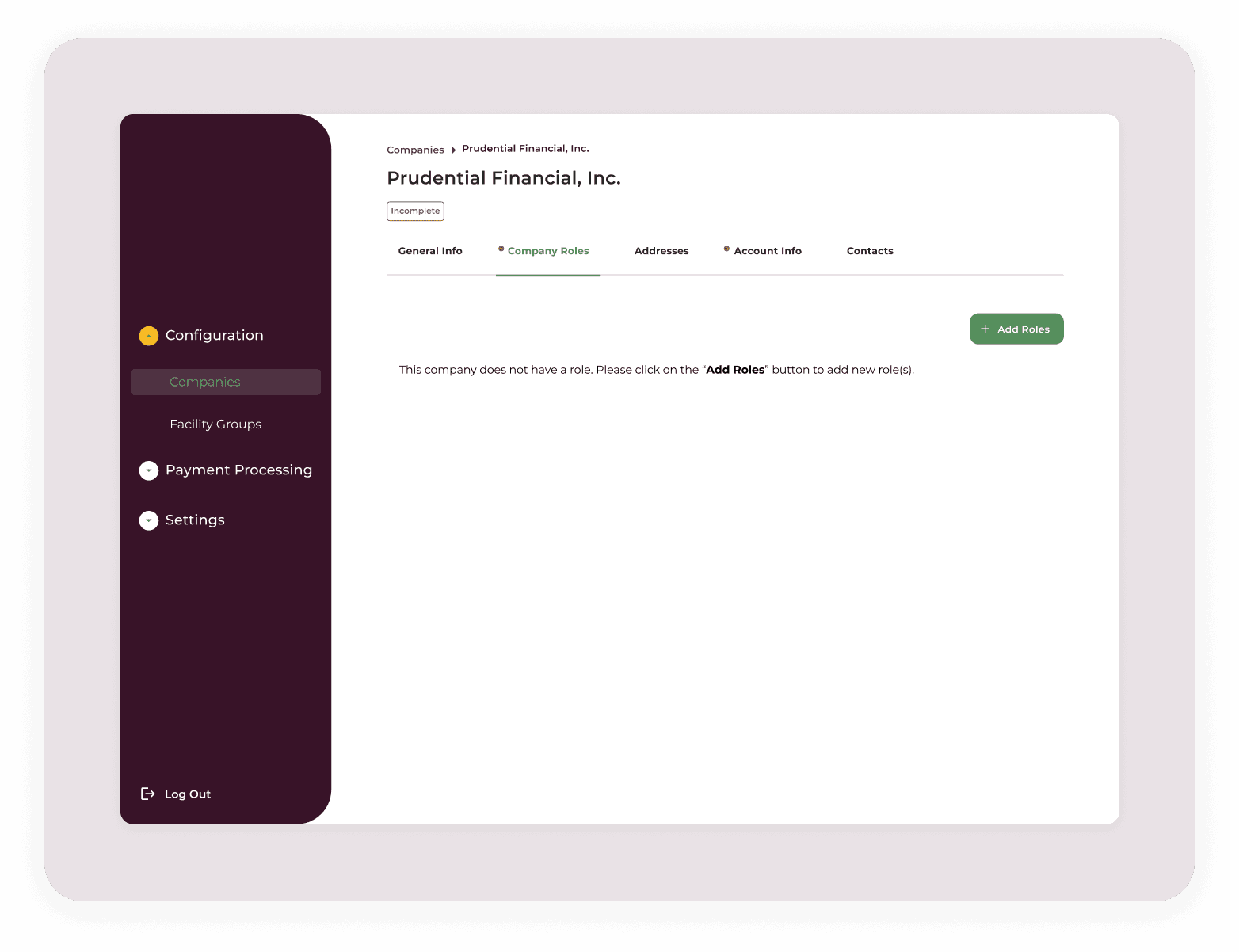
Showing whether each company has complete or incomplete information directly from the company list or company screen.

From the company profile, users could continue where they left off, update missing information, and complete the company configuration at their convenience once the required details were available. This makes the process more flexible and easier to finish over time.
Impact
Usability Testing
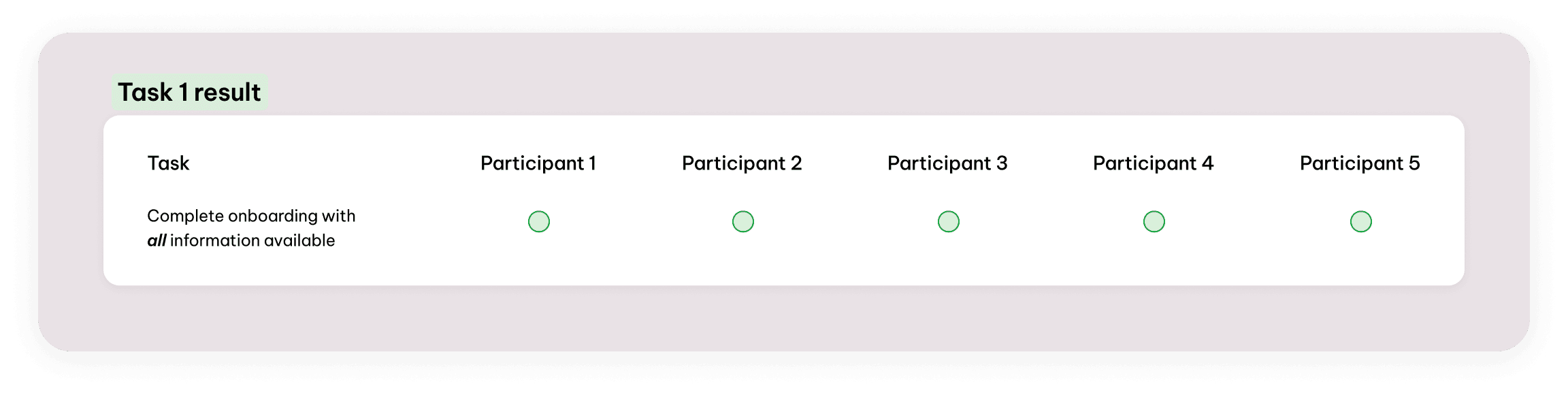
We tested the redesigned company onboarding flow with 5 onboarding users to understand whether the new experience felt clearer, more manageable, and realistic for real onboarding situations.
Each participant completed three tasks:
Complete onboarding with all information available
To evaluate whether users could move through the full flow smoothly.
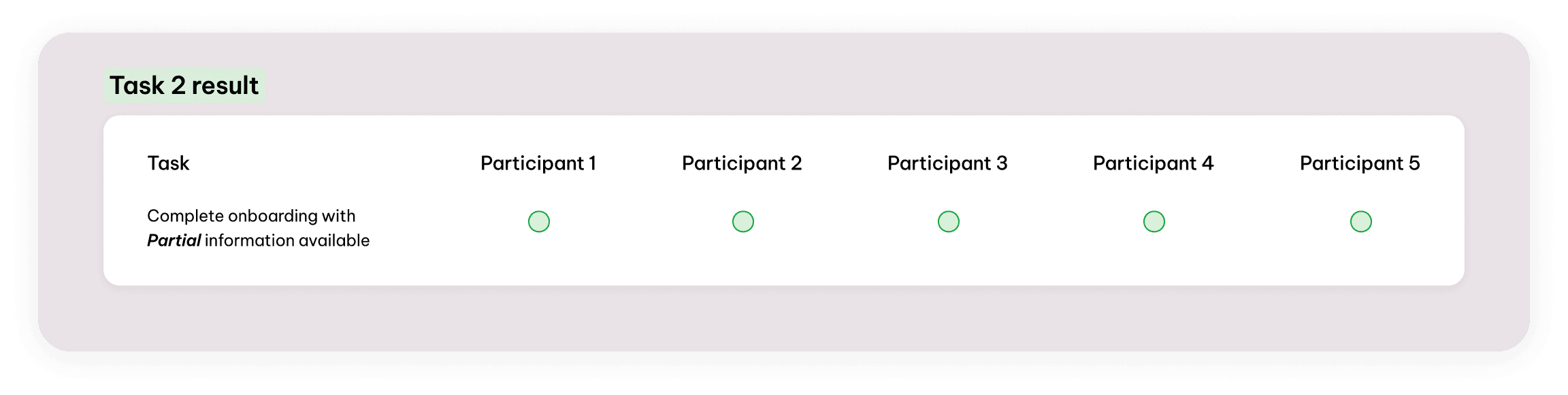
Complete onboarding with partial information available
To evaluate whether users could continue when they did not have every piece of information ready.
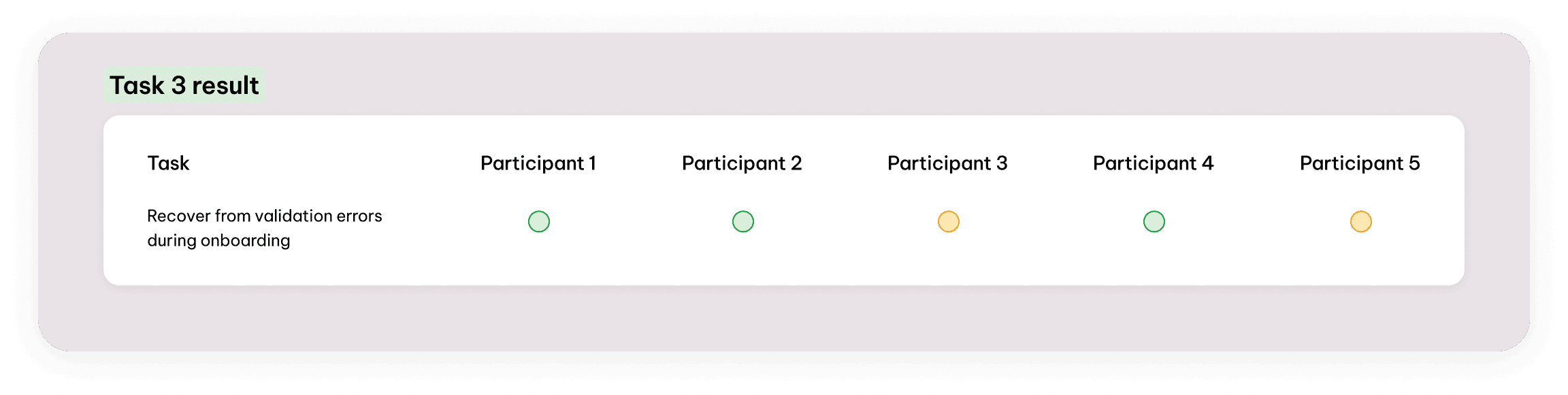
Recover from validation errors during onboarding
To evaluate whether users could understand error feedback, correct the issue, and move forward.
How we captured the results:
For each task, we tracked whether participants completed it easily, completed it with hesitation, or struggled to complete it. These results are shown in the task result cards below.

What users Liked
Users responded positively to the way the onboarding form was broken into smaller, meaningful steps. The grouped sections helped them understand what each part of the process was about, how the information was connected, and where they were in the overall flow.
Instead of feeling like one long, scattered form, the onboarding experience felt more guided, organized, and easier to complete.
When participants were asked to complete the onboarding flow with partial information available, they were still able to move forward without getting blocked. They liked that the flow supported a more realistic onboarding situation where not all information may be available in one sitting.
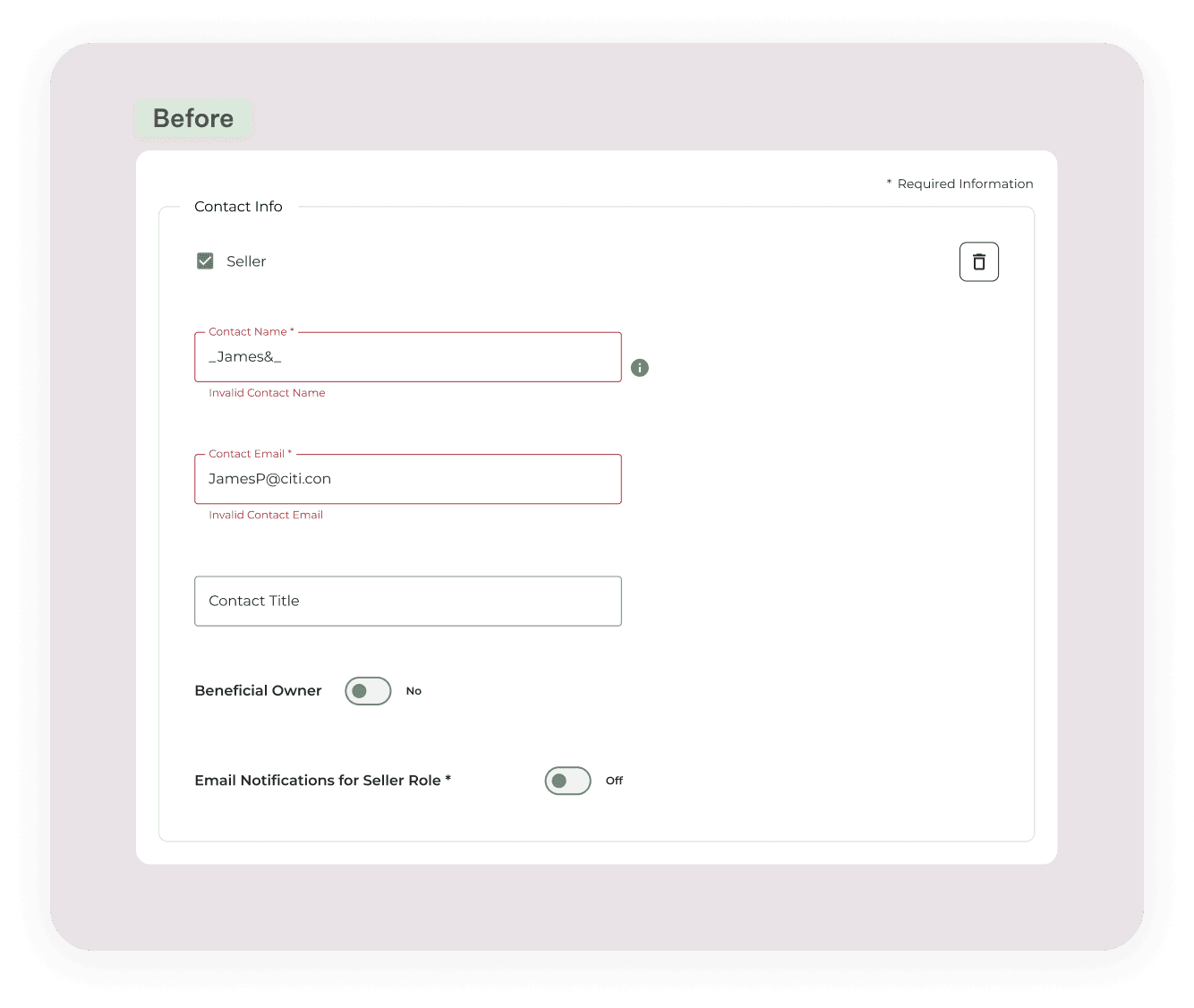
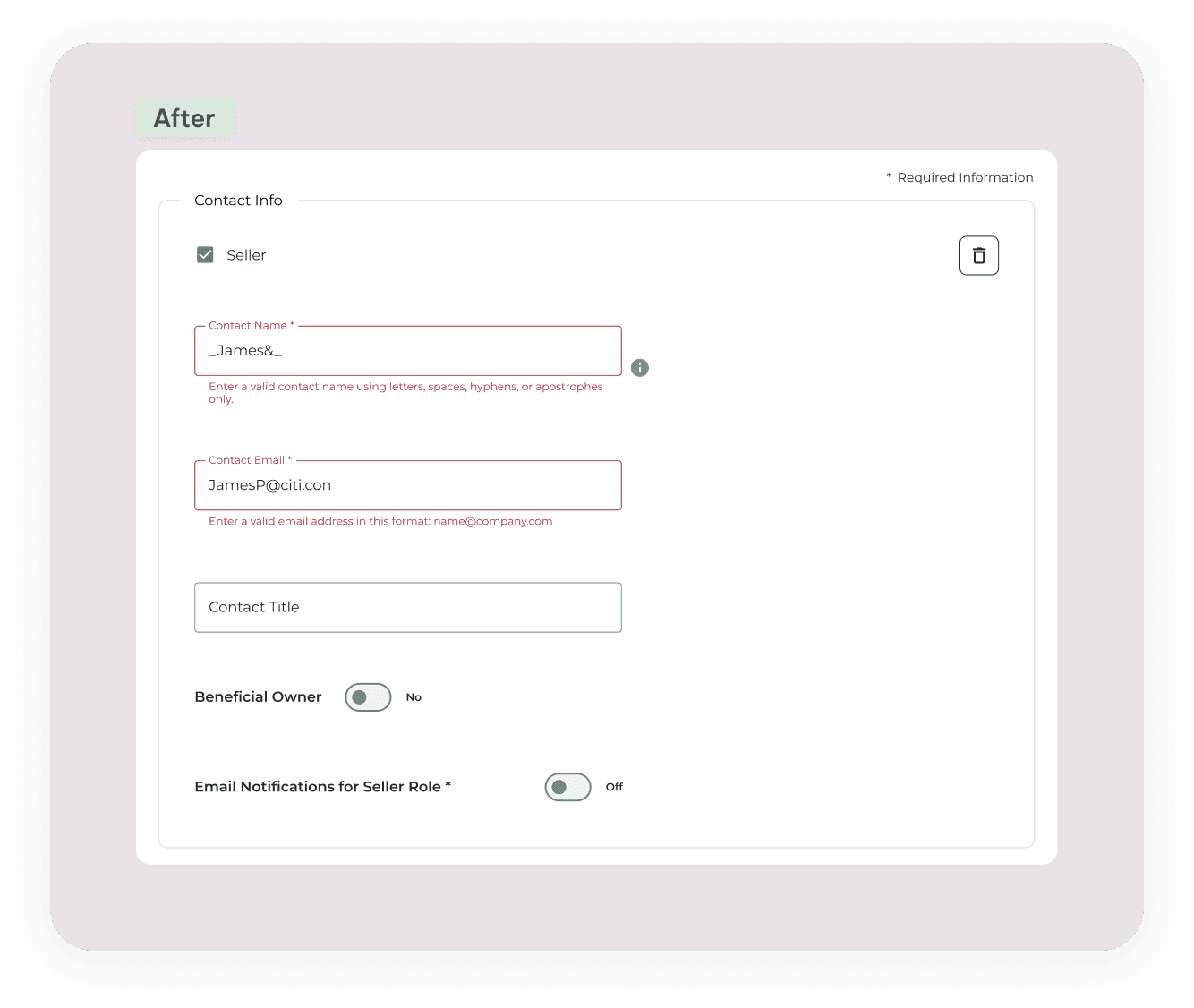
Users were generally able to recover from validation errors and continue the onboarding process. However, 2 out of 5 participants hesitated because the error feedback was not specific enough at first.
The issue was not that users could not fix the problem. The issue was that some messages did not clearly explain what was wrong, where to fix it, or what the expected input should be. Based on this feedback, we improved the error messages to make them more direct and actionable.


What users suggested
In the initial design, users could skip optional steps, but some required steps for specific roles could not be skipped. During testing, users suggested that even required role-specific information should be temporarily skippable when the information is not available yet.
They understood that the information was still required eventually, but they wanted the flexibility to continue the onboarding process and return later.


Reflection
Designing efficiency around the right owner
This project reframed how I think about efficiency in onboarding. The goal is not always to make every process self-service; in complex systems, that can simply move the burden to users who may not have the context to complete it confidently. A more effective approach is sometimes to strengthen the internal workflow, so the team responsible for onboarding can handle complexity with clarity, consistency, and less rework. For future projects, I will evaluate efficiency not only by how quickly a task can be completed, but by whether the right people are supported to complete the right parts of the process