
Context
Imagine you’re a seller who has delivered a large order to a buyer, but the payment is not due for another few months. To keep the business moving, you may need access to that cash sooner — to pay suppliers, manage operations, or support future orders.
That’s where invoice financing comes in. A financing provider gives the seller earlier access to part of the invoice value in exchange for a fee, then gets repaid when the buyer pays the invoice. Behind the scenes, the provider may also work with capital partners or investors to make that funding available.
In this project, our company played the role of the financing provider. The design challenge was not the financing model itself, but the seller experience around understanding and managing that process.
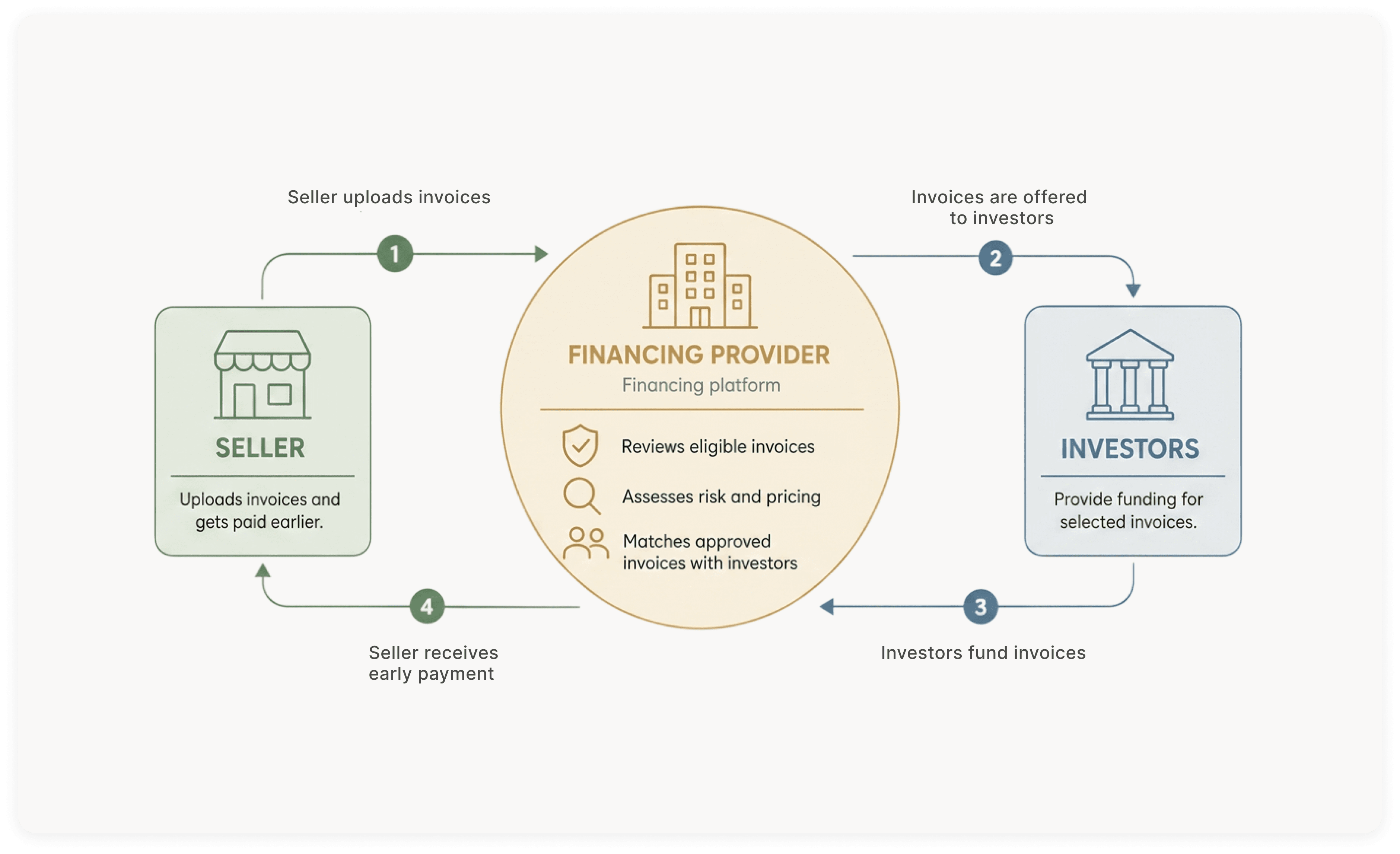
This project focused on improving the seller experience within an invoice financing ecosystem. Sellers could submit invoices to get paid earlier than the original payment terms, helping them manage cash flow and keep their business moving.
But getting paid faster was only one part of the experience. Sellers also needed a clear way to understand what was happening across the full invoice lifecycle — from eligibility and funding status to payment timing, pricing, overdue invoices, repurchases, and available credit.
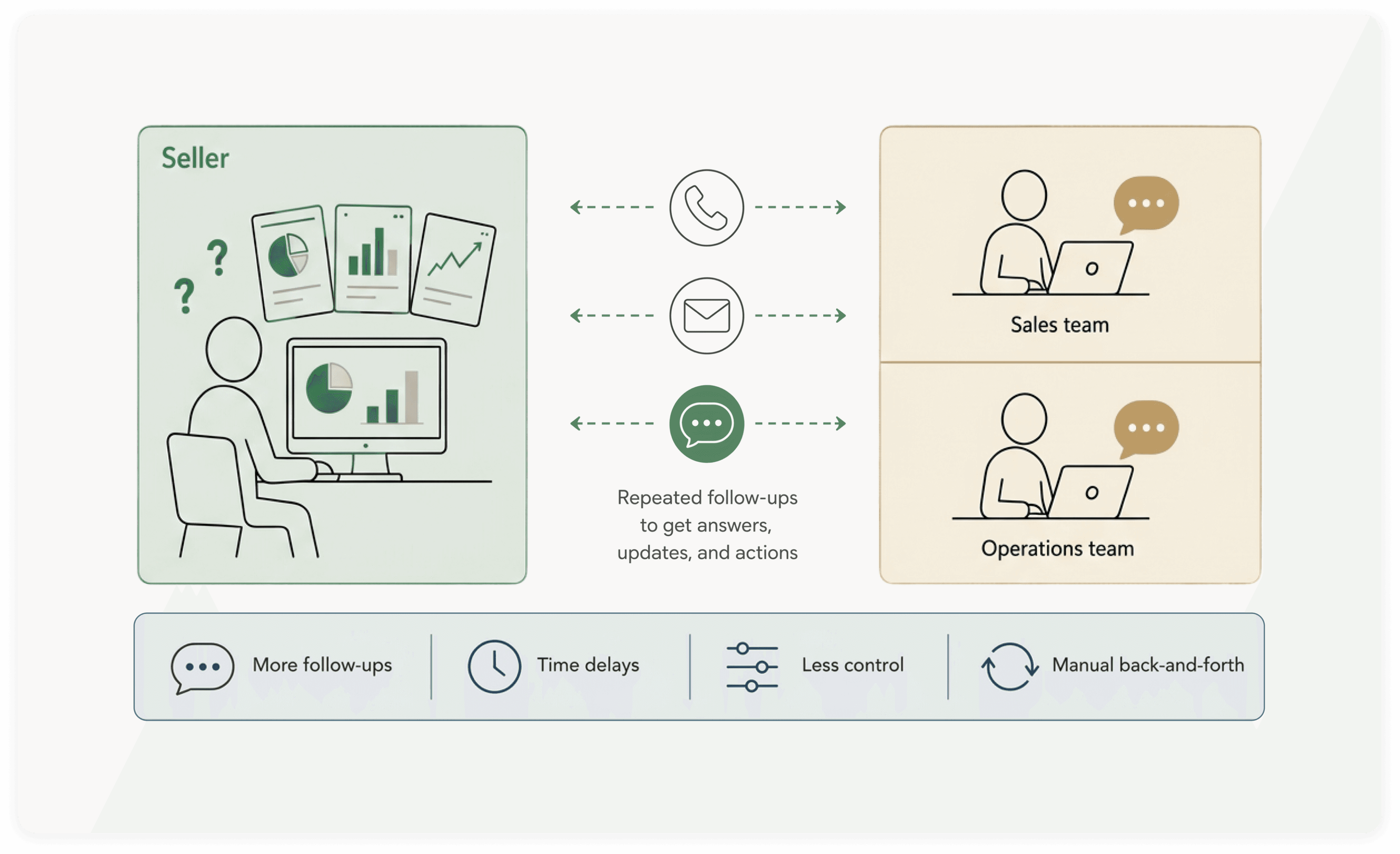
The challenge was that these answers were scattered across dense reports, manual follow-ups, and conversations with sales and operations teams. Sellers often had to piece information together themselves or wait for internal teams to clarify what was happening. This made the experience feel less transparent and harder to manage, while also creating repeated support work for the business.
This pointed to a need for a self-service portal that could bring fragmented information together, reduce dependency on internal teams, and help sellers understand and manage their financing activity with more confidence.
My Role
My role covered the end-to-end UX process, from research and synthesis to problem definition, information architecture, user flows, and design exploration.
I worked with Product, Engineering, Sales, and Operations to understand how sellers managed invoice financing, what information they needed, and where the experience could become clearer and more actionable.
These insights informed the portal structure, key workflows, and design direction, which were refined through internal feedback and feasibility discussions.
Team & Scope
8 weeks (Remote) - 2025
Tools
Figma, Lucidspark, Loom,
Microsoft Teams, Microsoft
Loop, Copilot, and ChatGPT
Research & Evaluation Methods
Internal team interviews
Journey/workflow mapping
Card sorting
Concept validation with internal teams
Developer feedback sessions
Problem
Internal Team Interviews
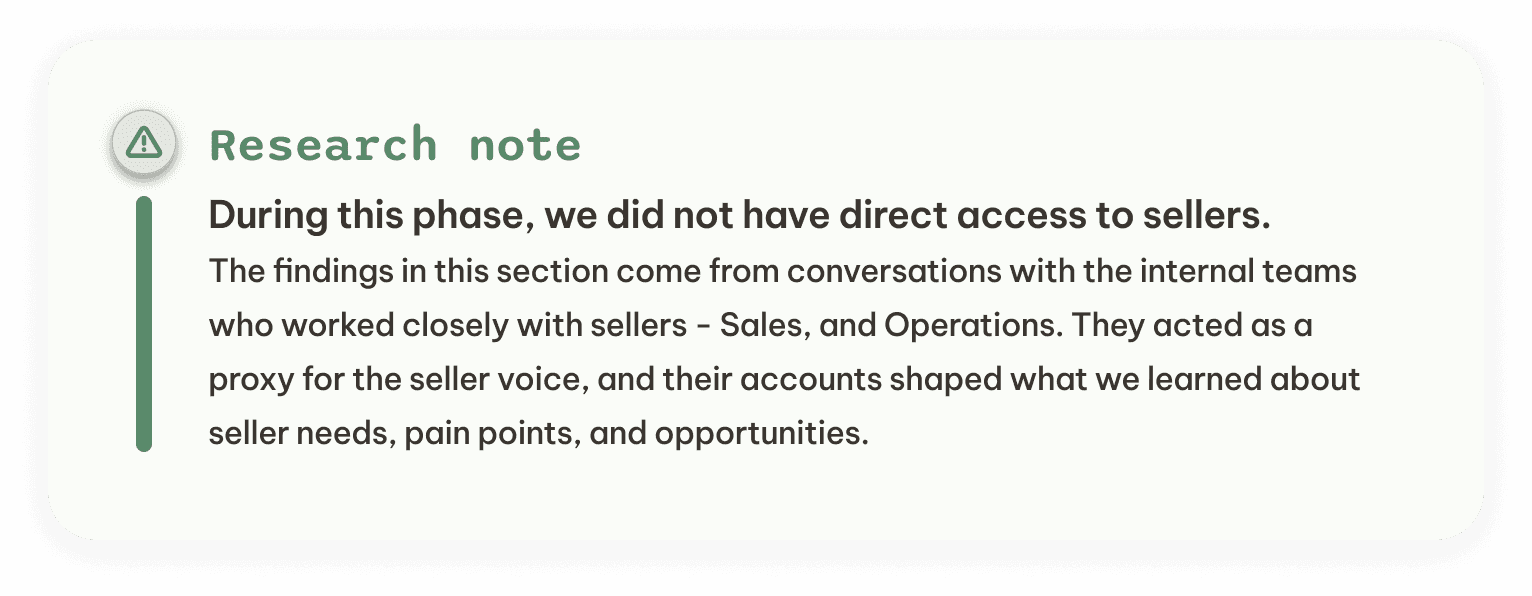
After speaking with members of Sales and Operations — the teams closest to sellers — we learned that sellers technically had access to invoice reports, but those reports did not translate into clear, actionable answers.
The information was dense, fragmented, and difficult to filter, customize, or interpret. Sellers could view data about their invoices, but they still struggled to understand invoice status, credit availability, financing eligibility, required actions, and next steps.
As a result, the experience was not truly self-service. Sales and Operations became the layer between sellers and the system: interpreting reports, answering questions, confirming decisions, and helping sellers request financing for eligible invoices.
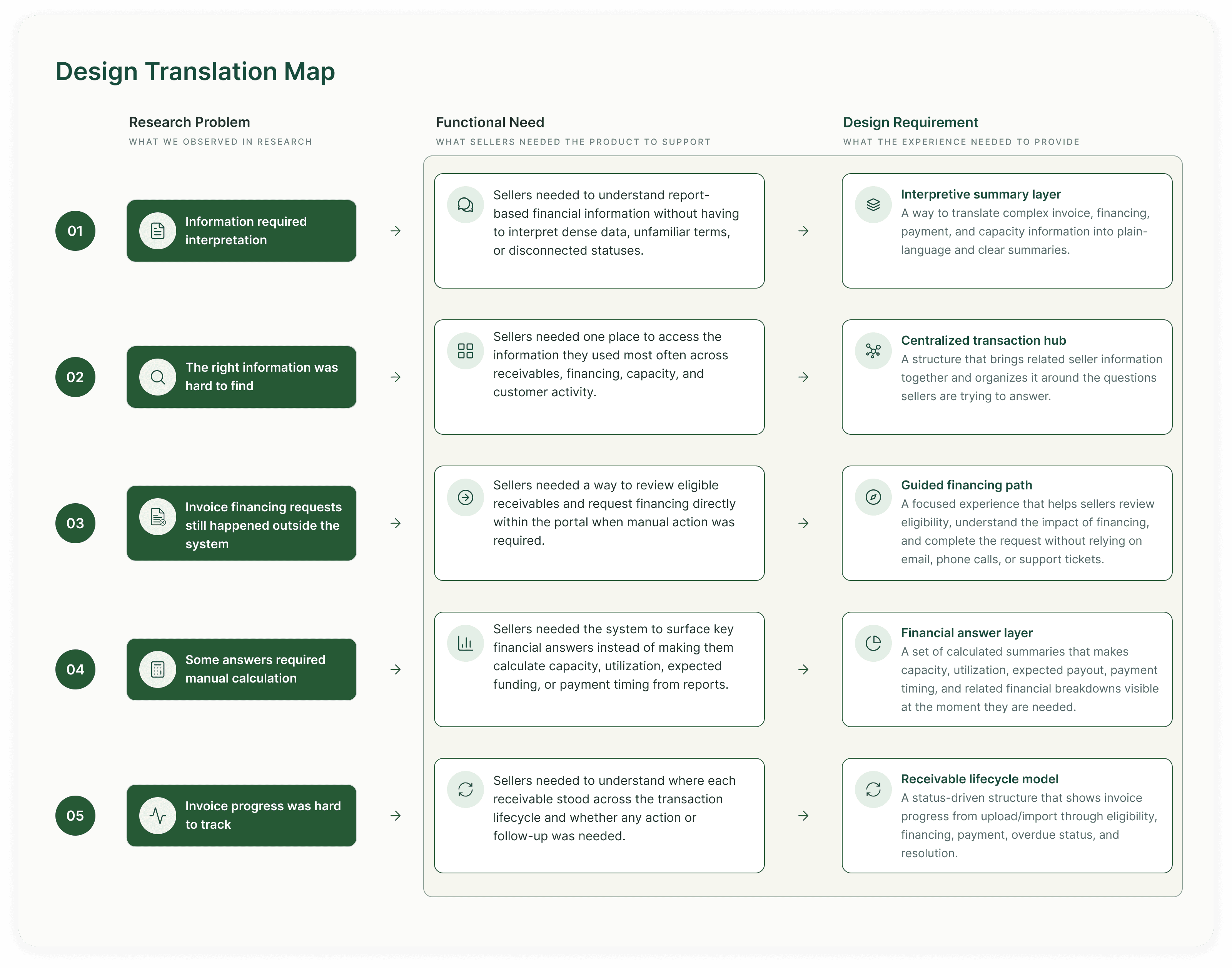
We grouped those issues into five core problem areas:
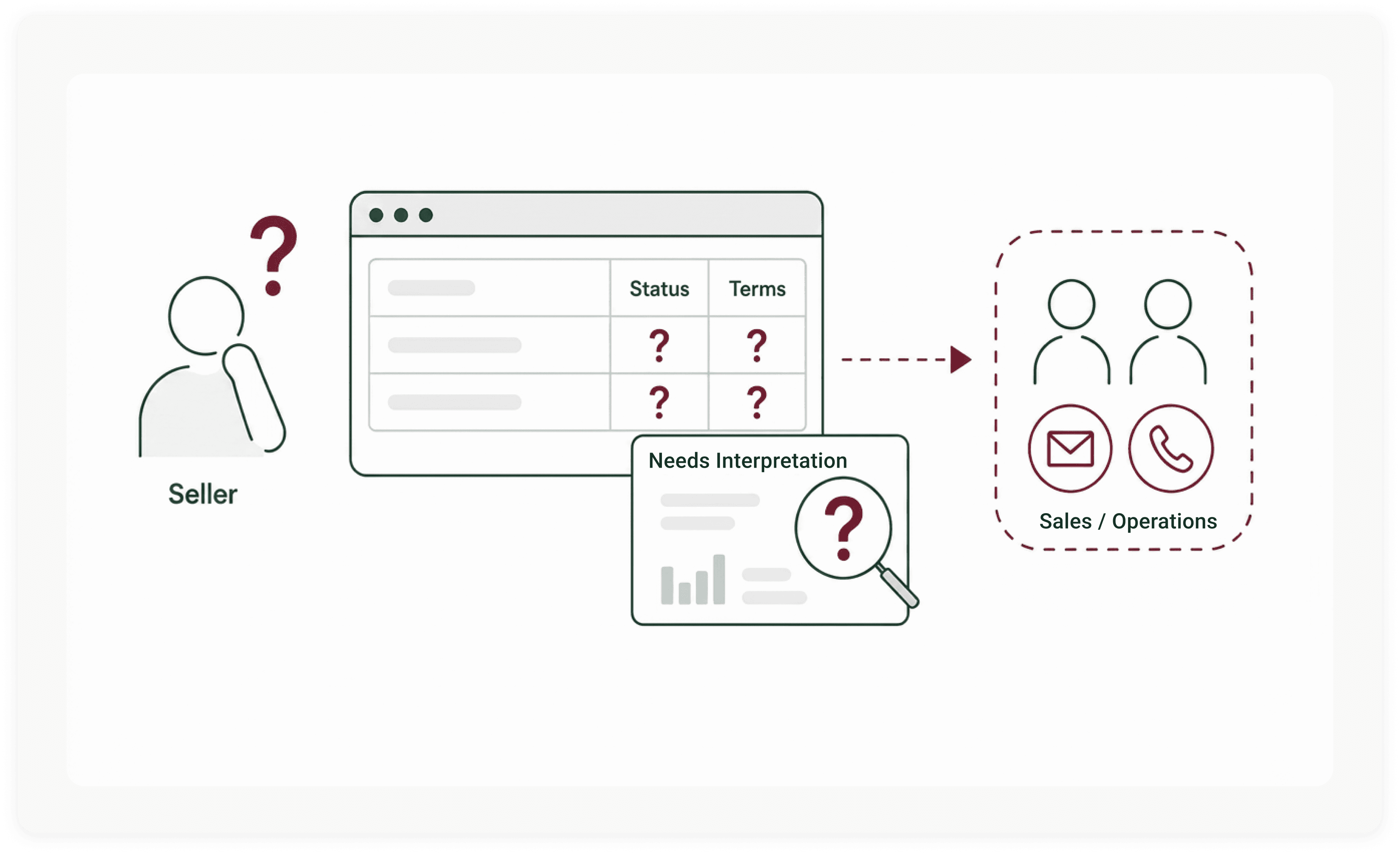
Despite sellers access to the large volume of the invoice and financing reports, the key fields, statuses, and terms were not always clear without additional context.
Sellers had access to many reports, but they did not always know where to look. Specific answers were often buried across different reports, fields, and terminology.
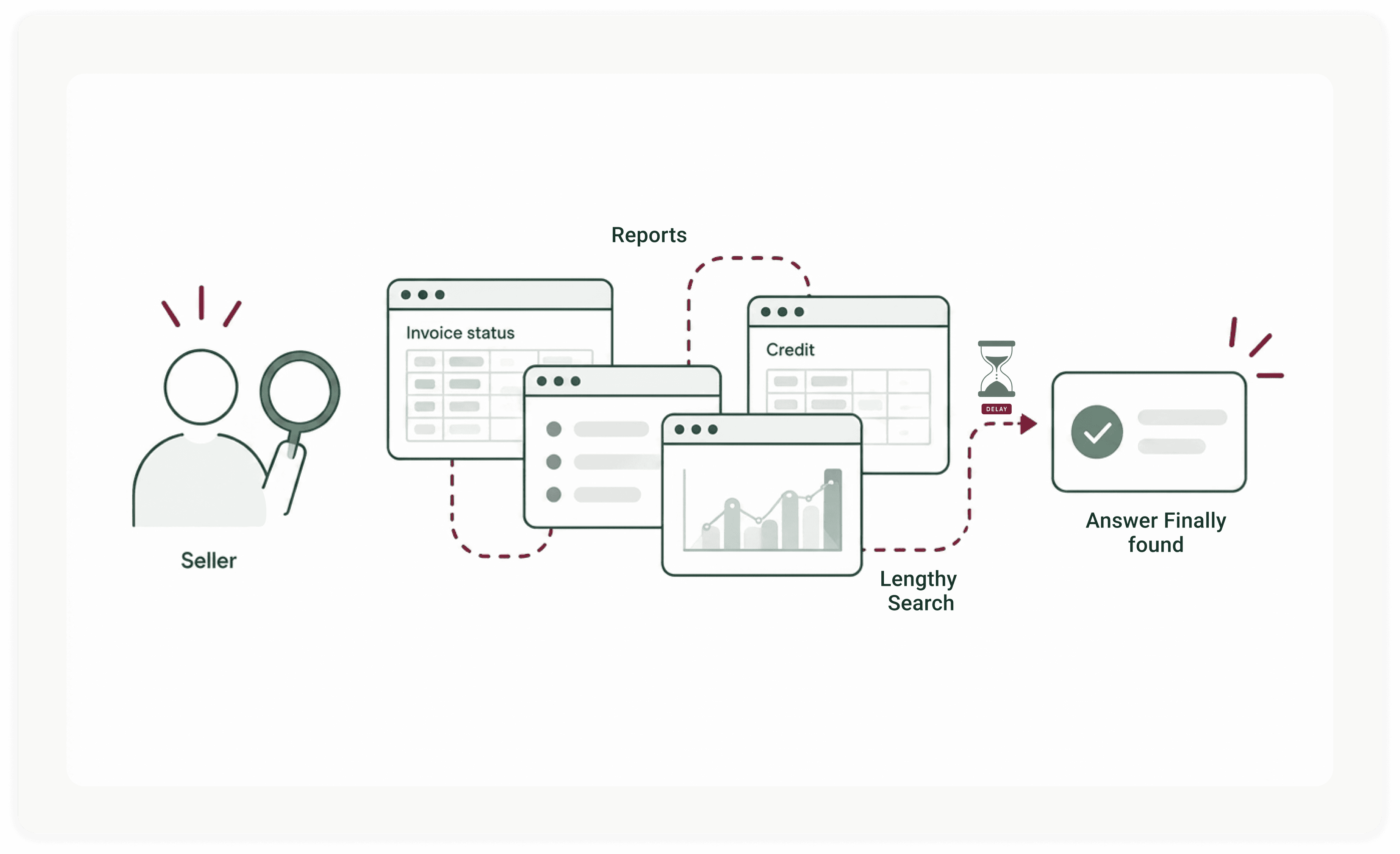
Finding the right information required time, effort, and support from internal teams, especially when sellers needed to confirm invoice status, credit availability, or financing details.
The existing system was mostly view-only. After sellers uploaded their invoices and reviewed pricing, they still could not request financing or move the process forward from the platform itself.
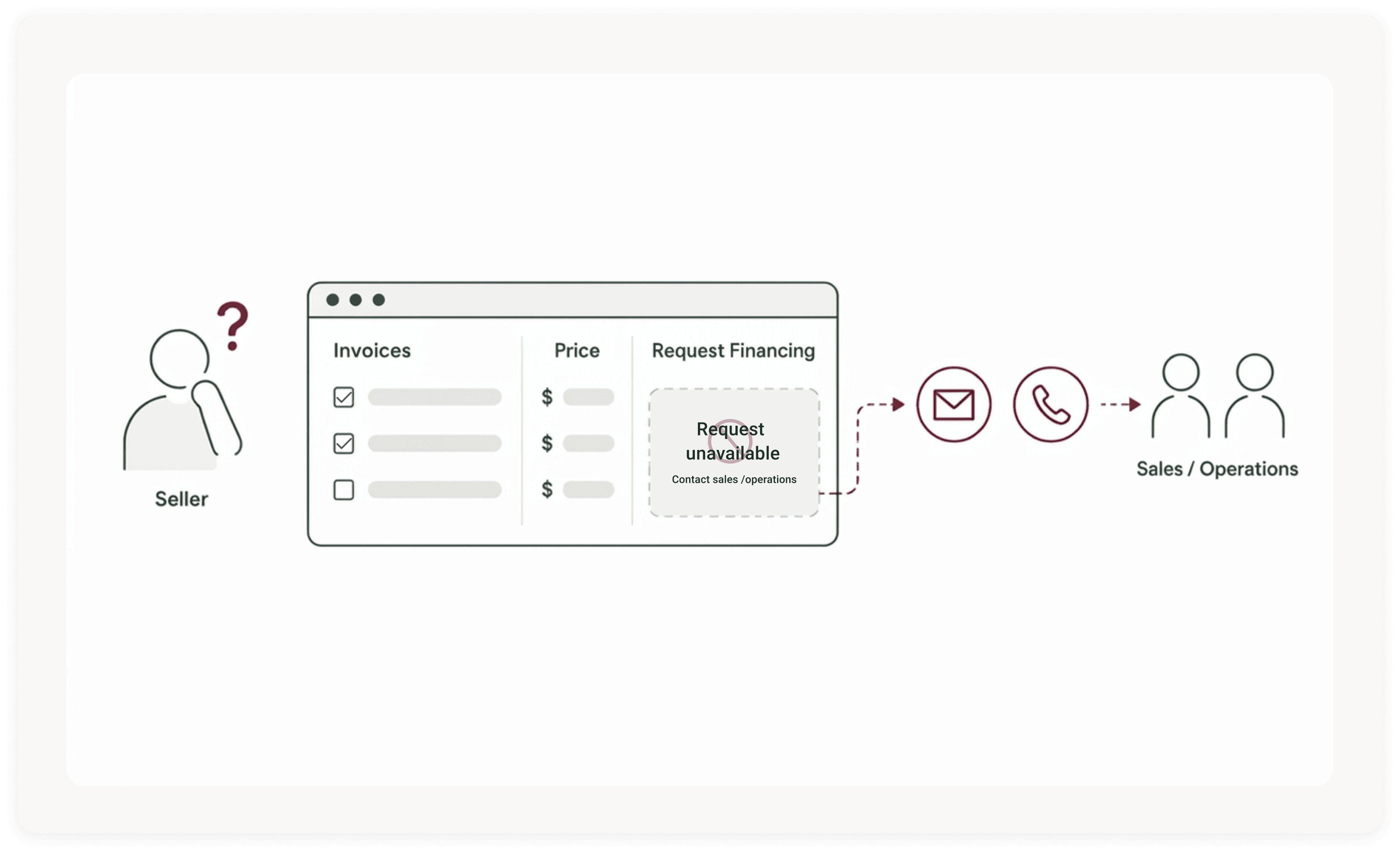
To take the next step, sellers had to contact Sales or Operations by email or phone and specify which invoices they wanted to finance. This made the experience feel disconnected and limited sellers’ sense of control.
Some of the information sellers needed was not available as a clear answer inside a single report. It had to be calculated, interpreted, or pieced together from multiple reports.
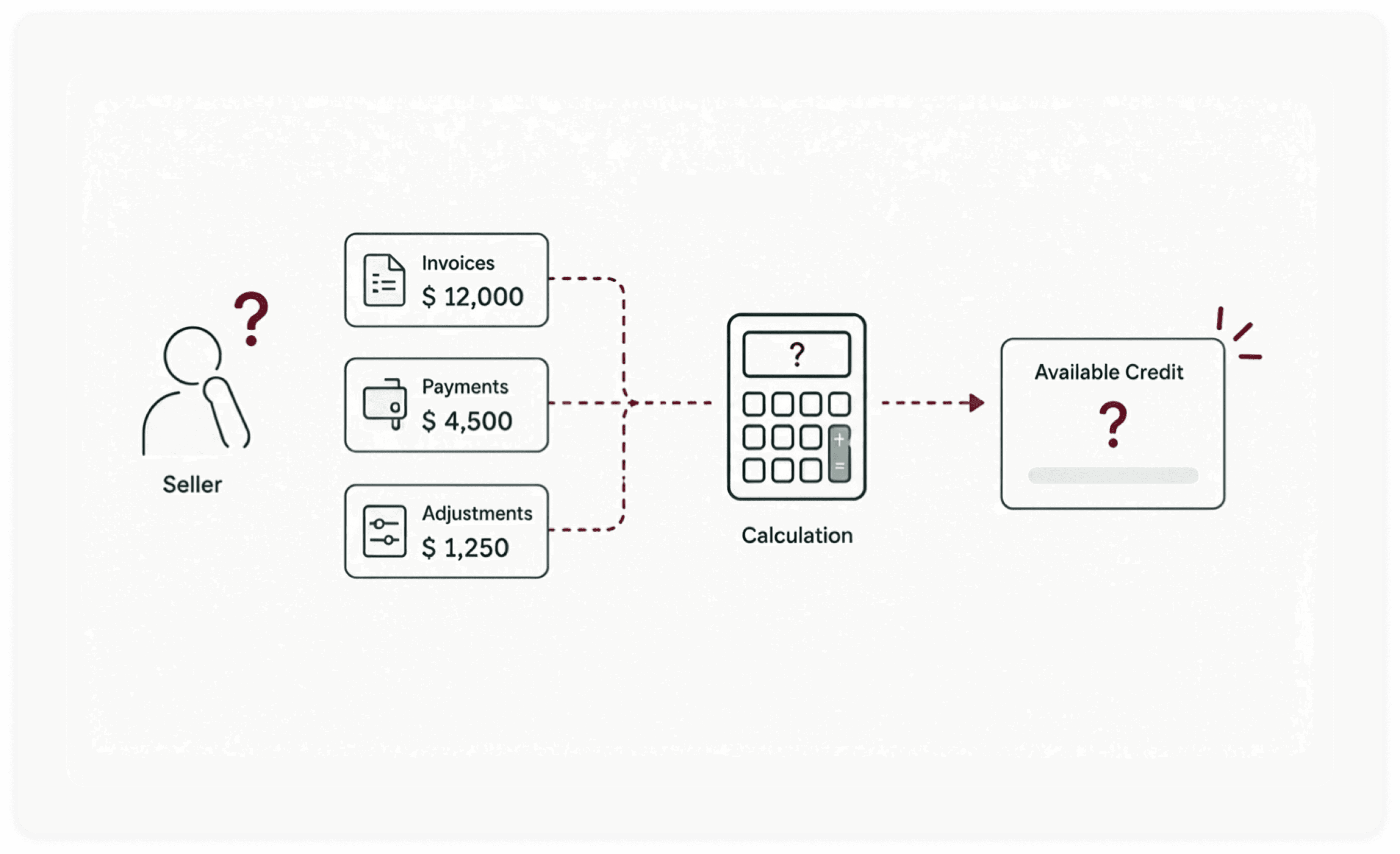
Sellers needed Sales or Operations to calculate or confirm answers that were not directly available in the reports
Sellers needed to know where each invoice stood in the financing lifecycle: submitted, eligible, priced, approved, financed, paid, overdue, or requiring action. But this lifecycle was not presented in one clear, connected view.
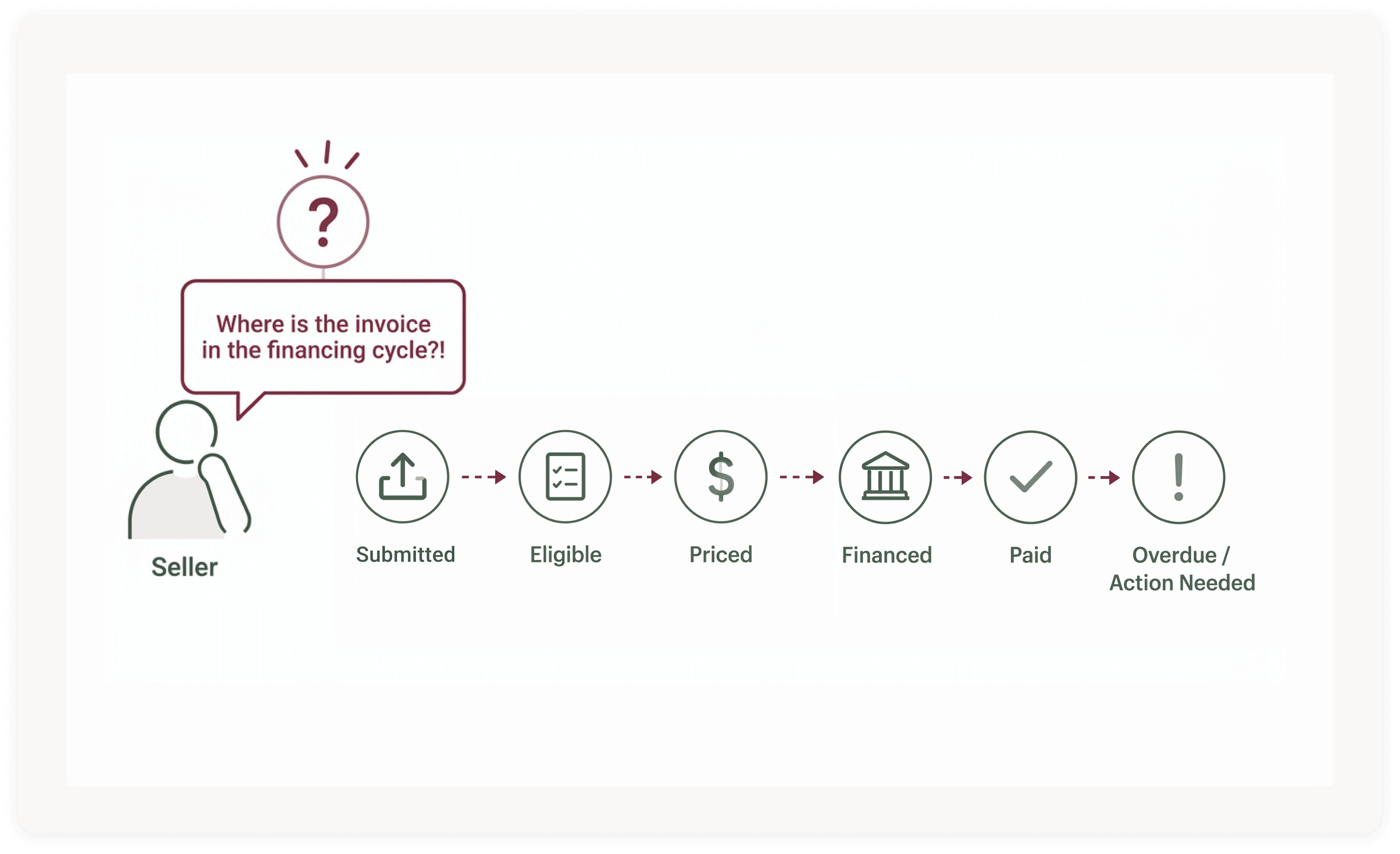
Sellers followed up with Sales or Operations for updates, status clarification, and next steps.
Ideation
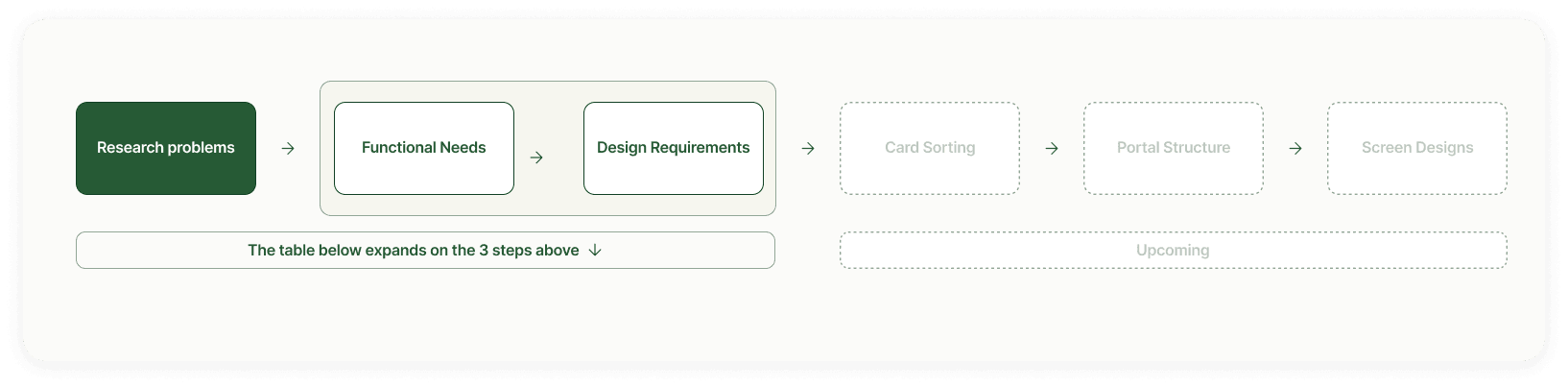
Card Sorting
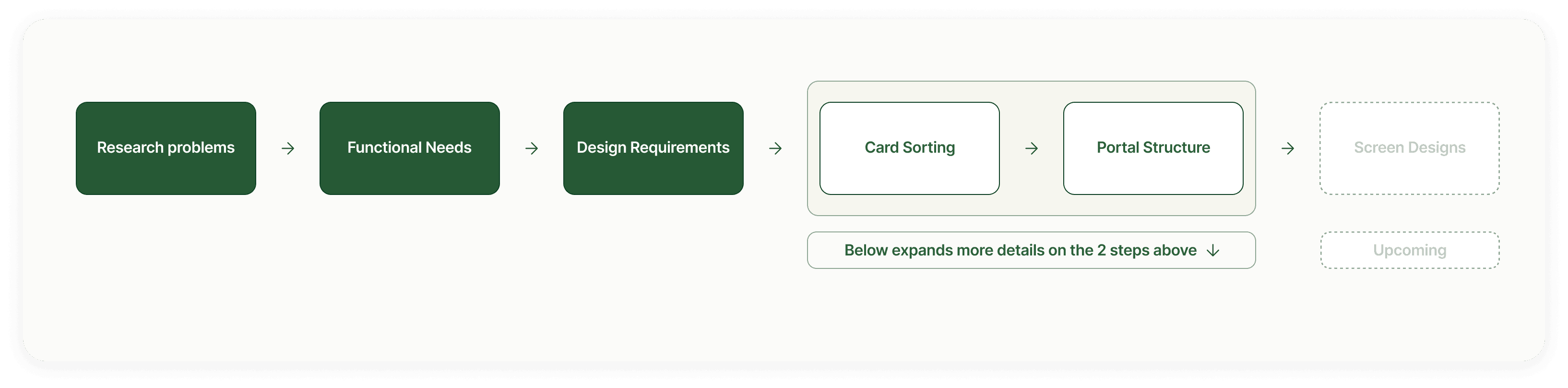
With the core building blocks of the experience in place, the next step was turning those building blocks into a usable portal structure.
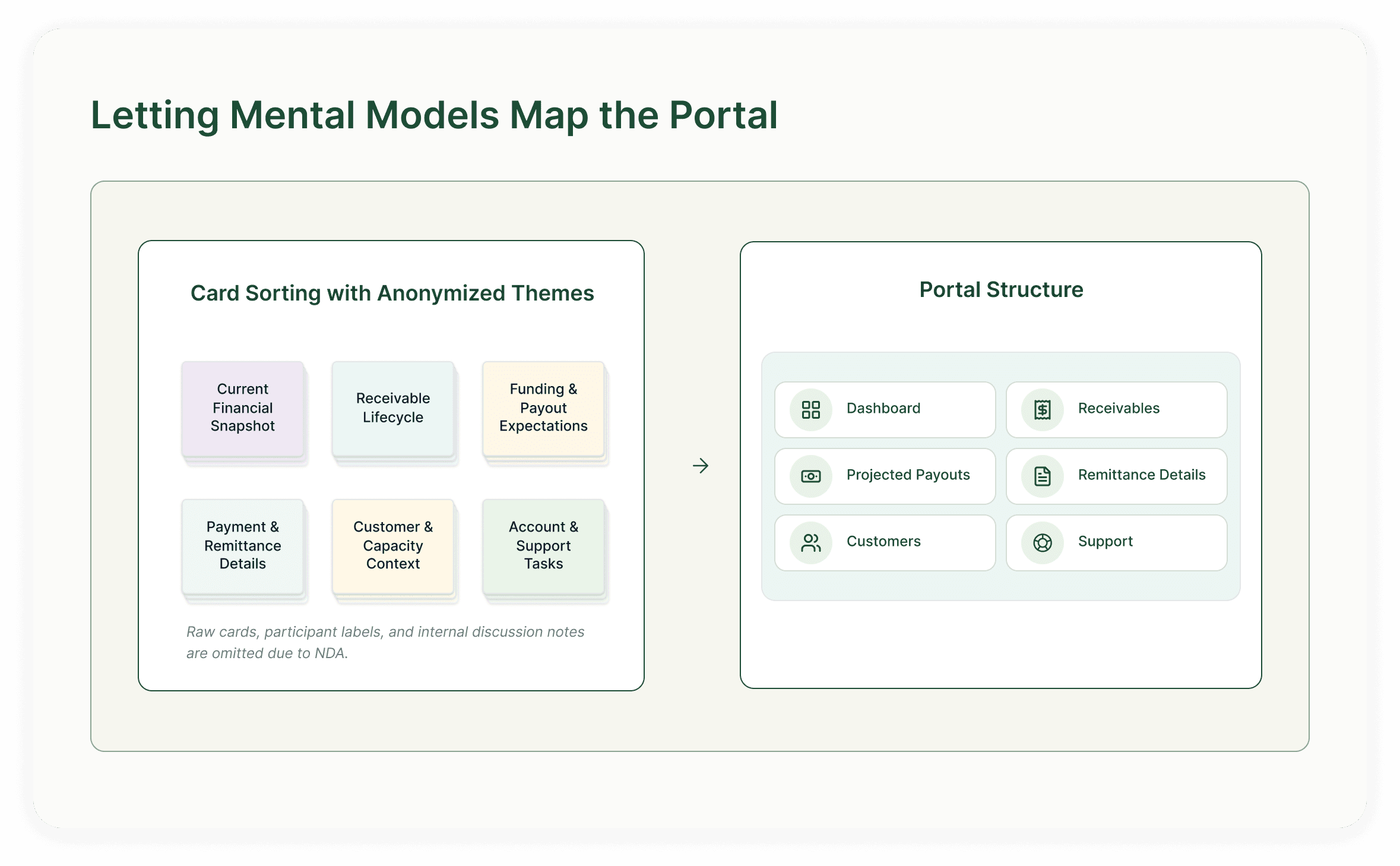
At this stage, the challenge was no longer what the portal should include, but how those pieces should be organized in a way that matched how sellers naturally look for answers.
I used card sorting with internal teams who worked closely with sellers to understand how these pieces should be grouped, labeled, and sequenced within the portal. This helped turn scattered, report-driven information into a clearer information architecture organized around the seller’s mental model.




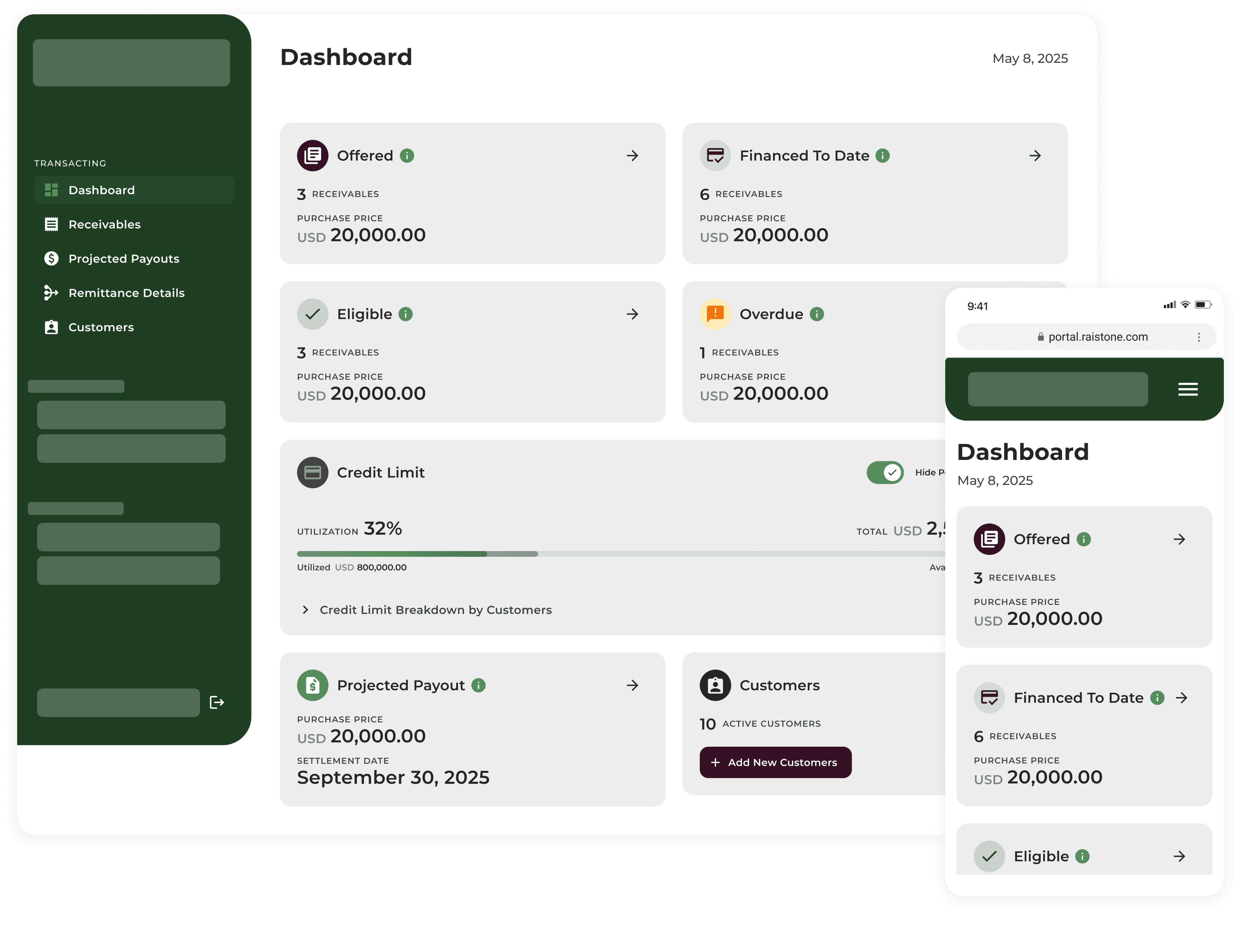
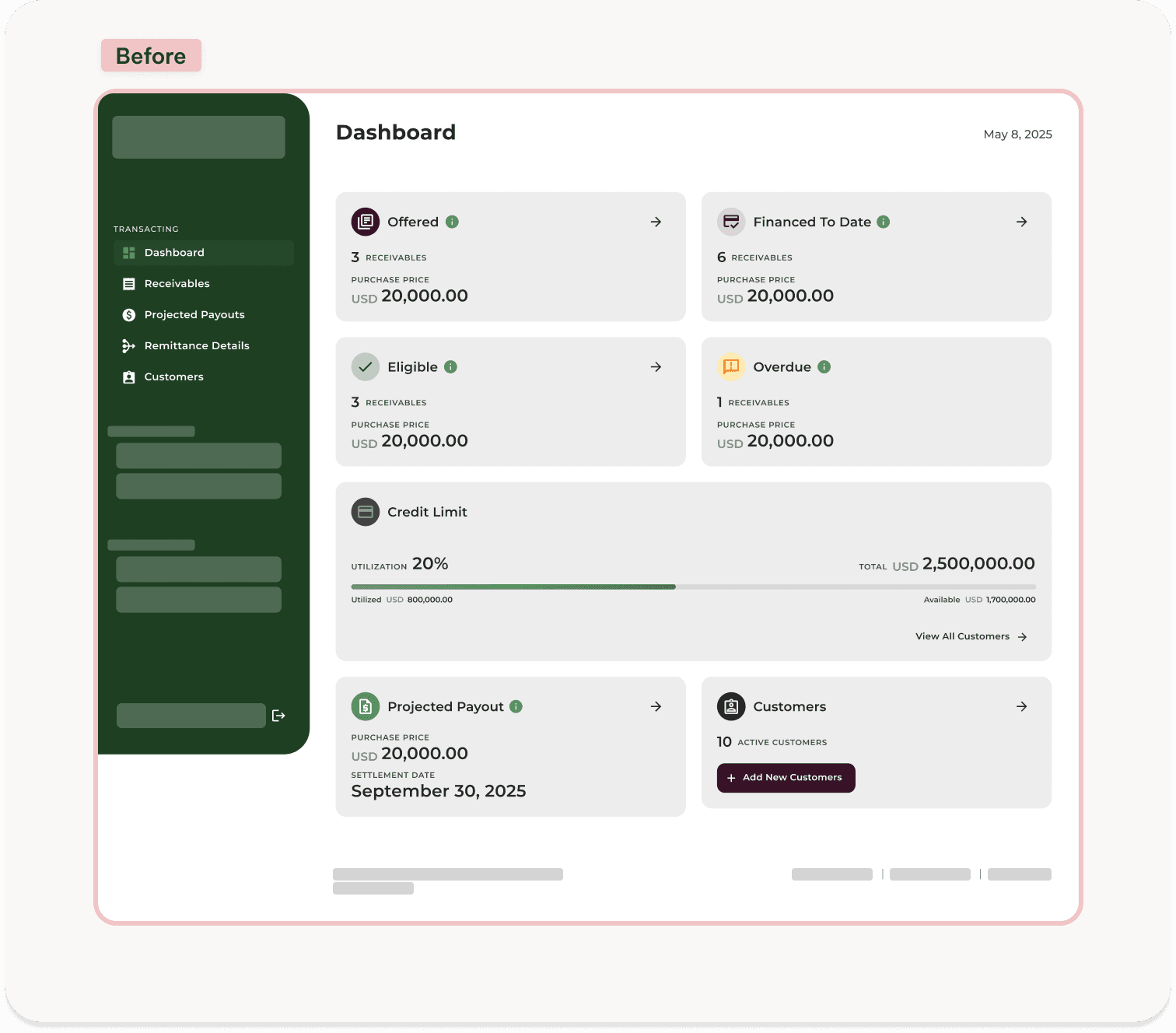
This dashboard gives sellers a daily snapshot of their financial position, bringing together receivables by status, credit usage across customers, upcoming payouts, and customer management so they can quickly understand what needs attention and where to go next.

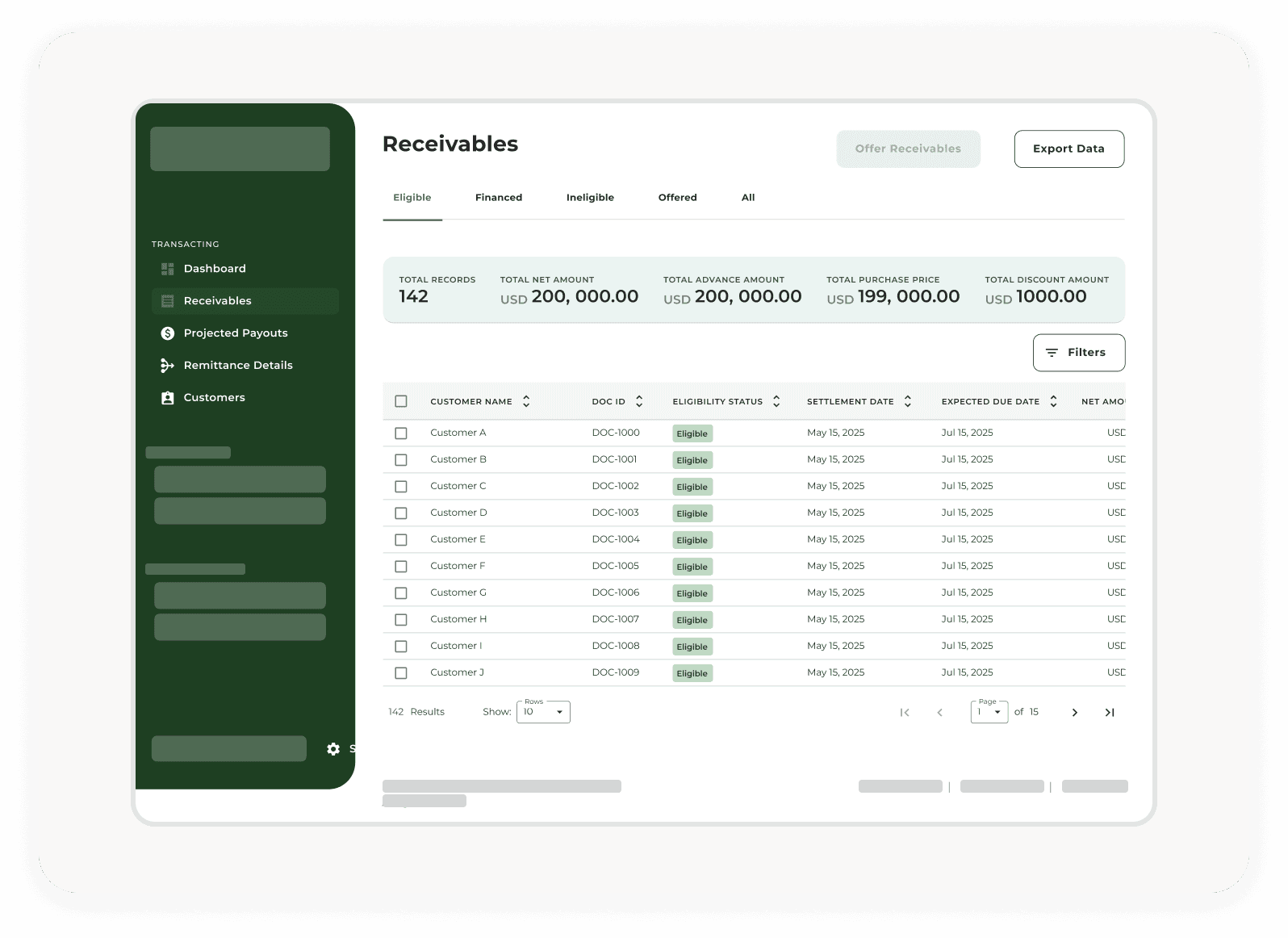

Receivables screen helps sellers understand what is happening with each submitted invoice. It organizes invoices by where they are in the financing process, showing which invoices are ready to be submitted for financing, already offered, financed, or no longer eligible. It also surfaces key details such as customer name, dates, and amounts. Sellers can filter the list to quickly find specific invoices and request financing for eligible invoices directly from the page.

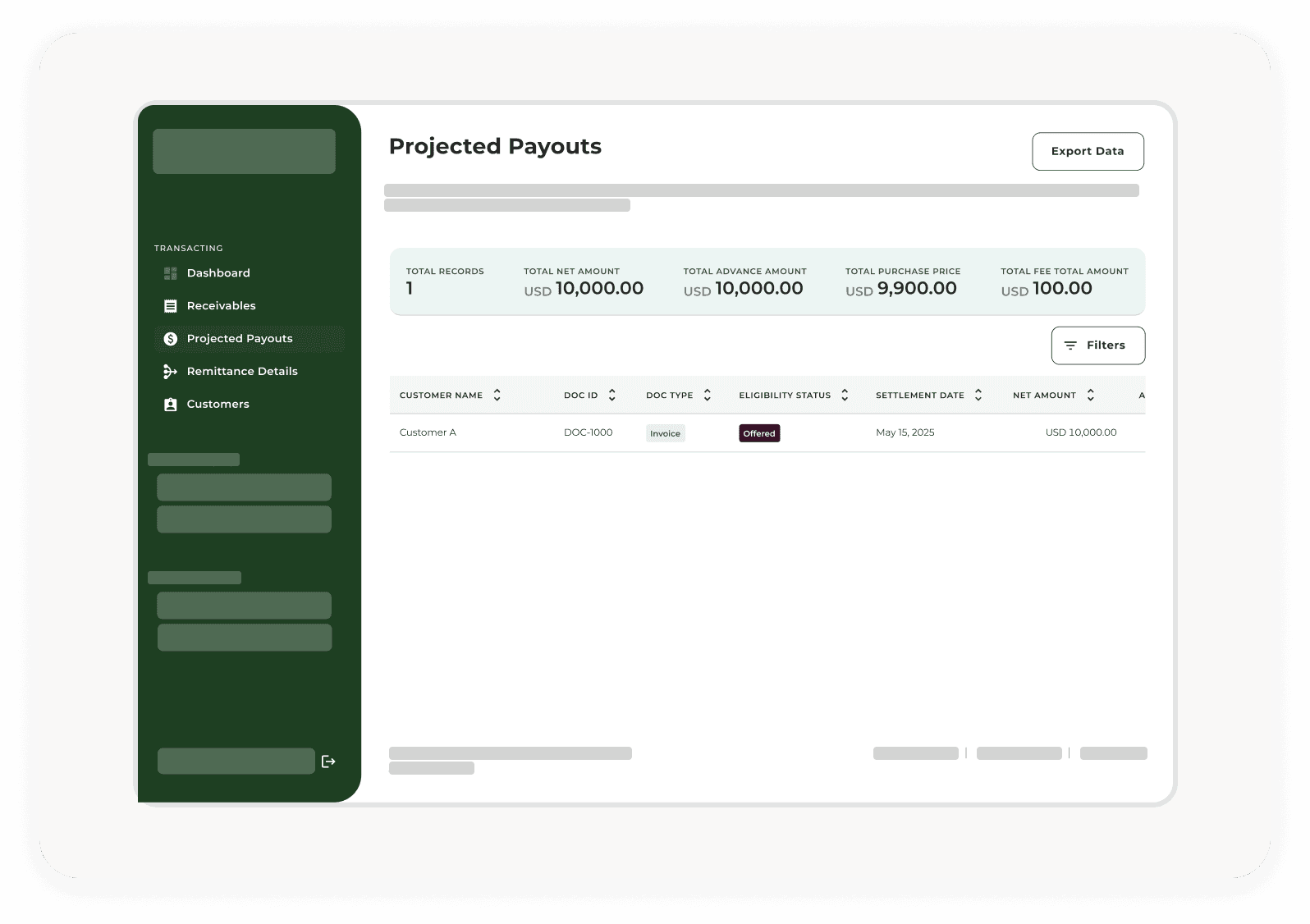
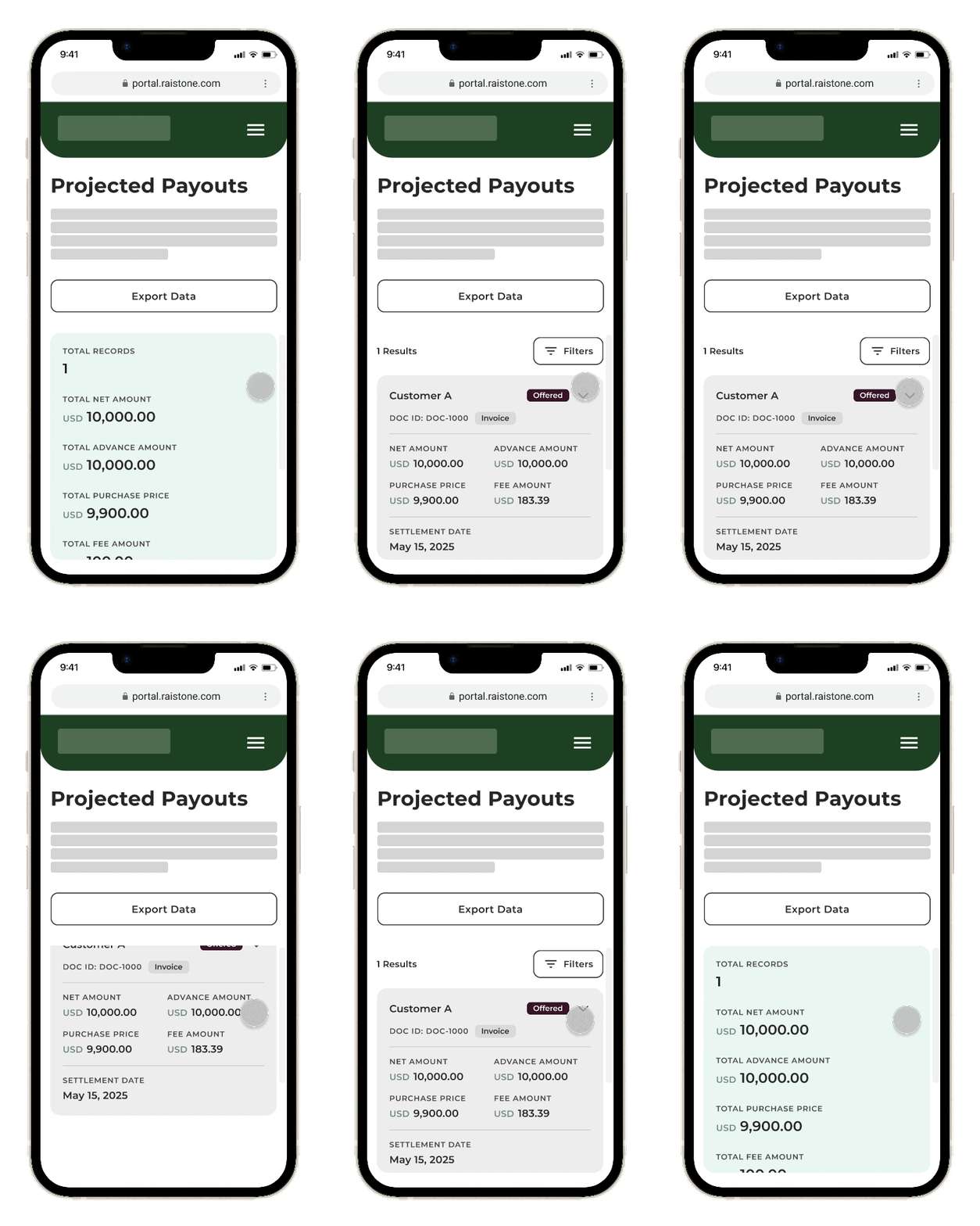
This screen helps sellers understand which approved invoices are expected to turn into upcoming payments. It lists invoices that have been approved for financing but have not yet been paid, along with the key details sellers need to track what is coming next. The total expected payout gives sellers a quick view of how much they can anticipate receiving, while filters help them find specific payments by customer, date, or amount.

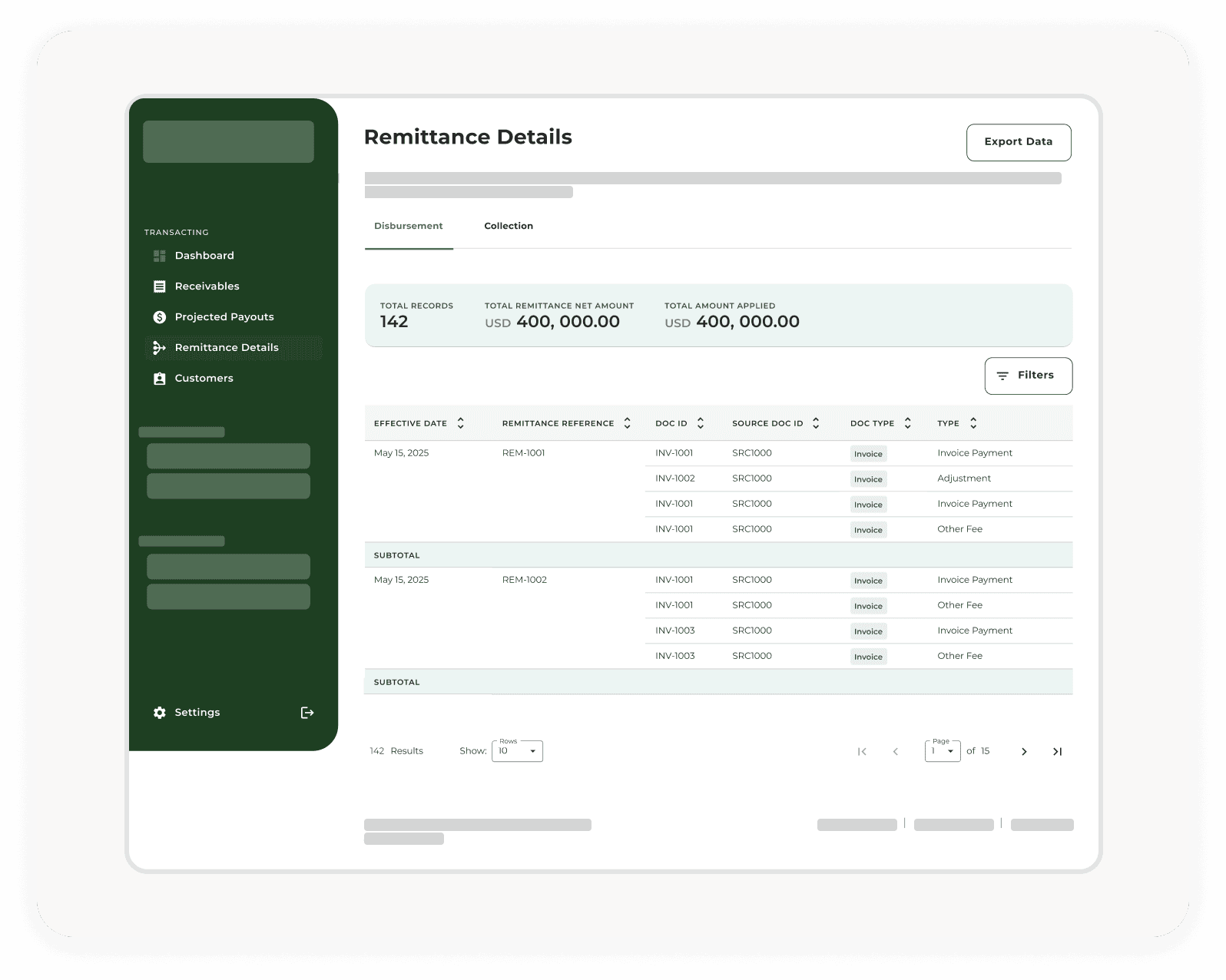

This screen helps sellers understand what was included in each payment. It connects completed payments to the related invoices or receivables and shows the key details behind each line item, such as payment date, reference number, document type, and amount applied. Filters and totals make it easier to review specific payment details when needed.

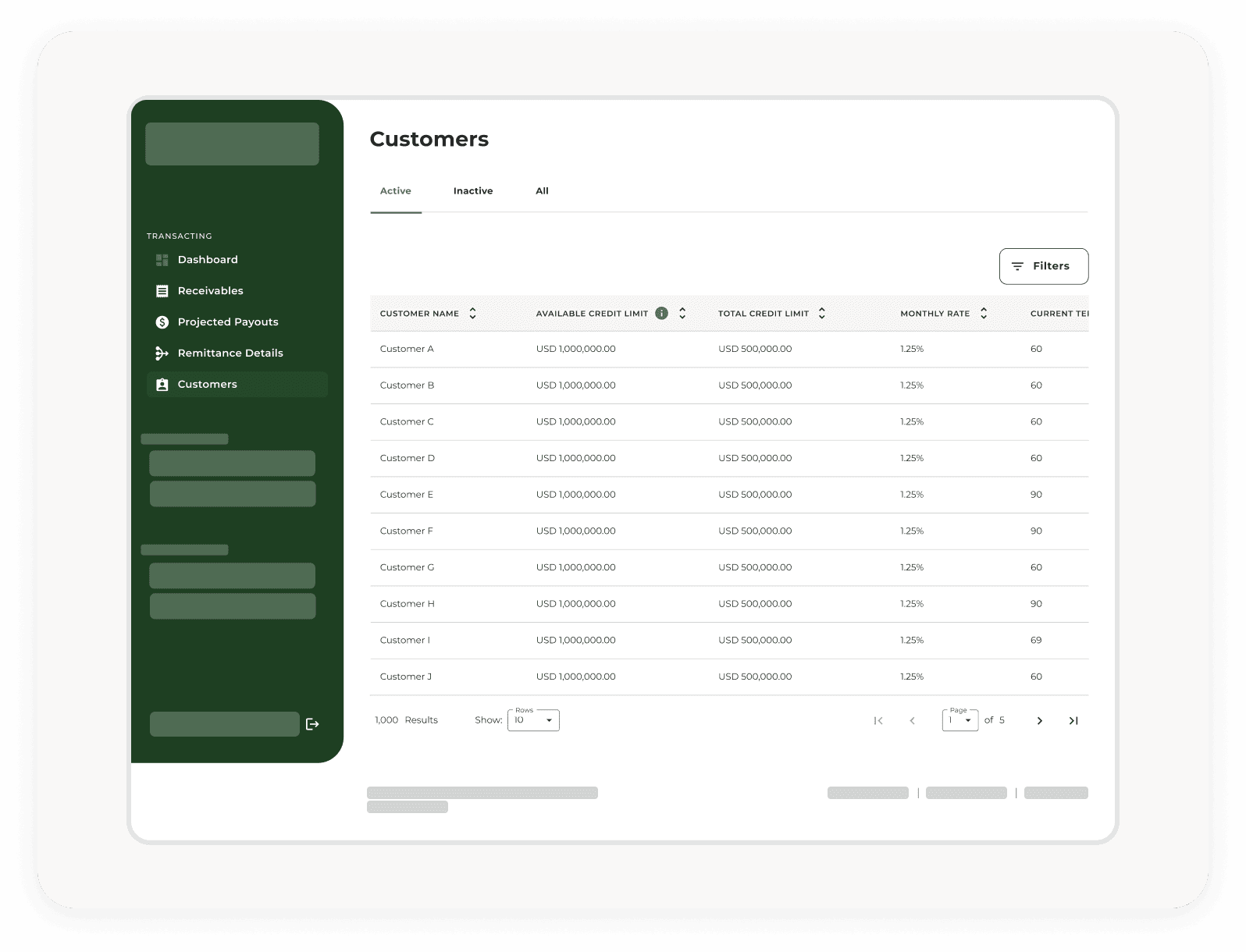

This screen gives sellers a customer-level view of available credit capacity. It shows active and inactive customers, available and total credit limits, rates, and terms, while filters help sellers quickly find specific customers and understand how much room they have to submit invoices for each one.
Design Iterations
Design Iterations
After the first design iteration, the flows and screens were reviewed again with internal teams - Sales and Operations and the development team to identify anything that needed to be adjusted before moving forward.
Most of the feedback focused on refining terminology, dashboard copy, and helper text to make the experience clearer for sellers. Instead of covering every copy-level change in detail, this section focuses on two product-level refinements that had a stronger impact on the usefulness and accuracy of the experience.
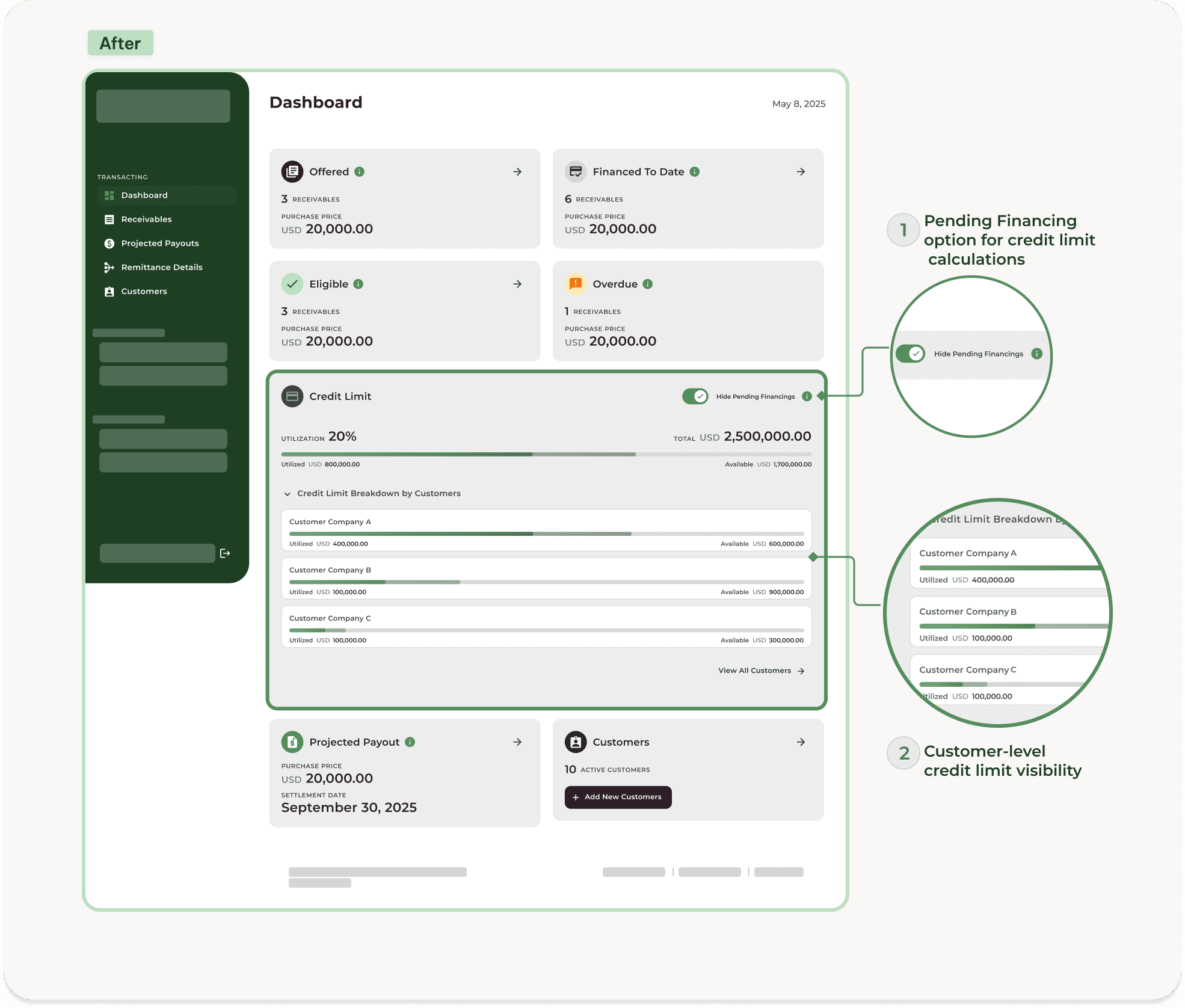
The Credit Limits section was also refined with a “Show pending financings” option. This helped sellers account for financing requests that had been submitted but not fully paid out, giving them a more realistic view of their remaining available credit.
The initial dashboard showed overall credit limit usage, while customer-level details lived deeper in the Customers page. Based on feedback, the dashboard was updated to surface customers with the highest credit limit utilization, helping sellers identify important credit exposure faster.
Project Takeaways
This project gave me the confidence to approach the design process more flexibly. Instead of relying on one familiar or traditional way of working, I learned to choose the approach that best serves the problem, the team, and the level of uncertainty.
It also showed the value of involving the right people earlier. By bringing developers and internal stakeholders into the process while the design was still flexible, we were able to gather feedback sooner, reduce pushback later, and address feasibility considerations and edge cases before the solution became too polished.
The final design received internal QA sign-off and was tested internally. Since the project was put on hold before being rolled out to sellers, the next step would have been to validate the experience with real users and measure whether it reduced manual follow-ups, improved access to invoice details, and supported more independent invoice management.