
Creating and Testing a Component with AI

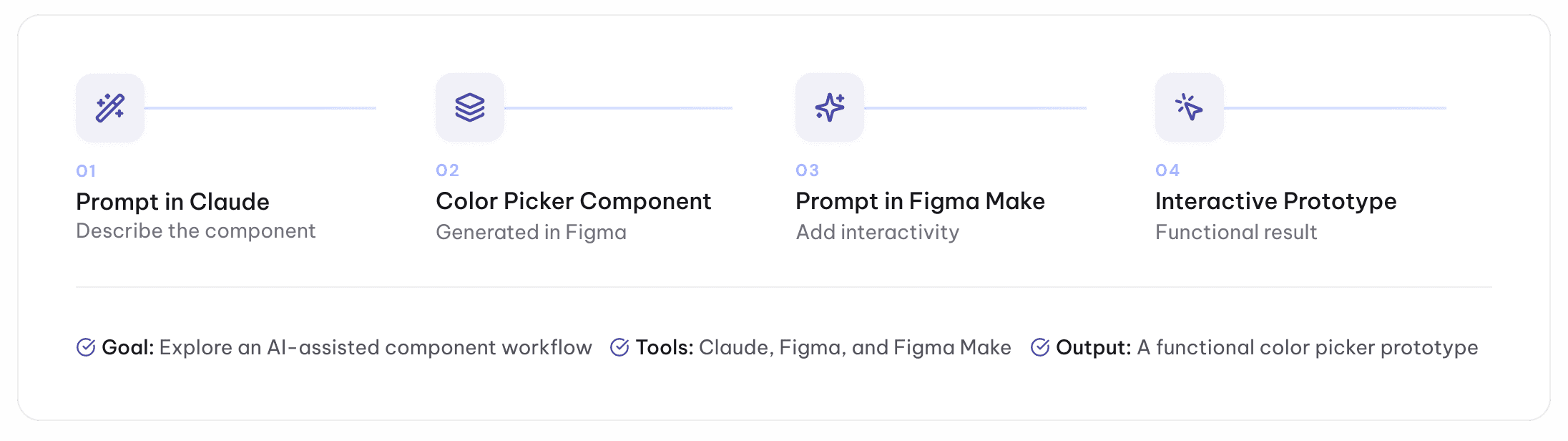
I wanted to explore how different AI tools could support two connected stages of the design process: creating a reusable UI component and turning it into a functional prototype.
For this experiment, I used Claude to create a color picker component inside Figma. I then used Figma Make to add functionality and test how the component could respond to users’ color selections.
Process
01 — Component Creation
Creating the Color Picker with Claude
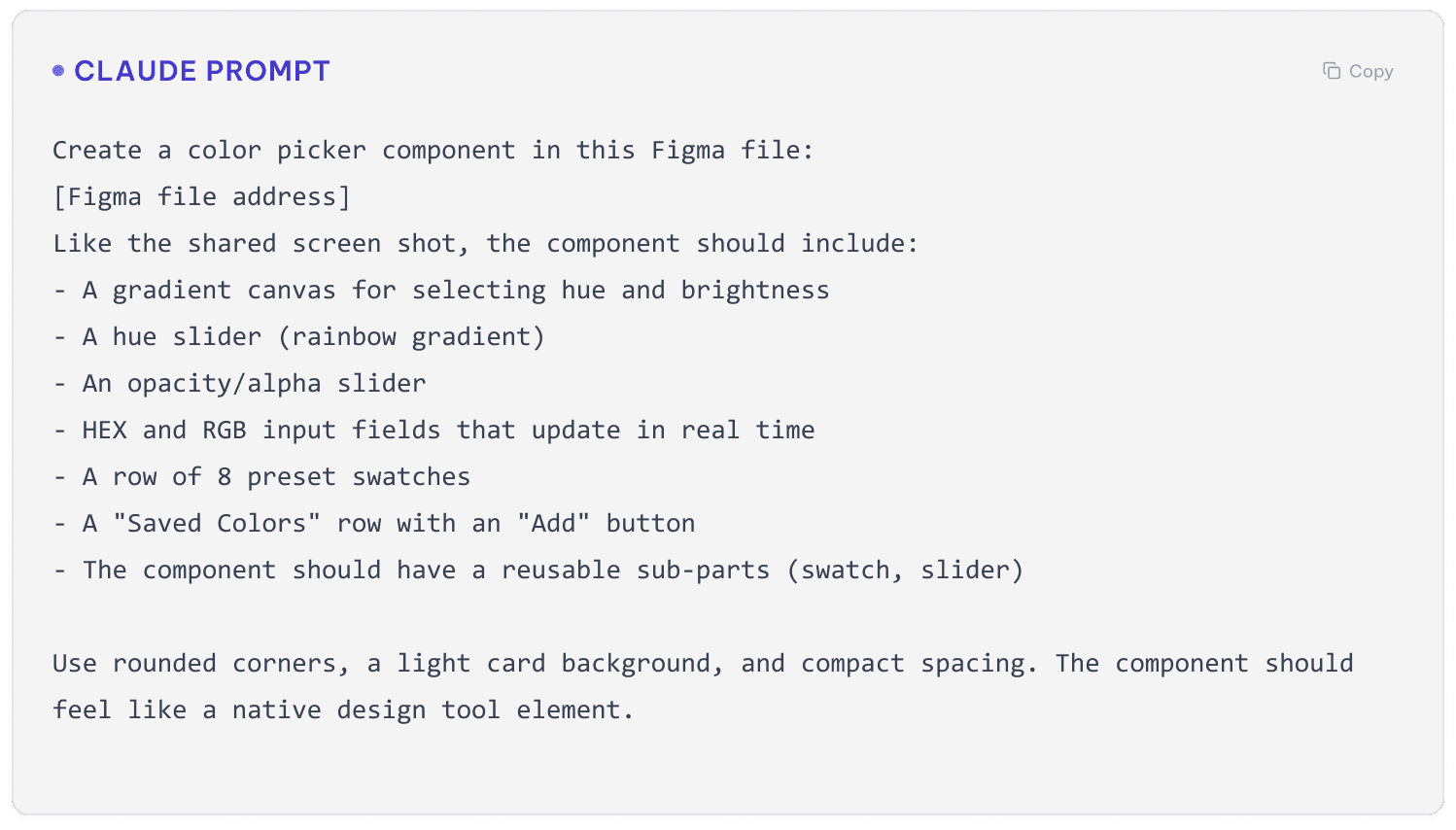
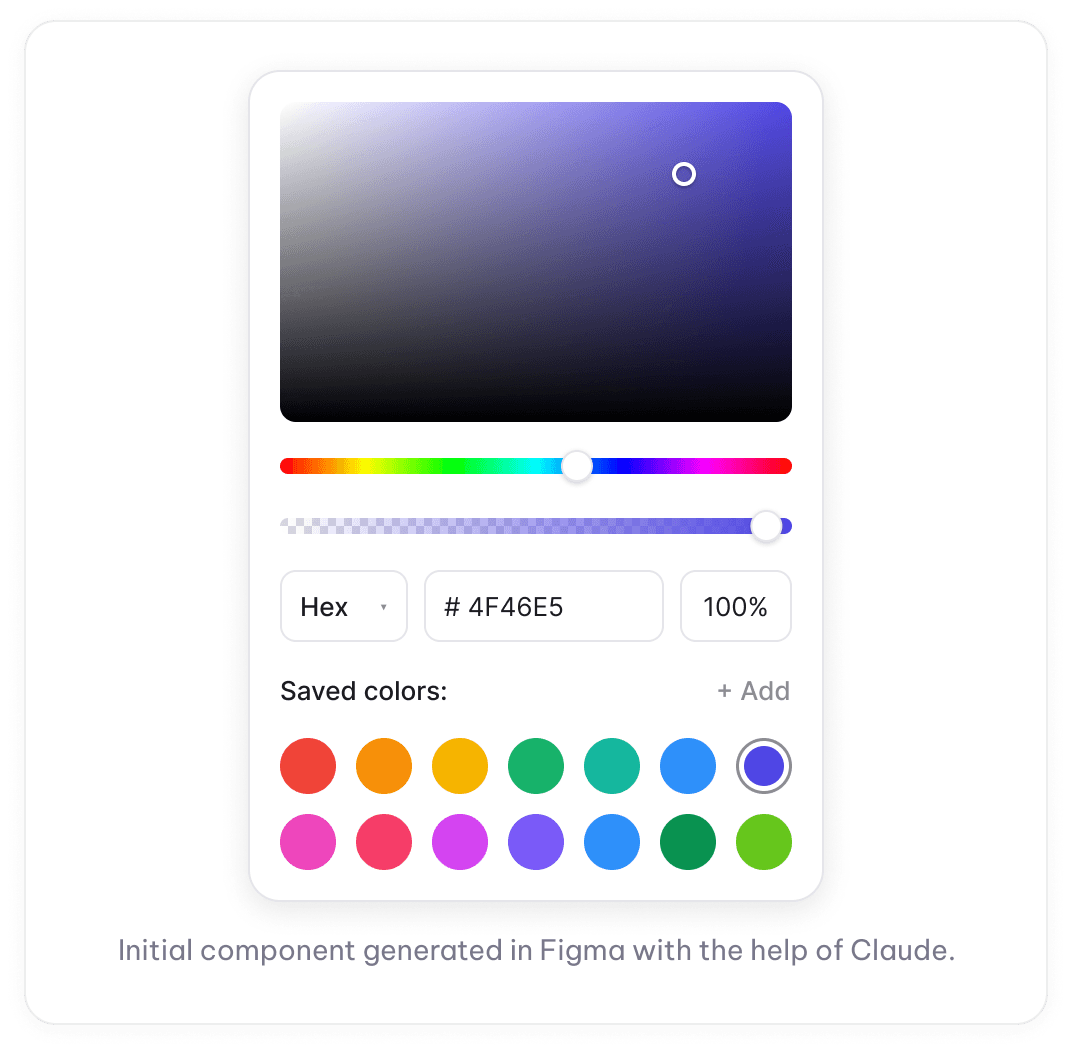
I first used Claude to generate a color picker component inside an existing Figma file. The prompt described the component's structure, controls, inputs, and saved color options.
02 — Functional Prototype
Testing the Component with Figma Make
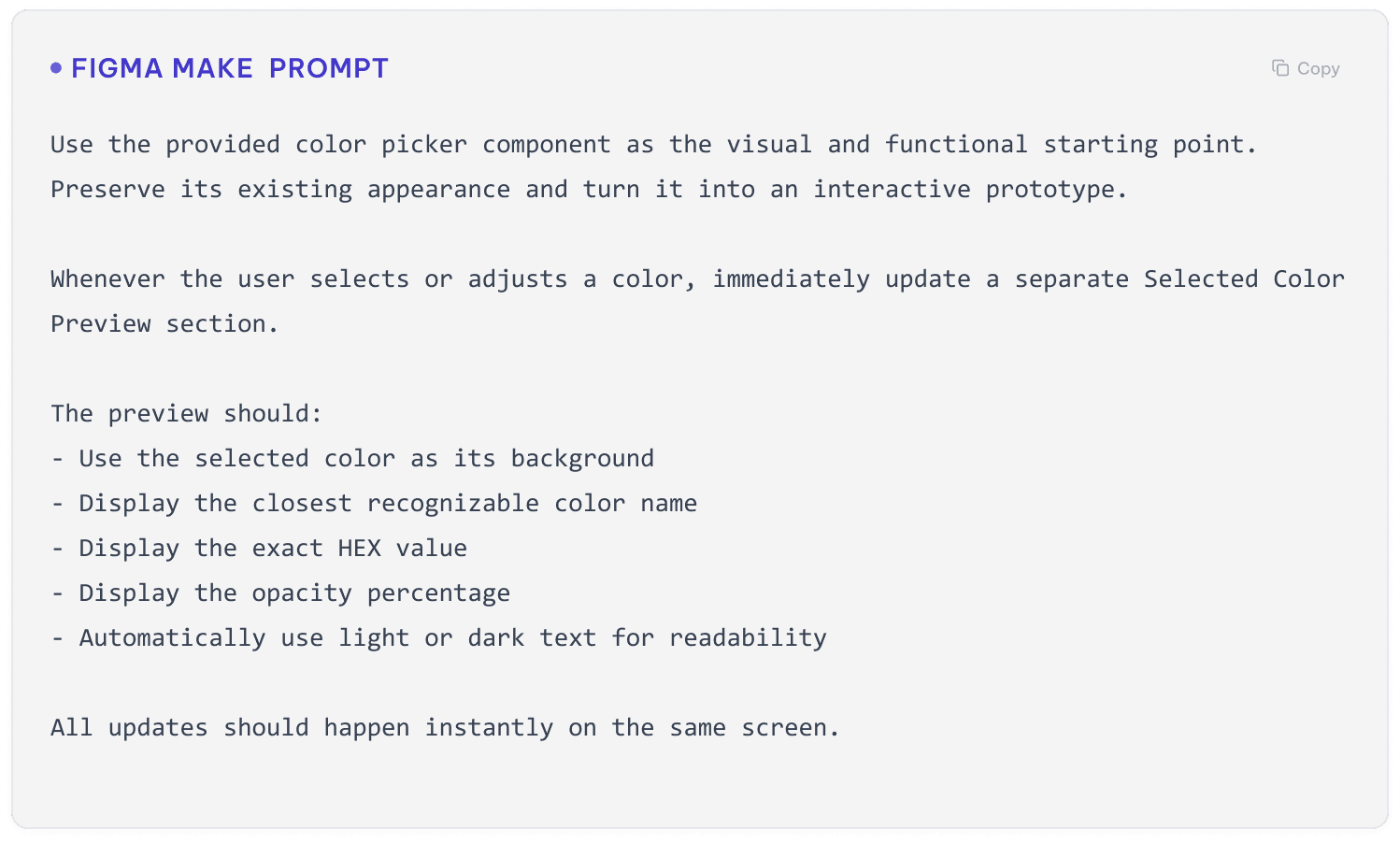
Next, I shared the component with Figma Make to see whether it could preserve the original design while turning it into an interactive experience.
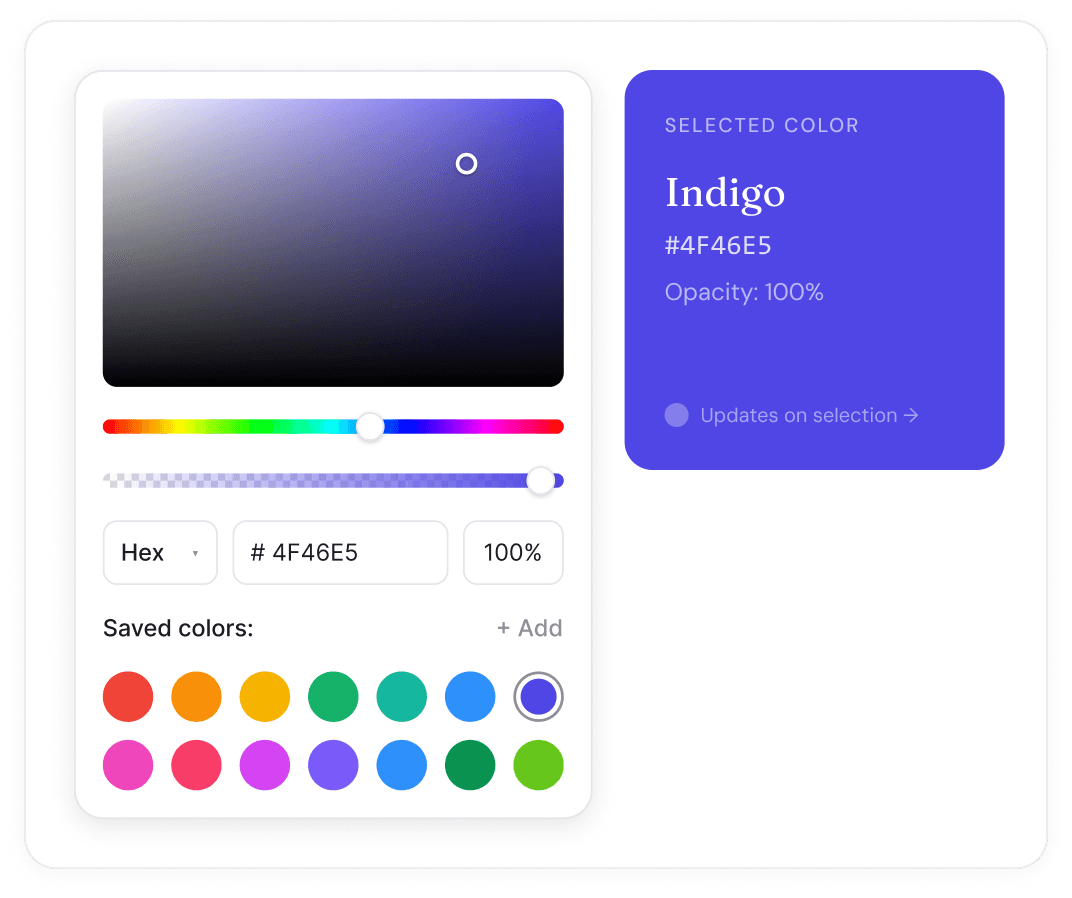
I asked it to update a preview area whenever a color was selected and display both the exact HEX value and the closest recognizable color name.
The Final Interactive Prototype
Figma Make transformed the static component into a working prototype. The preview background, color name, HEX value, and opacity update as the user interacts with the picker.


Reflection
This experiment showed how two AI tools could support different parts of the same workflow.
Claude was helpful for quickly generating the initial component structure, while Figma Make was more effective for adding interaction and connecting the different interface states.
The final prototype worked well and required significantly less manual setup than creating every interaction from scratch. However, generated color names may not always be completely precise because custom colors can fall between multiple commonly recognized names. Displaying the exact HEX value alongside the generated name helped address this limitation.
Overall, the experiment demonstrated how AI can help move a design from a written idea to a functional prototype while still allowing the designer to guide the structure, behavior, and final presentation.
